

A Pomodoro technique app runs a fixed work interval, traditionally 25 minutes, then a short break, with a longer break after four of them, so that starting becomes a decision you make once rather than continuously. Beyond counting down, the useful ones do three things: they make the boundary hard instead of advisory, they give an interruption somewhere to go, and they keep a record you can read a week later. Pomofocus, Flow, Forest, Focus Bear, Session, TickTick and Toggl Track all run the timer competently. They differ in what happens either side of it, which is what this page compares.
The comparison matters more than the ranking, because the timer is the cheapest part of the method and the only part every app ships. The technique’s own author says as much.
“A complete productivity system, not just a timer … includes daily planning, interruption management, and effort estimation.”
Daily planning, interruption management and effort estimation. Of the seven apps below, not one ships all three, and several ship none of them. That gap is the single most useful thing to know before installing anything.
What a Pomodoro app actually does for you
The Pomodoro technique was described by Francesco Cirillo, who named it after the tomato shaped kitchen timer he used as a student. The mechanics are short enough to state in full: a pomodoro is 25 minutes of uninterrupted work, followed by a 5 minute break, with a longer break of 15 to 30 minutes after four pomodoros. The rule people forget is the one that does the work: pomodoros are indivisible, so an incomplete pomodoro is not a pomodoro at all.
That indivisibility rule is what turns a timer into a method. It means an interruption ends the interval rather than pausing it, which forces you to write the interruption down and gives you an honest count at the end of the day of how many uninterrupted blocks you actually got. Most people discover the number is two or three, not eight.
The context for that discovery is unflattering and well measured. Mark, Gonzalez and Harris followed information workers minute by minute and found that the average stretch spent on one thread of work was 11 minutes 4 seconds, and that when people returned to an interrupted thread on the same day, they did so after an average of 25 minutes 26 seconds, having worked in an average of 2.26 other threads in between (CHI, 2005). So a Pomodoro app is not asking you to protect a four hour morning. It is asking you to protect roughly twice the block you currently get.
One caution about that 25 minute 26 second figure, because it gets repeated carelessly: the standard deviation in the same study was 54 minutes 48 seconds. The spread is more than double the average, which means the number describes a population and predicts almost nothing about your next interruption. The frequently quoted “23 minutes and 15 seconds to refocus” is not what that study reports, and this page does not use it.
The 25 minutes is arbitrary, and that is good news
No study identified 25 minutes as the optimal work interval. It came from a kitchen timer. The best direct test of the technique deliberately used a different number, and found it did not matter.
Biwer and colleagues ran 87 bachelor’s and master’s students through a day of genuine self-study, not a lab task, and split them three ways: students who decided their own breaks (35), students given a 6 minute break after every 24 minute block, labelled the Pomodoro condition (25), and students given a 3 minute break after every 12 minute block (27). The result is worth quoting in the authors’ own careful wording.
“Students had longer study sessions and breaks when self-regulating. This was associated with higher levels of fatigue and distractedness, and lower levels of concentration and motivation compared to those in the systematic conditions. We found no difference between groups in invested mental effort or task completion.”
Read that twice, because it is more modest and more useful than the claims made for the technique. Scheduled breaks did not make students do more work. They made students do the same work in a shorter session while feeling less tired, less distracted, more able to concentrate and more motivated. The authors call it a mood benefit plus an apparent efficiency benefit, meaning similar task completion in less time.
And the 12 minute block did as well as the 24 minute one. So the finding is about having a boundary you decided in advance, not about the length of it. If 25 minutes feels wrong for your work, change it. You are not breaking the method, and you are not contradicting any evidence.
The break is the part with a hint in the data. A 2022 meta-analysis of micro-breaks across 22 study samples found small but reliable gains in vigor (d = .36) and reductions in fatigue (d = .35), and a non-significant effect on performance overall (d = .16, p = .116). Its meta-regression found that the longer the break, the greater the boost to performance, and the authors conclude that recovering from highly depleting tasks may need more than 10 minute breaks (Albulescu et al., PLOS ONE, 2022). A 5 minute break after a hard 25 minutes is the weakest link in the classic recipe, and lengthening it is the first adjustment worth making.
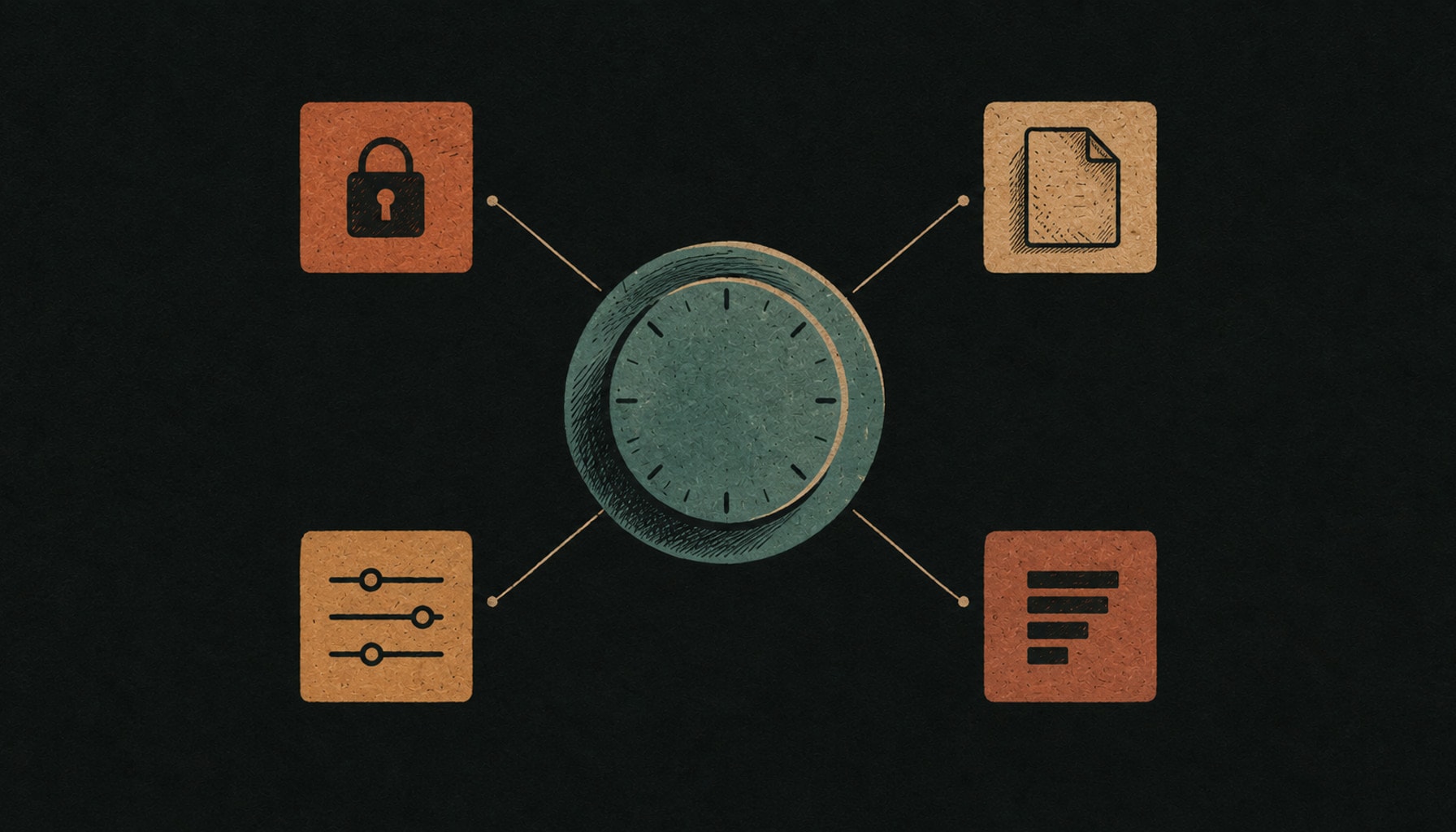
Four things a Pomodoro app has to get right
These four are the screen to hold every app below against. An app that does the first two well is usable. An app that does all four is rare.
- A boundary that is hard, not advisory. A countdown you can silently ignore is a suggestion. Blocking the two sites you actually lose the block to is the feature doing the work, and it is the one most free timers omit.
- Somewhere for an interruption to go. Cirillo’s method says to write the interruption down and carry on, which requires a place to write it. A timer with no capture field sends you to the thing that interrupted you.
- An interval you set yourself. Since the evidence does not choose 25, an app that hard-codes it is enforcing a kitchen timer from the 1980s.
- A record you will actually read. The value of counting pomodoros is learning that a task you estimated at two took five. That is the effort estimation half of the system, and it only works if the history survives the week.
Notice that none of those four is the timer. If you want the argument for protecting blocks at all, on a calendar you do not control, that is in our guide to deep work strategies.
Pomofocus, for nothing to install
Pomofocus is a browser timer, which means the setup cost is zero: open the page, press start. Its basic feature set includes an estimated finish time for the tasks you list, visual reports by day, week and month, up to three saved templates, and custom interval settings. Premium adds projects, yearly reports, CSV export, unlimited templates, a Todoist integration and webhooks.
Pomofocus deserves credit for the reports, because day, week and month views are the effort estimation feature almost every free timer skips. It is also the right first stop if you are not yet sure the technique suits you, since abandoning a browser tab costs nothing.
Where it breaks: Pomofocus publishes no price. Its own commerce notice says only that the sales price is listed on each product page, and no reachable page on the site states a figure. This page will not quote one it could not verify. There is also no app blocking, so the boundary is entirely honour-based.
Flow, the quiet one on Apple hardware
Flow describes itself as a simple Pomodoro-based focus timer to structure your work, and runs on iPhone, Mac, iPad and Apple Watch. It includes app blocking and web blocking, which puts it in the small group that makes the boundary real rather than advisory. The site states plainly that all the basic features are free, with no ads, no sign-up and no credit card.
Flow is the pick if you want the technique and nothing else: no habit tracker, no tree, no team dashboard. The Apple Watch support matters more than it sounds, because a countdown on your wrist is one of the few ways to see an interval end without looking at the screen you are trying not to look at.
Where it breaks: Flow is Apple only, so it is not an option on Windows or Android. The site does not publish a price for its paid features, so this page does not quote one.
Forest, for friction between you and the phone
Forest attaches a consequence to leaving: every minute of concentration grows a tree, and if you lose focus, you lose the tree. The core timer is free, and Forest states it needs no credit card and has no expiration. Free use includes the focus timer, app blocking through Deep Focus, a shared Plant Together mode and access to its Mindful Space. Plus adds extra tree species, all the soundscapes, focus analytics, custom app allowlists and scheduled blocking across multiple apps.
Forest is the right choice when the failure is specifically your phone rather than your planning, and the dying tree is a genuinely effective piece of design for exactly that. Note also that Forest is the only app here whose free tier includes real app blocking.
Where it breaks: Forest itself says Plus pricing varies by region and platform and tells you to check your store, so no honest page can quote a single figure, including this one. The one-off Forest Pro purchase is no longer sold on any platform, though existing Pro owners keep it. And the guilt mechanic wears off for most people within a few weeks.
Focus Bear, for routines wrapped around the timer
Focus Bear is broader than a Pomodoro app: it describes itself as a productivity and work-life-balance app covering morning and evening routines, website and app blocking, focus modes and goal tracking. It runs on Mac, Windows, Android and iOS, which makes it the most platform-agnostic option here. Its free Essentials tier includes a Pomodoro feature capped at 25 minutes per focus session, and Pro, at $9.99 a month with a 7 day free trial and no credit card required, allows consecutive Pomodoro sessions for longer tasks.
Focus Bear is built with neurodivergent users in mind and the routine scaffolding is the reason to choose it: for some people the hard part is not the 25 minutes but everything that has to happen before the 25 minutes can start. If that is the failure, our guide to ADHD planning tools covers the category properly, and apps to help ADHD adults names the alternatives.
Where it breaks: Focus Bear is the most expensive monthly option here, and the free tier’s 25 minute ceiling is an odd constraint given that the evidence does not pick 25. Focus Bear also does considerably more than run a timer, which is the point if you want routines and an annoyance if you do not.
Session, for sessions you can review afterwards
Session is a macOS and iOS app built around reviewing what happened, not just counting it. Its free plan costs $0 and limits analytics to the past 2 days. Pro is $4.99 a month, or $39.99 billed yearly which the site shows as $3.33 a month, with a 7 day free trial and a 30% non-renewing student discount on the yearly plan. Pro adds custom session durations, website and app blocking, calendar integration and a Slack status integration.
The Slack status integration is the most underrated feature in this entire comparison, because it addresses the interruption problem at the source rather than after the fact. A colleague who can see you are in a focus block is a colleague who is less likely to end it. Session’s blocking covers Safari, Chrome, Brave and Microsoft Edge.
Where it breaks: Session is Apple only, and its website blocking is macOS only, so the phone, which is where most blocks actually die, is not covered. Two days of analytics on the free plan is too short for the effort estimation habit to form.
TickTick, for a timer inside a real list
TickTick is a full task manager with the Pomodoro timer built in, and it describes the technique in its own words as breaking tasks into 25 minute intervals to stay focused. Its free plan costs $0 and allows 9 lists, 99 tasks per list, 5 habits, 5 countdowns, 2 members, 1 attachment per day and 1 checklist item per task. Premium is US$49.99 a year, which the page also presents as less than US$4.17 a month, and raises those ceilings to 299 lists, 999 tasks per list and 299 habits.
TickTick is the strongest answer to the question this whole comparison keeps circling, which is what the 25 minutes is pointed at. A standalone timer does not know what you are working on; TickTick starts the timer from the task. One honest note on the plan detail: the Pomodoro timer is presented as a core feature and does not appear as a limited item anywhere in TickTick’s own free versus Premium comparison table, but the site does not state in so many words that it is included on the free plan, so verify it against your own account before paying for anything.
Where it breaks: Choosing TickTick means adopting a task manager, which is a much larger decision than choosing a timer, and the 99 tasks per list ceiling on the free plan arrives faster than it sounds.
Toggl Track, for pomodoros you can bill
Toggl Track is a time tracker with a Pomodoro timer inside it, described on its own pricing page as a 25 minute timer with break reminders, adjustable, and available on the browser extension, the mobile apps and the desktop apps. The free plan costs $0 for up to 3 users and includes that Pomodoro timer along with manual and real-time timers, a focus mode, calendar integrations, tasks, boards and task estimates. Starter is listed at $9 per user per month and Premium at $16 per user per month.
Toggl Track is the only app here that answers a question the others cannot, which is what the interval was worth. If your work is billable, a pomodoro that lands on an invoice is a pomodoro with a second reason to exist, and the task estimates feature is the closest thing in this comparison to Cirillo’s effort estimation.
Where it breaks: Toggl Track is priced per user and aimed at teams and billable work, which makes it the wrong shape for a student or a personal project. Its pricing page carries a monthly and annual toggle, so whether $9 and $16 are the monthly rates or the annual rates expressed per month is not clear from the page, and this page does not guess. There is also no app blocking, so the boundary is advisory.
All seven, compared
Every figure below was checked against the vendor’s own page on 28 September 2026, never against a review site or a roundup. Prices and plan limits in this category move, so treat the date as part of the data, and where a vendor publishes no figure this table says so rather than filling the gap.
| App | What it adds around the timer | Free tier, checked 28 Sep 2026 | Where it breaks |
|---|---|---|---|
| Pomofocus | Day, week and month reports; templates | Basic feature set, no install, no account | Publishes no price at all. No blocking |
| Flow | App and web blocking; Apple Watch | All basic features free, no sign-up | Apple only. No published paid price |
| Forest | A tree that dies if you leave; Deep Focus blocking | Core timer free, no card, no expiration | Plus price varies by store, so unquotable |
| Focus Bear | Morning and evening routines; blocking | Essentials tier, capped at 25 min per session | $9.99 a month, the steepest here |
| Session | Reviewable history; Slack status; blocking | $0 plan, analytics limited to 2 days | Apple only; blocking is macOS only |
| TickTick | A real task list and calendar around it | $0 plan: 9 lists, 99 tasks per list, 5 habits | You are adopting a task manager, not a timer |
| Toggl Track | Billable time tracking; task estimates | $0 plan for up to 3 users, timer included | Per user pricing. No blocking |
| Taskly | Rewrites the list the interval points at | Free plan | No timer at all. Not a Pomodoro app |
A two week trial that tells you something
Week one flatters every productivity app, because novelty does the work the app is being credited for. The test that matters is what happens on a day you do not feel like it. Fill in the first three lines before you install anything, since writing them afterwards turns into justifying whatever you already downloaded.
BEFORE YOU INSTALL
  What failed last week:   starting / staying / the phone / not knowing what to work on
  Interval I will try:     ____ min work, ____ min break   (25/5 is a default, not a finding)
  I will judge it on:      number of uninterrupted blocks per day, nothing else

THE FOURTEEN DAYS
  Day 1       Set it up in 10 minutes. Set the interval. Stop when the 10 minutes is up.
  Day 2-4     Two blocks a day, on work you chose before the timer started.
  Day 5       Lengthen the break to 10 minutes. Note whether block two got easier.
  Day 6-9     A bad day happens in here. Log how many blocks you got, not how you felt.
  Day 10      Interruption test: where did the interruptions go? A note, or the thing itself?
  Day 14      Count the blocks across all 14 days. Compare with your day 1 guess.

DROP IT IF
  [ ] You never once changed the interval, because the default was never questioned
  [ ] Interruptions still won, because there was nowhere to park them
  [ ] You cannot see last week's history
  [ ] The blocks were real but pointed at the wrong work
That last line is the one that catches people. Counting blocks feels like progress regardless of what the blocks contained, which is the specific way a timer flatters you. The fix is upstream of the timer: pick the work by concentration rather than by volume, which is the argument in Pareto principle examples.
What no Pomodoro app fixes
Three failures look like focus problems and are not, and a Pomodoro app will absorb weeks of your attention before you notice it was never the right tool.
- Not knowing what to work on. A timer is indifferent to its contents. If the honest answer to “what is this block for” is a shrug, the missing piece is prioritisation, and the interval will fill with whatever is nearest.
- A task whose first step is invisible. Starting a 25 minute block on “sort out the accounts” fails at minute one. The breakdown has to happen before the timer, and no timer performs it for you.
- A calendar that is not yours. If your day is diced into 20 minute gaps by other people, the constraint is the calendar, not your willpower. The nine tactics in productivity tips for work are written for exactly that day.
One more point that argues against overclaiming for the technique. Ariga and Lleras, the study most often cited as proof that the Pomodoro technique works, ran a 40 minute vigilance task and found that the group given brief diversions showed no decline in sensitivity across blocks, while three comparison groups all declined significantly (Cognition, 2011). It is a real and careful result. But those diversions were a few seconds of a different task, not a 5 minute break, and the task ran 40 minutes rather than 25. It supports interrupting your own attention deliberately. It does not validate 25 and 5.
There is a cost side worth naming too. Mark, Gudith and Klocke interrupted 48 people at work and found they completed tasks faster when interrupted, but with higher workload, more stress, more frustration, more time pressure and more effort (CHI, 2008). The honest case for a Pomodoro app is not that it makes you faster. It is that it makes the same work cost less, which is exactly what the 2023 Biwer trial measured.
Where Taskly fits
Taskly is not a Pomodoro app and has no timer, so it does not belong in the table above as a competitor. It is in this post because six of the seven apps above are indifferent to what the 25 minutes is spent on, and that is the failure this comparison keeps returning to.
- The block gets something specific to point at. Ask Otto for the two things worth a block tomorrow and you get a proposal rather than a list to re-read at the moment your willpower is lowest.
- Vague work gets broken down before the timer starts. Otto splits a task that is really a project into steps small enough that a 25 minute block has an obvious first move.
- Interruptions have somewhere to land. Capture is one keystroke with no filing decision, which is the Cirillo rule about writing the interruption down instead of following it.
- Nothing changes without your approval. Otto shows every proposed change as a before and after that you accept or discard, so the list never rearranges itself behind you mid-block.
- Recovery is one move. “Push everything I did not finish to Thursday” is one request and one approval, not twenty edits, which is what makes a bad week survivable.
So the pairing that works is a timer for the boundary and something upstream deciding what the boundary contains. If the assistant half is the interesting part, the AI to-do list page covers what it does and what to check before trusting any tool with your list.
The short version
Pick a Pomodoro technique app on what surrounds the timer, because the timer is identical everywhere: blocking if the phone is the problem, a task list if knowing what to work on is the problem, a tracker if the time is billable. Change the interval, because a 12 minute block matched a 24 minute one in the only direct trial, and lengthen the break, because longer breaks predicted the bigger performance gain in the 2022 meta-analysis. Then judge the app on one number, uninterrupted blocks per day, and expect the honest answer to be two or three. The method’s real promise is the same work for less of you, not more work.
Frequently asked questions
What is the best Pomodoro technique app?+
Is there a free Pomodoro app?+
Does the Pomodoro technique actually work?+
Why is a pomodoro 25 minutes?+
Can I change the Pomodoro interval length?+
Is a Pomodoro app good for ADHD?+
What happens if a pomodoro gets interrupted?+
Do I need a Pomodoro app, or will a kitchen timer do?+
This is practical productivity writing, not clinical guidance. Saba Majidi holds a master’s degree in counseling psychology, but nothing here is a substitute for advice from a clinician who knows your situation.