Features
Everything your team needs to ship
Lists, boards, subtasks, recurrence and a real team model, organized for you by Otto, applied only when you approve. Here's the whole toolkit.
No credit card · Free while in early access
Lists, boards, subtasks, recurrence and a real team model, organized for you by Otto, applied only when you approve. Here's the whole toolkit.
No credit card · Free while in early access
Quick answer
Taskly is an AI-native task manager for teams. It gives you tasks with priorities, due dates, notes, subtasks and attachments, a Kanban board using your workspace’s own statuses, filtered lists and a calendar, a References library, and a team model where every task has exactly one owner. Otto, the built-in AI assistant, can create, edit, reprioritise and assign any of it from plain English, and shows every change as a diff you approve. Everything on this page is free while Taskly is in early access.
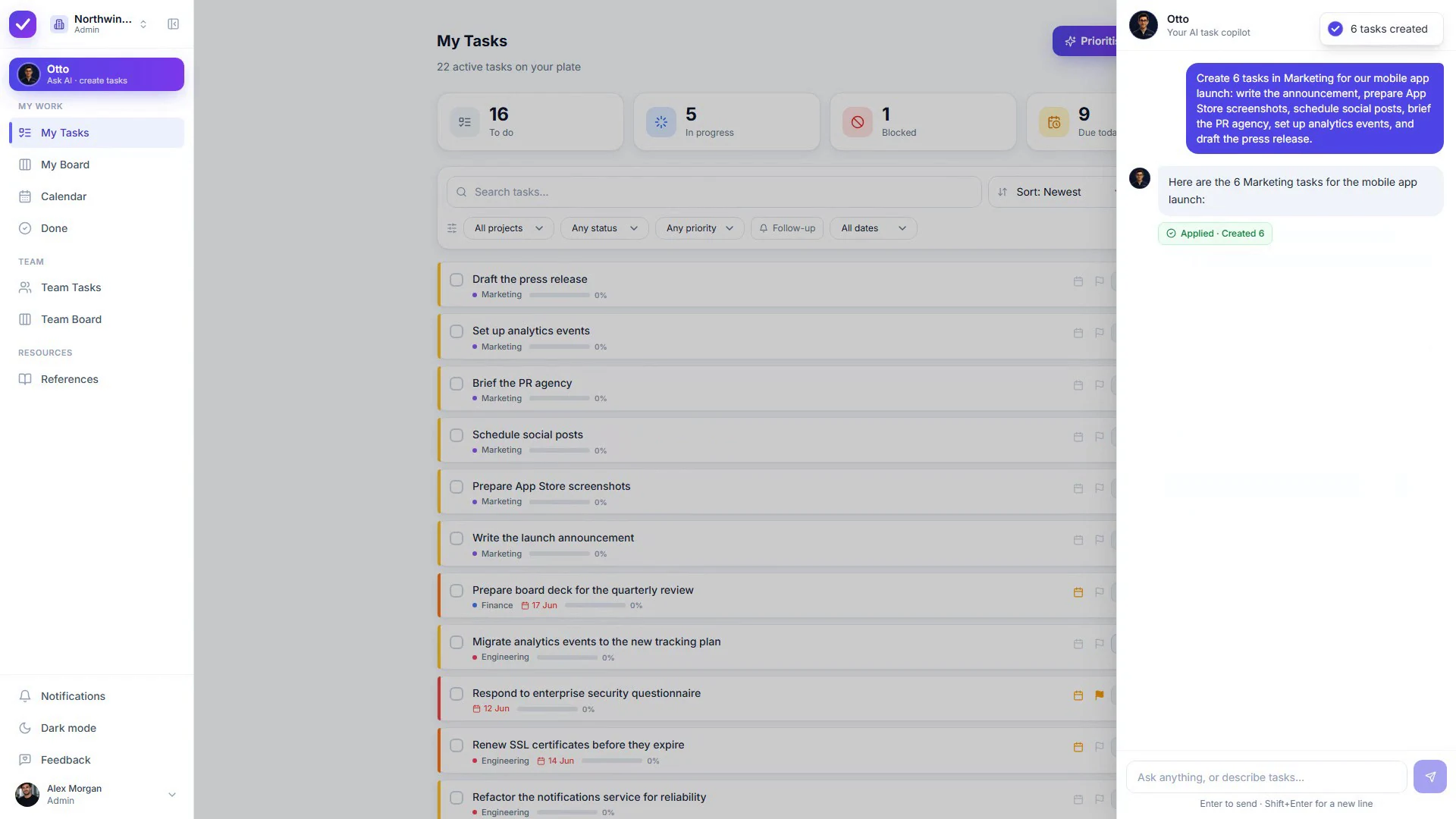
Describe work in plain English and Otto drafts the tasks: projects, priorities, due dates, subtasks and assignees included. Every create and edit is shown as a before→after diff you Apply or Discard. Nothing changes without your consent.
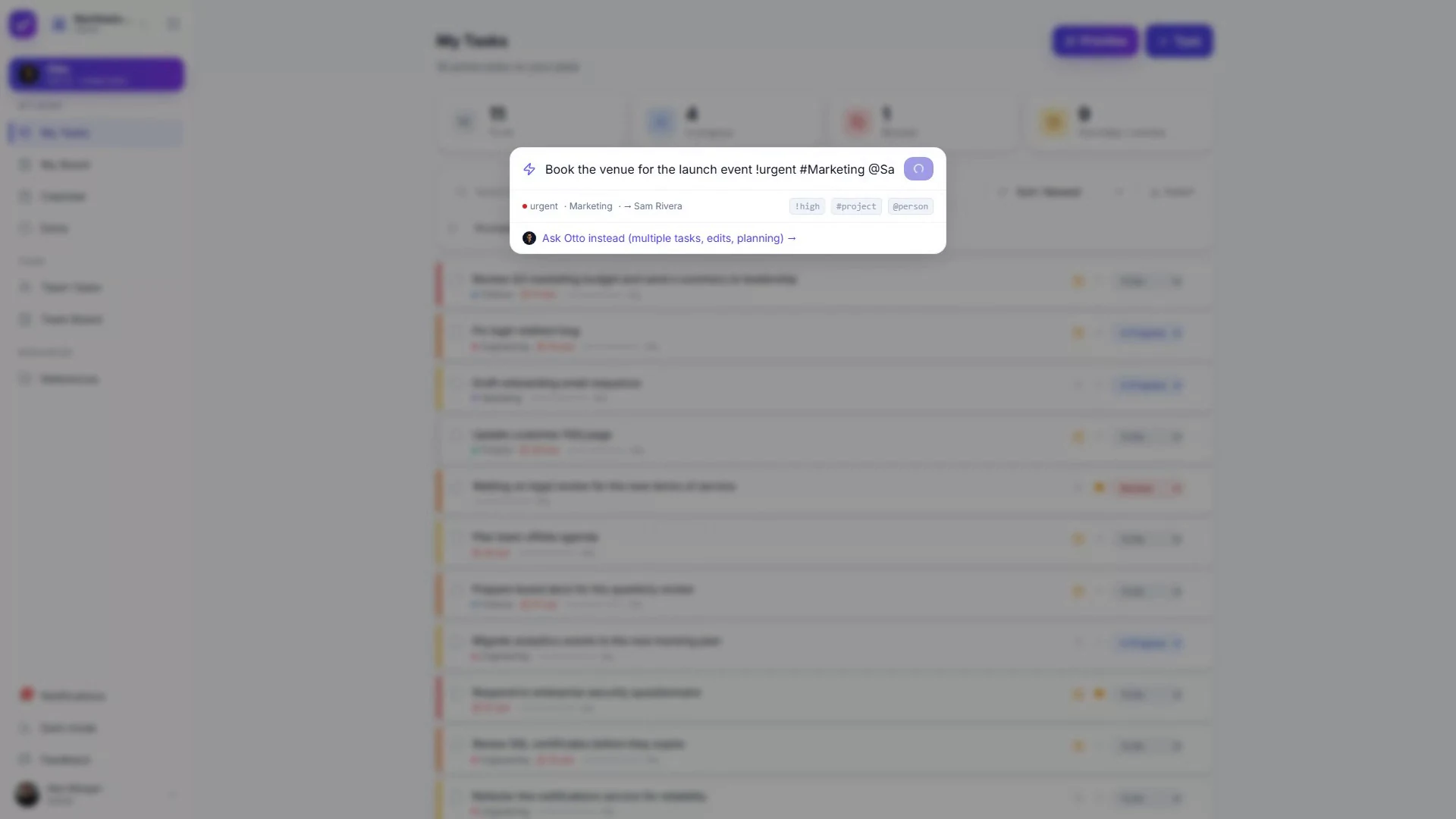
Hit ⌘K anywhere and type "Fix payment bug !urgent #Eng @Sarah": Taskly parses priority, project and assignee instantly. Add notes, subtasks, due dates and recurrence, all with live autosave.
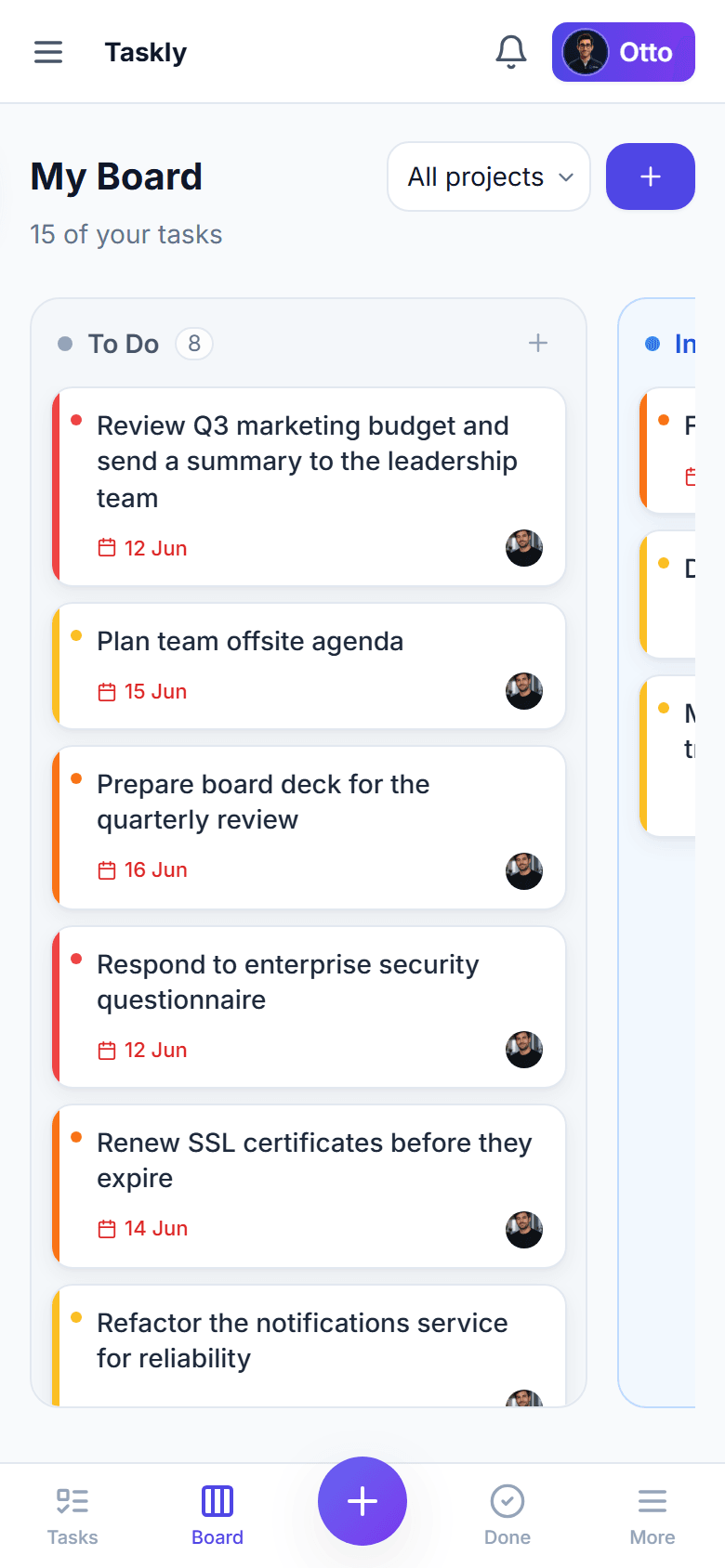
Drag cards across To-Do, In-Progress, Blocked and Done, reorder within a column, and add tasks per column. Or work in lists with a live status dashboard scoped to your own bucket.
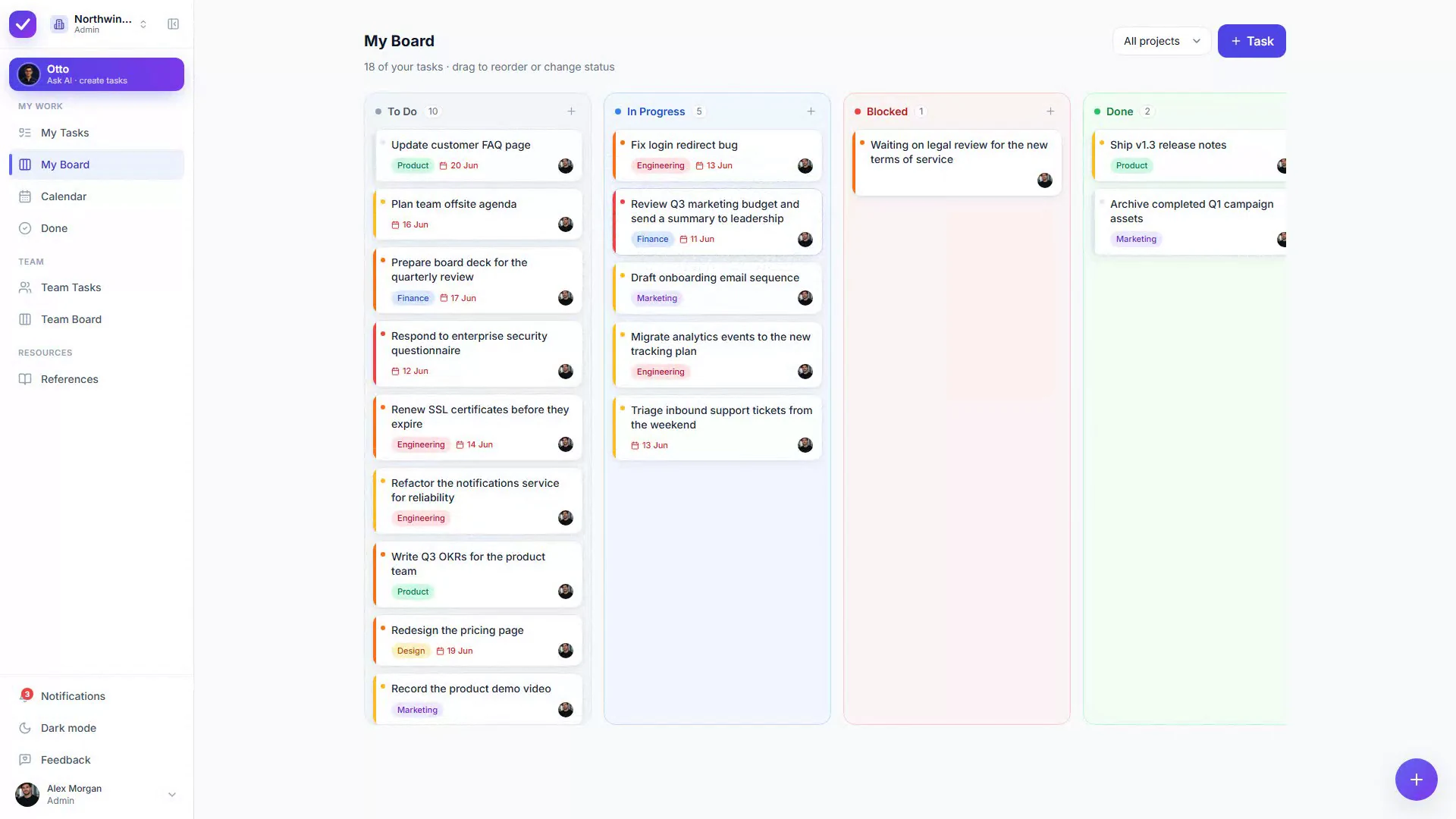
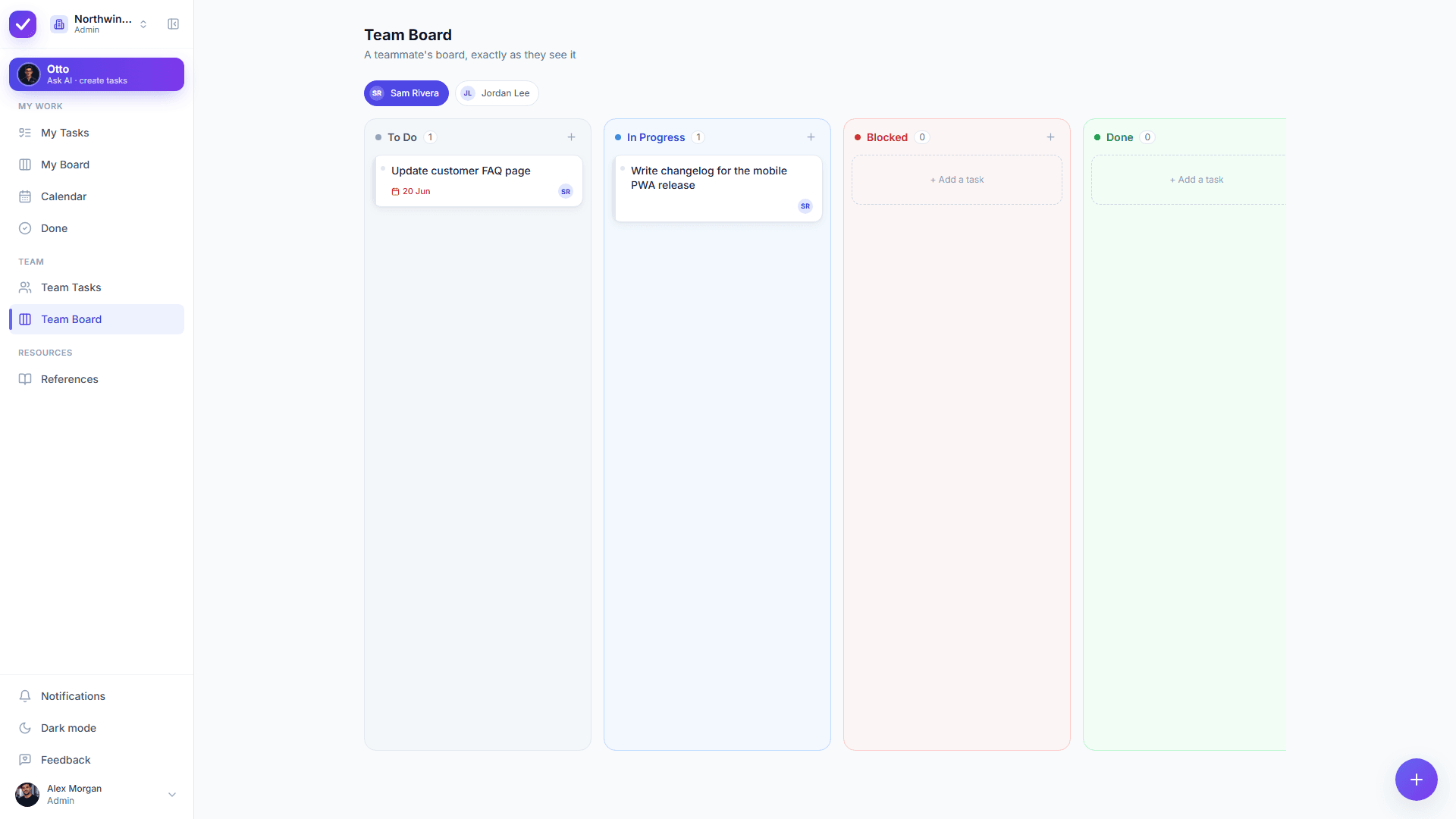
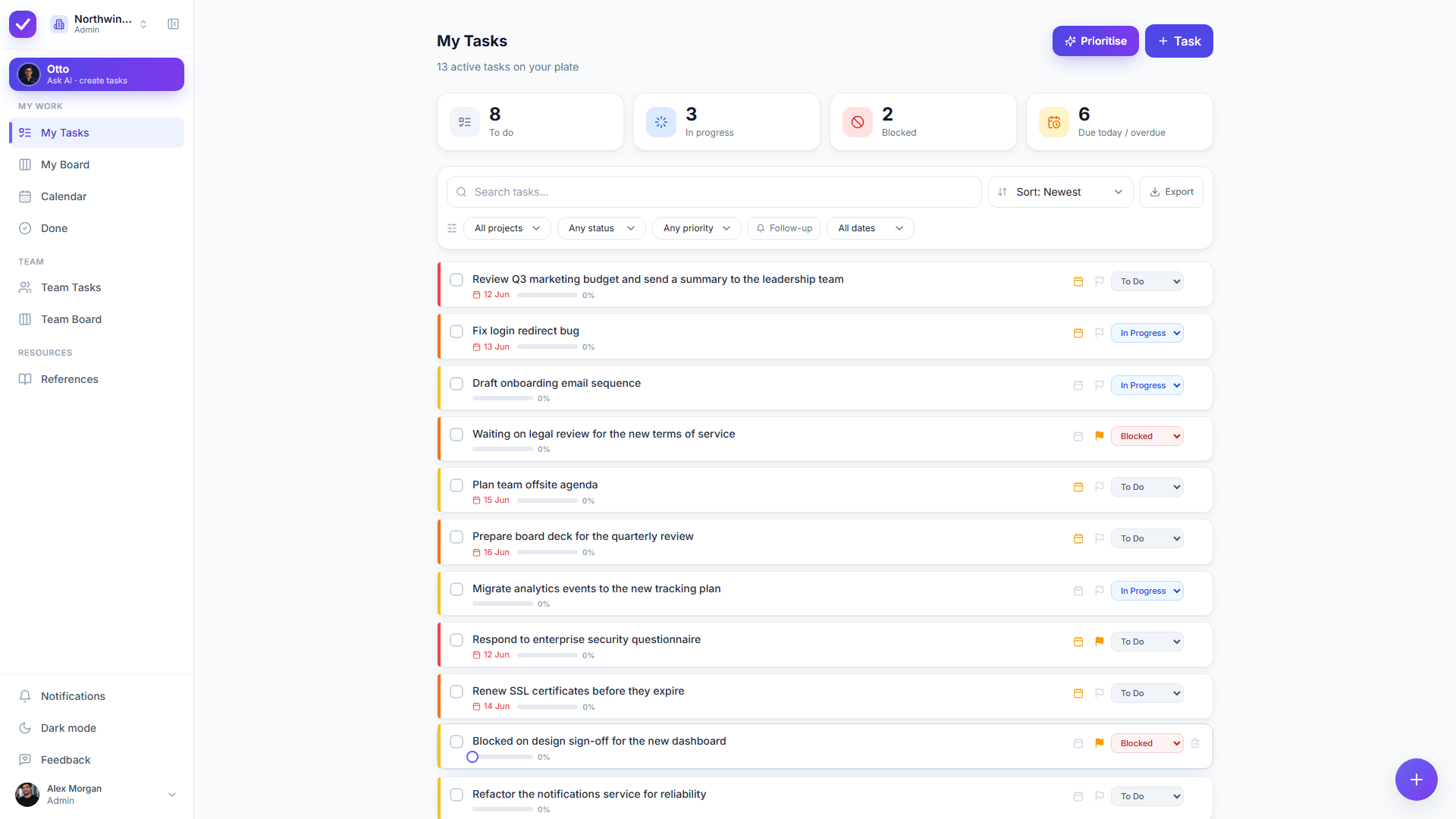
Every task lives in exactly one person's bucket. Delegating hands it over to a teammate; admins oversee everyone through dedicated Team Tasks and Team Board views. Real-time across the whole workspace.
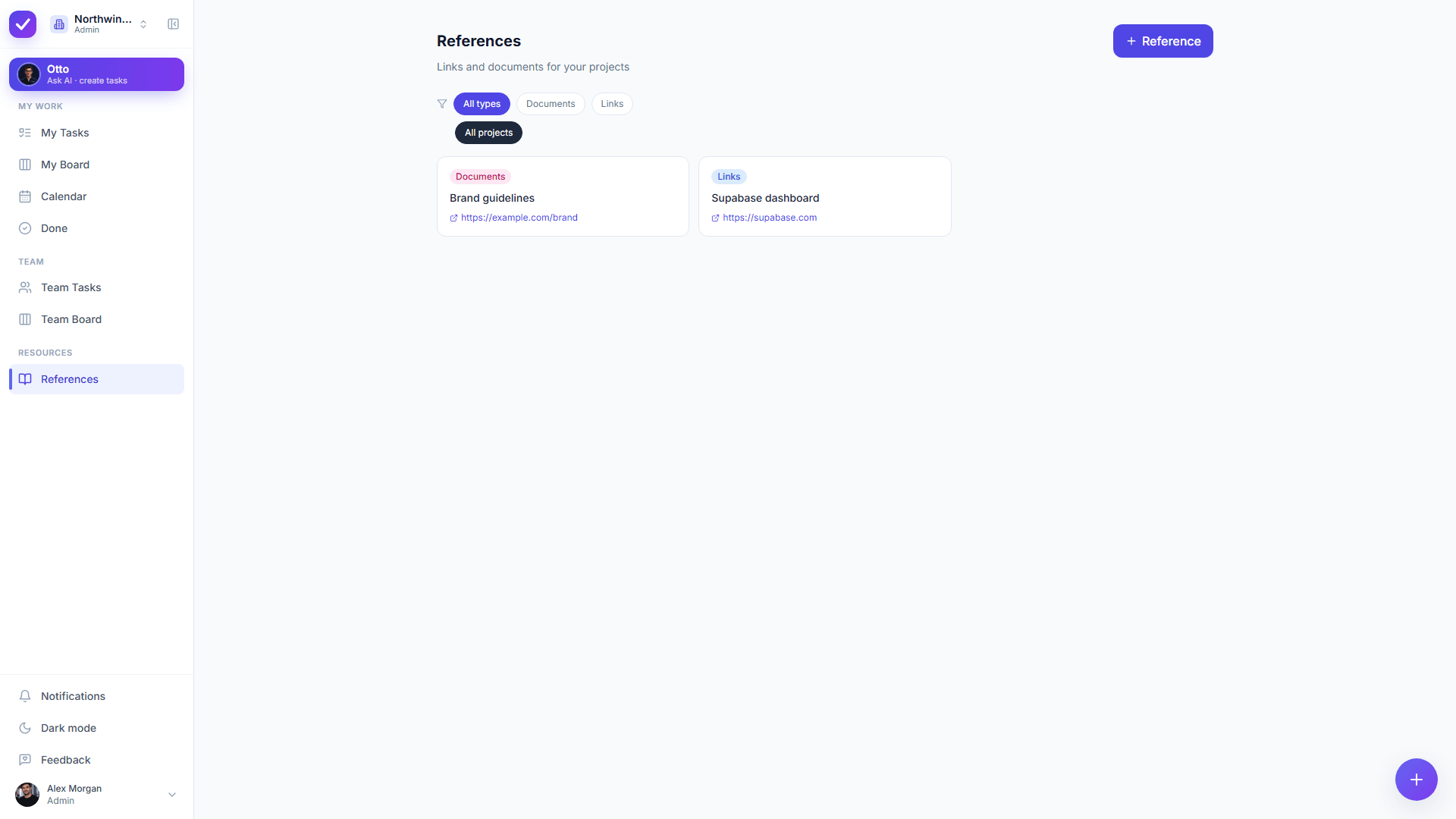
Save links and documents in a References library with your own custom types (no presets). Otto can file references for you straight from chat, so the useful stuff never gets lost in Slack.
The details that make a task tool one your team actually keeps open.
Group work into your own projects: create inline or in settings.
Low → urgent, with colour accents that surface what matters.
Due-or-overdue counts that always match your list.
Daily, weekly, biweekly, monthly or weekdays, auto-recreated.
One-level checklists with a progress bar. Otto can draft them.
Flag anything for follow-up and filter to it in a click.
Project, status, priority, date range, plus Otto's order.
Find anything across your bucket, paginated and fast.
Real-time threaded comments on every task.
Quiet by default: only what actually needs you.
Light, dark or system, with a collapsible sidebar.
Natural-language create, edit, schedule, assign & file.
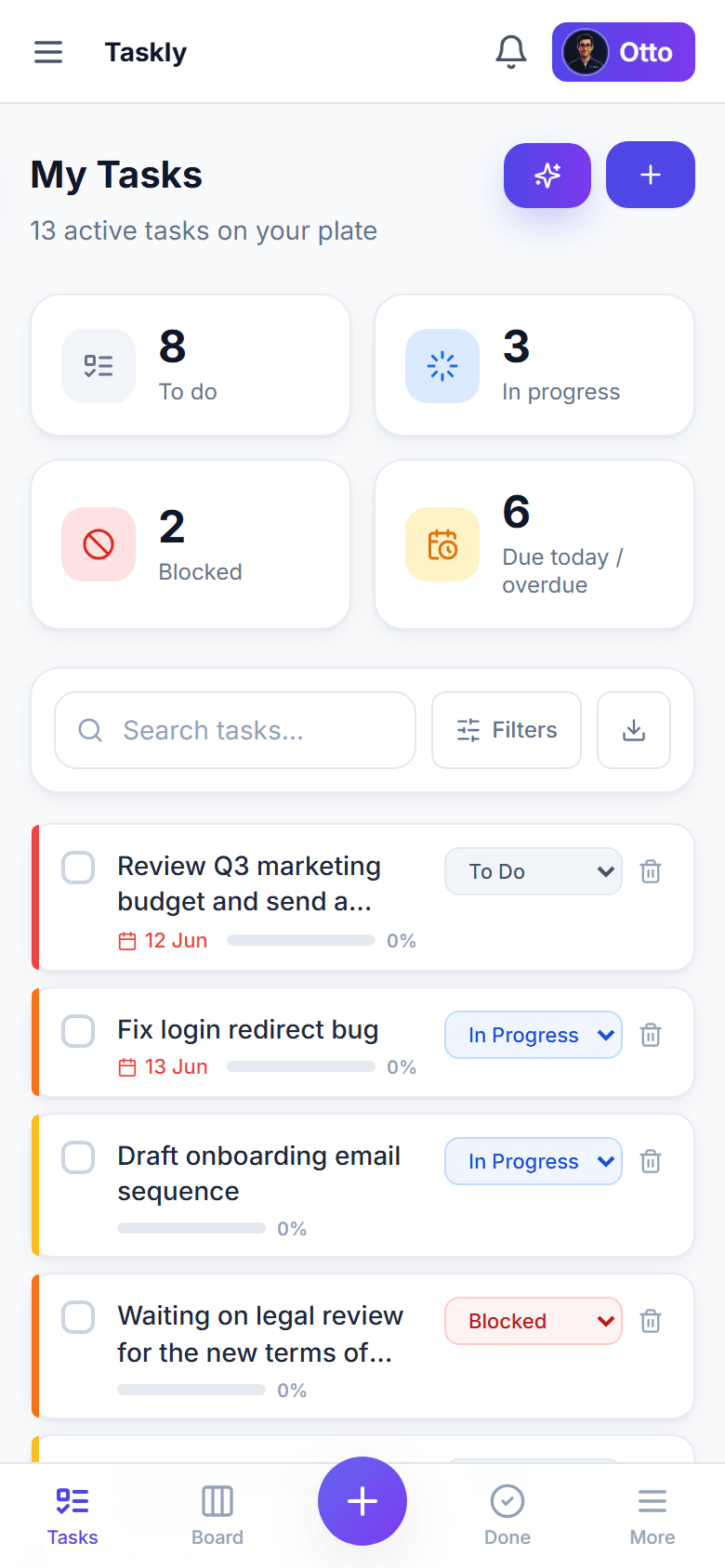
Taskly is a fully responsive progressive web app with a native-feeling bottom tab bar. Add it to your home screen and bring Otto along: same workspace, real-time everywhere.
"The diff-before-apply is the thing. I trust the AI because I can see exactly what it'll do before it does it."
Every Taskly capability in one table, with the gaps included. Checking a tool against a requirements list should not take a sales call.
| Capability | In Taskly | Detail |
|---|---|---|
| AI assistant | Yes | Otto creates, edits, reprioritises and assigns from plain English, behind a diff you approve or discard |
| Kanban board | Yes | Drag and drop between columns, reordering within a column, and a quick add on every column |
| Custom statuses | Yes | Each workspace names and colours its own statuses instead of inheriting a fixed five |
| Lists and filters | Yes | Filter by project, status, priority, follow-up and date range, then sort by date, priority, activity or Otto’s order |
| Calendar view | Yes | Your tasks laid out by date, alongside the list and the board |
| Subtasks | Yes | A one-level checklist with a progress bar on the parent. Otto can draft the whole checklist |
| Recurring tasks | Yes | Daily, weekly, biweekly, monthly or weekdays, recreated when you complete them |
| Priorities | Yes | Low, medium, high and urgent, with colour accents carried through every view |
| Due dates and reminders | Yes | Due-or-overdue counts that match your list, plus reminders Otto can set for you |
| File attachments | Yes | Up to 25 MB per file, held in a private bucket scoped to your workspace |
| Comments | Yes | Real-time threaded comments on every task |
| Team assignment | Yes | Every task sits in exactly one owner’s bucket, with admin Team Tasks and Team Board views |
| References library | Yes | Links and documents filed under reference types you define yourself |
| Multiple workspaces | Yes | Switch workspaces from the sidebar. Joining one always needs your explicit consent |
| Languages | Yes | English, Spanish, German and Persian, with right-to-left layout and Jalali dates in Persian |
| Mobile | Installable web app | Add to your home screen for a full-screen app with a bottom tab bar. No separate App Store or Play Store build |
| Gantt charts and dependencies | No | Taskly gives you lists, a board and a calendar, not a dependency timeline |
| Time tracking | No | Taskly does not record hours spent on a task |
| Custom fields | No | Every task has the same shape: title, notes, project, priority, status, due date, assignee, subtasks, attachments |
| Docs and whiteboards | No | Taskly keeps context as References and attachments rather than shipping a document editor |
| Public API and integrations | No | Taskly has no public API and no third-party integrations yet |
Taskly is a task manager, not a work OS. Three things it deliberately leaves out, so you can rule it out now instead of three weeks in.
Taskly gives you lists, a board and a calendar. If your plan lives or dies on a Gantt chart with dependencies between tasks, Taskly does not draw one.
Every Taskly task has the same shape. If your process needs arbitrary per-task fields or a different schema per project, Taskly will feel rigid.
Taskly has no public API and no third-party integrations, so work does not flow in from GitHub, Slack or a CRM on its own. You bring it in, or describe it to Otto.
Weighing Taskly against a heavier tool? See the ClickUp comparison or the Jira comparison.
Want the detail on how the AI works? Start with AI task manager, or security for what reaches the model.
Taskly gives you filtered lists, a Kanban board and a calendar view; tasks with priorities, due dates, reminders, notes, subtasks and file attachments; recurring tasks; per-workspace custom statuses; real-time comments; a References library; and a team model where every task sits in exactly one owner’s bucket. Otto, the built-in AI assistant, can create, edit, reprioritise and assign any of it from plain English, behind a before and after diff you approve.
Taskly has a drag-and-drop Kanban board with a quick add on every column and reordering within a column. The columns are your workspace’s own statuses rather than a fixed set, so a team can name and colour them to match how it actually works. The same tasks also appear as filtered lists and on a calendar, so you change view without changing tool.
Taskly supports both. Recurring tasks repeat daily, weekly, biweekly, monthly or on weekdays, and recreate themselves when you complete them. Subtasks are a one-level checklist with a progress bar on the parent task, and Otto can draft an entire checklist from a one-line description for you to approve or discard.
Taskly manages a team through a single-owner model: every task lives in exactly one person’s bucket, delegating moves the task onto that person’s list, and admins get Team Tasks and Team Board views showing any teammate’s work the way that teammate sees it. Invitations go out by email or link, and roles separate admins from members.
Taskly is a progressive web app rather than a native download. Open app.ottotaskly.com on a phone and add it to your home screen, and you get a full-screen app with a bottom tab bar and real-time sync with your desktop. Taskly does not currently publish a separate App Store or Play Store build.
Taskly does not do Gantt charts or task dependencies, time tracking, custom fields, document or whiteboard editing, or third-party integrations, and it has no public API yet. Taskly is deliberately a task manager rather than a work OS. Teams that need those things are better served by a heavier tool, and saying so here beats letting you find out three weeks in.
Every Taskly feature is free while the product is in early access, Otto included. There is no AI add-on, no per-seat charge for the assistant, and no feature held behind a paid tier today. Early adopters keep preferential pricing when paid plans arrive.
Taskly is available in English, Spanish, German and Persian. Persian renders right-to-left throughout and uses Jalali calendar dates, rather than being a translated string layer bolted onto a left-to-right layout. You choose your language in Settings and it applies across the whole app.
Start free and let Otto organize your first project in seconds.
No credit card · Sign in with Google or email