Meet Otto, your AI task copilot

Describe it. Otto organizes it. You get it done.
Taskly is the AI task manager for people who find Jira too heavy and a notes app too light. Type or dump what needs doing in plain English: Otto drafts the tasks, you approve, and you get on with your day. Working with others? Add a teammate whenever you like.

No credit card · Sign in with Google or email · Free to start
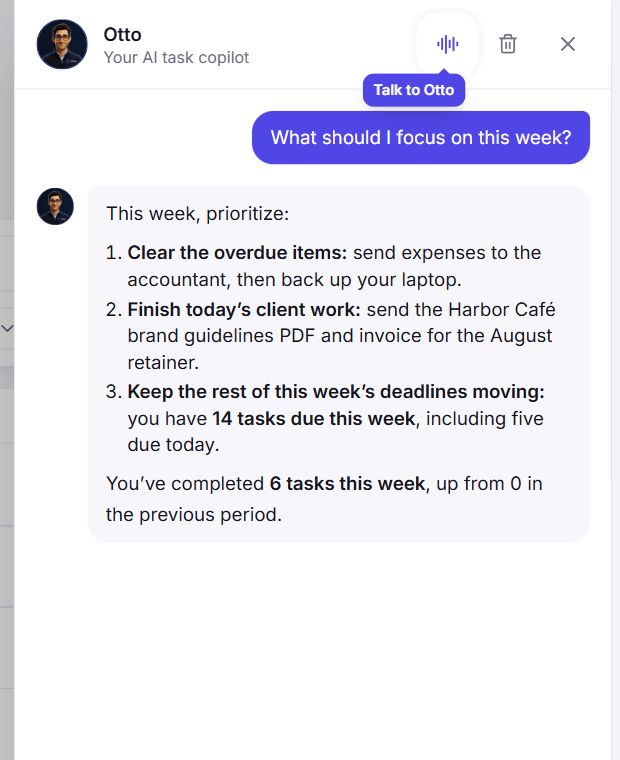
Otto answering what to focus on this week, using the real task list in Taskly

AI-native

create & edit by chat

Calendar

month, week and day views

Private

per-workspace isolation

⌘K

capture in a keystroke

The sweet spot

Jira is too heavy. Sticky notes are too light.

Taskly sits exactly in between: real structure for your own work (lists, boards, recurring tasks) without the setup, the config, or the admin overhead. And an AI that does the organizing for you. Working with someone else? It grows with you.

Taskly
Heavy tools

Fields, statuses and permissions to configure before you can even log a task.

Light tools

A notes app, a chat with yourself, a list in your head. Nothing gets prioritised.

Structure without the overhead

Lists, boards, subtasks and recurrence, plus room to add a teammate later. Otto keeps it organized; you approve every change.

One day in Taskly

Capture it. Plan it. Do it.

Three steps, and none of them is a setup screen.

Step 1: Capture

Say it once, typed or spoken

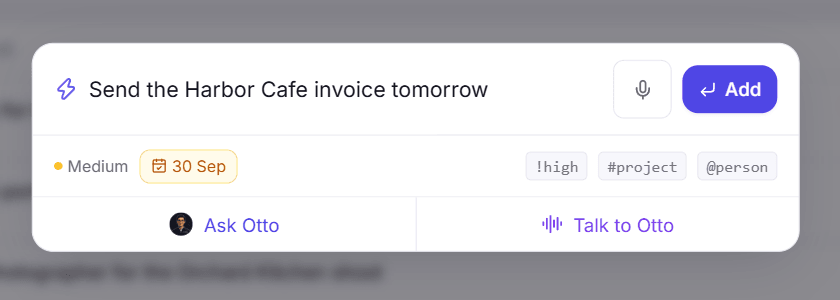
Hit ⌘K anywhere and type "Send the Harbor Cafe invoice tomorrow". The date is picked up as you type, and so are priority and project. Prefer to talk? Tap the mic and ramble: Otto splits a brain dump into separate tasks for you to review.

  • Plain-English dates: "tomorrow 9am" sets the day and the reminder
  • Shortcuts for priority, project and person: !high #Client @Sara
  • Nothing from a brain dump is saved until you approve it
The quick capture box turning the word tomorrow into a due date, with a microphone button and a Talk to Otto shortcut
Step 2: Plan

See the week, then move things with a drag

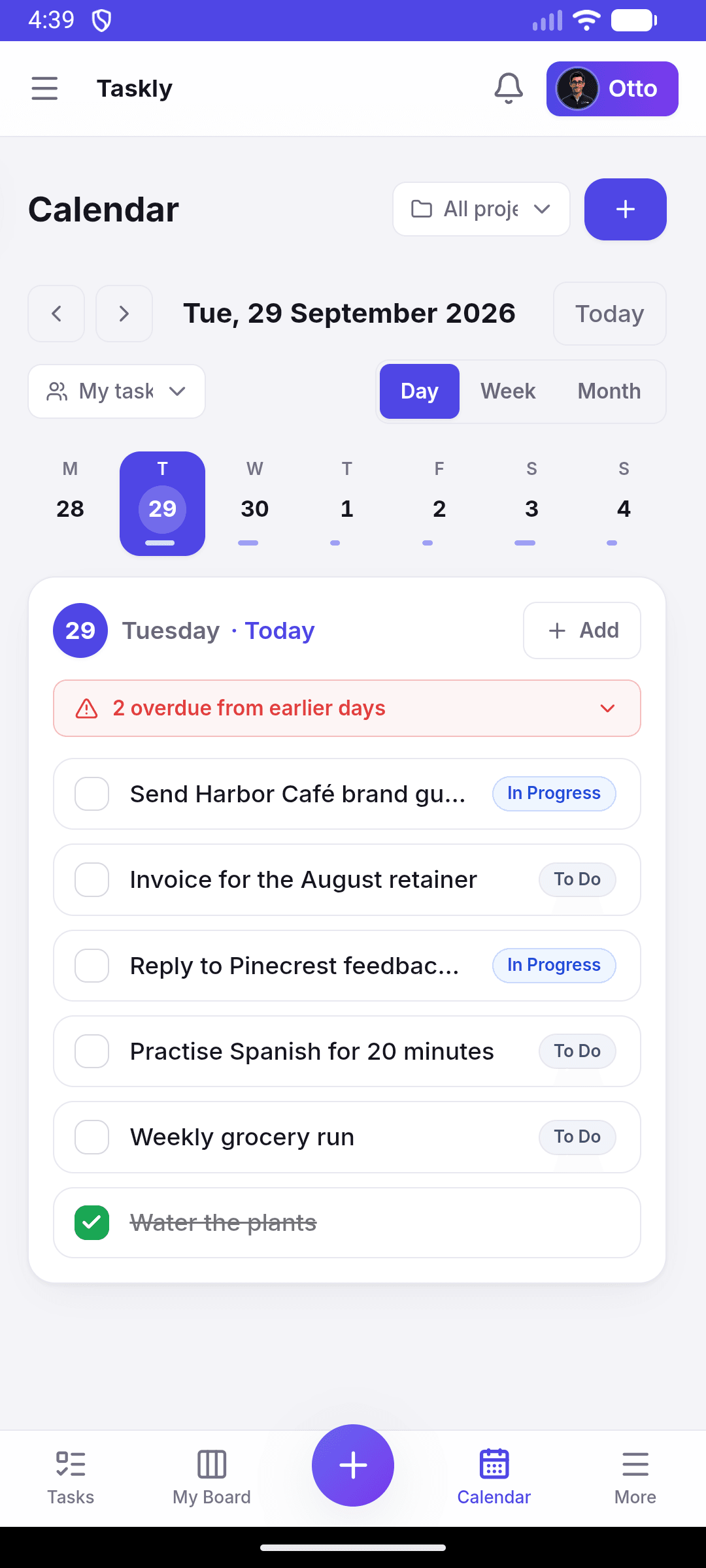
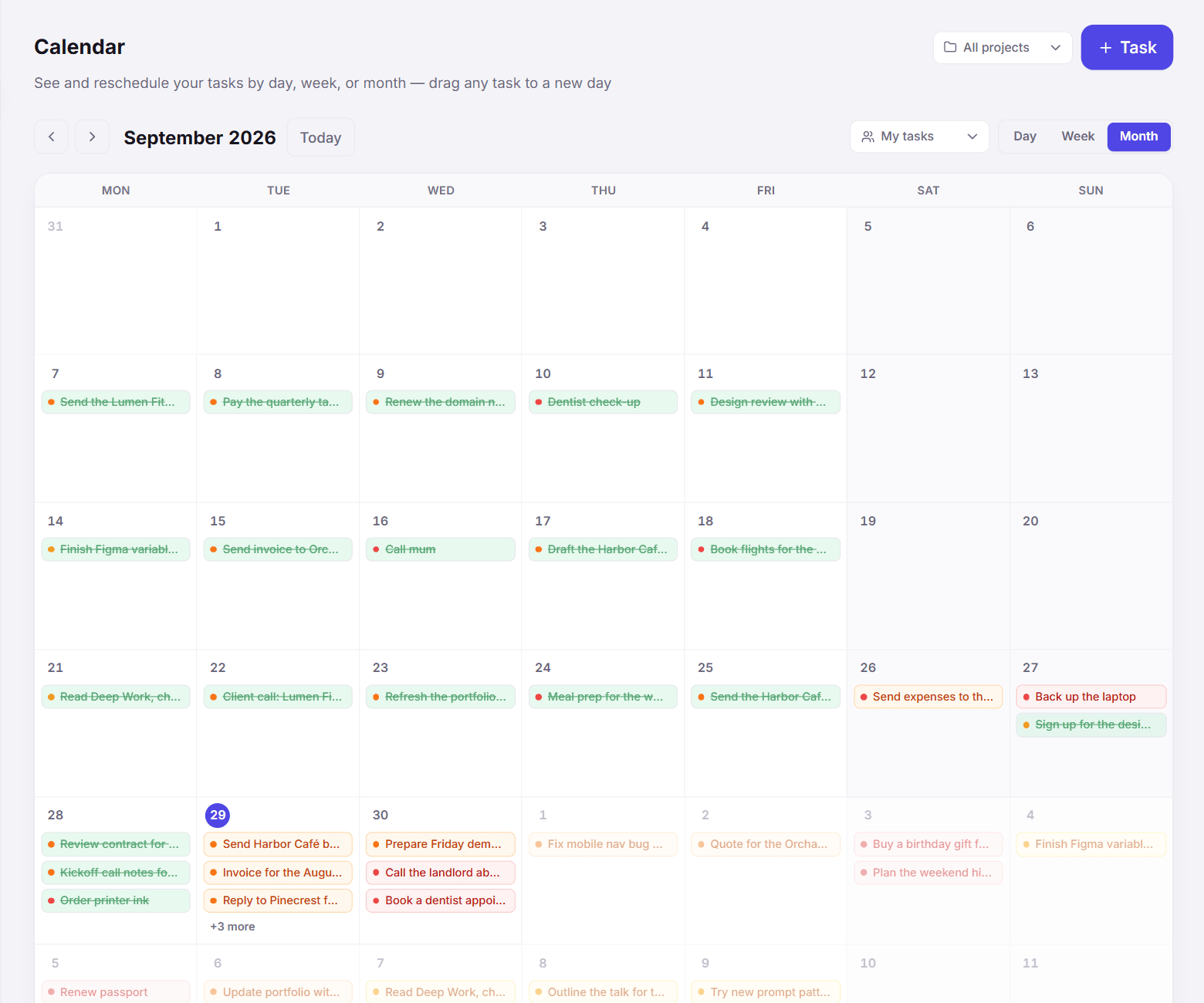
Your tasks laid out by day in a month, week or day view (day is the default on a phone). Drop a task on another day to reschedule it, or drag one up from the strip of tasks that have no date yet.

  • Repeating tasks appear weeks ahead, so "every Tuesday" is already on every Tuesday
  • Finished, missed and skipped tasks look different, so the calendar keeps an honest record
  • Or hit Prioritise and let Otto rank the whole list for you
The Taskly calendar in day view on a phone, with a week strip and today's tasks
Step 3: Do

Work from one honest list

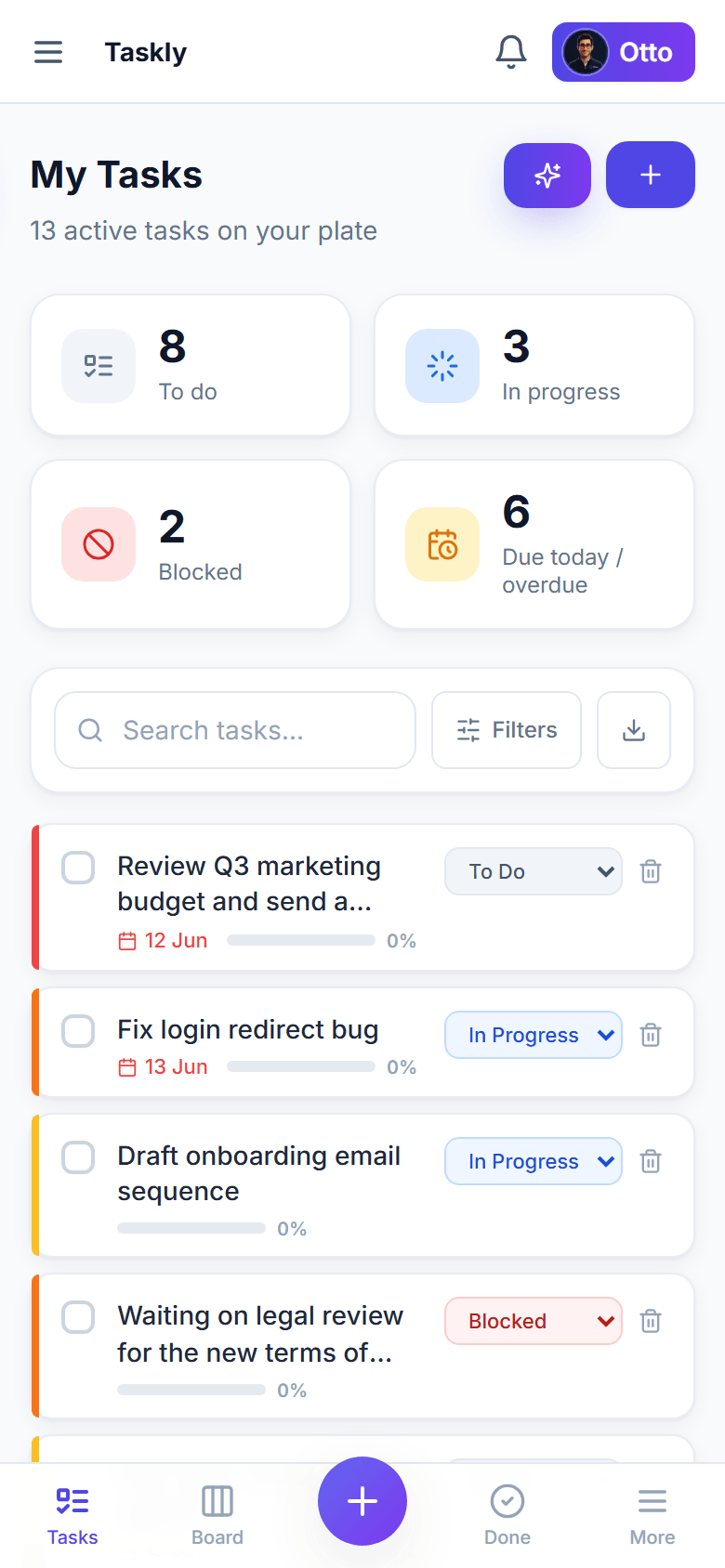
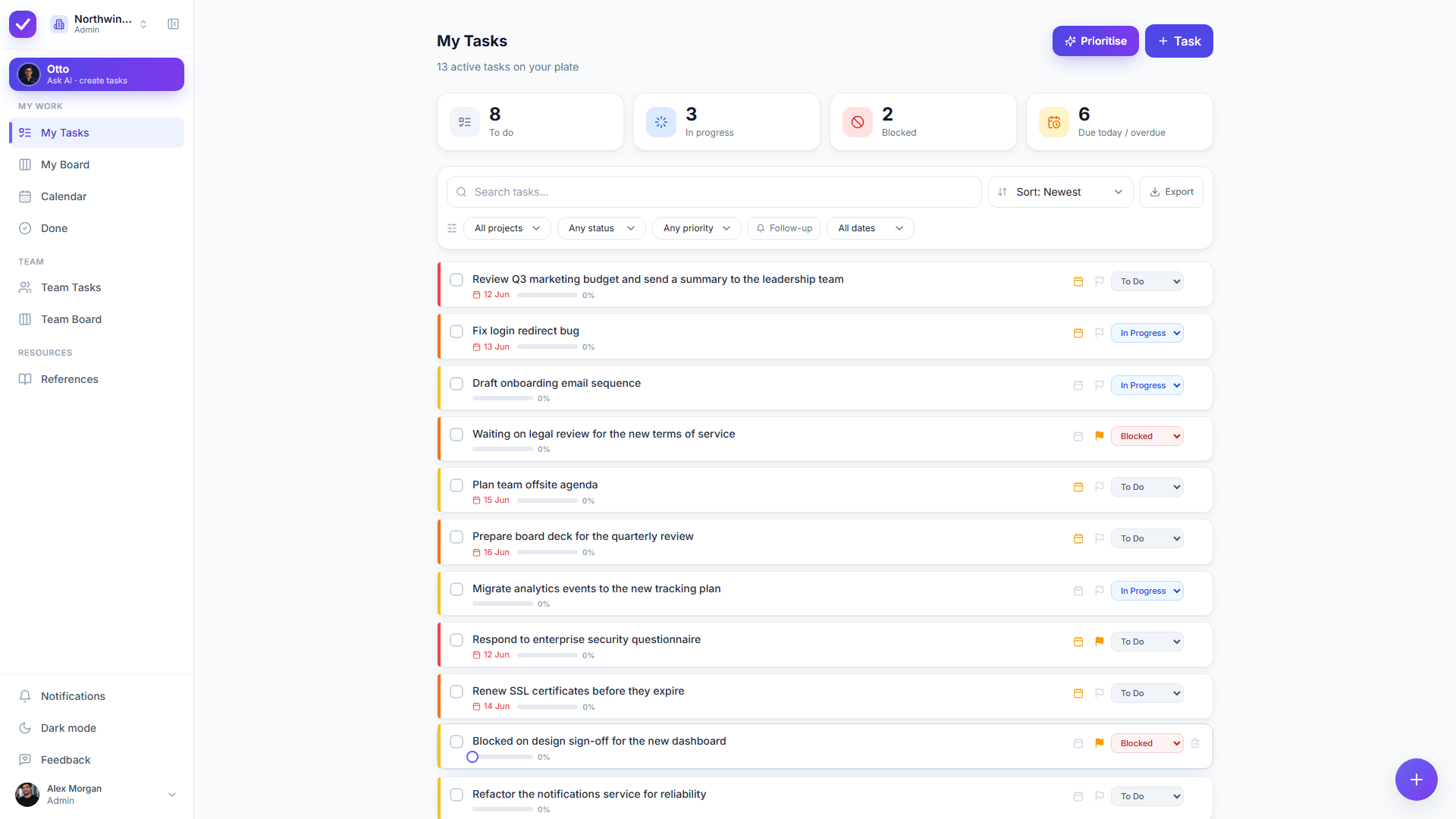
A clean list with a live dashboard that always matches it: due today, overdue, in progress and blocked. Filter by project, priority or date, and switch to a board when you want to see the flow.

  • Drag cards across statuses you name and colour yourself
  • A morning list and an evening sweep, with one-tap Skip and postpone
  • Subtasks, recurring tasks and attachments on any task
Taskly My Tasks on a phone, with the bottom tab bar
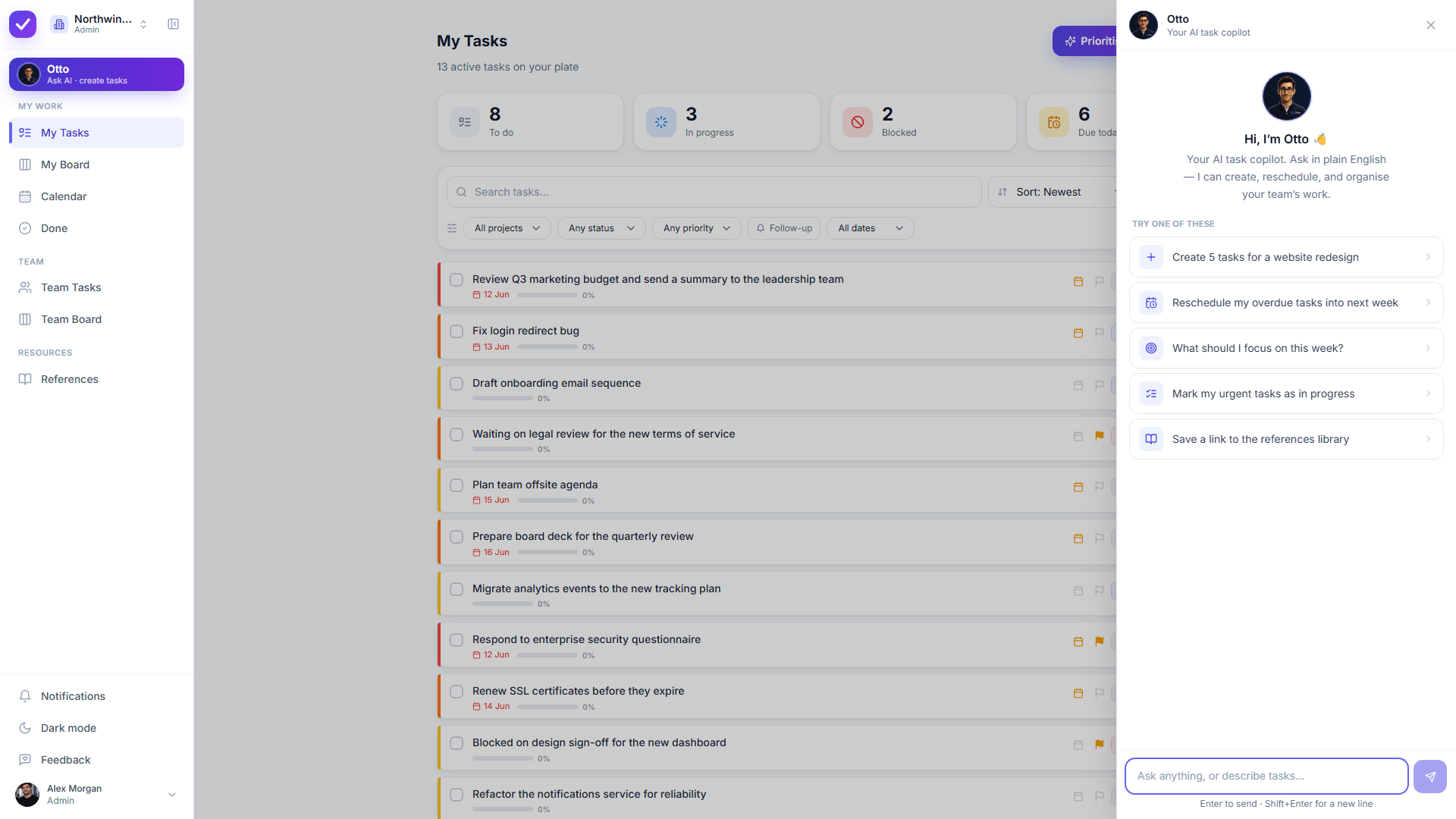
Meet Otto

AI that acts, with your consent

Otto doesn't just suggest. It creates and edits real tasks behind a diff you approve. Nothing changes without your say-so.

Create

Describe the work. Otto drafts it.

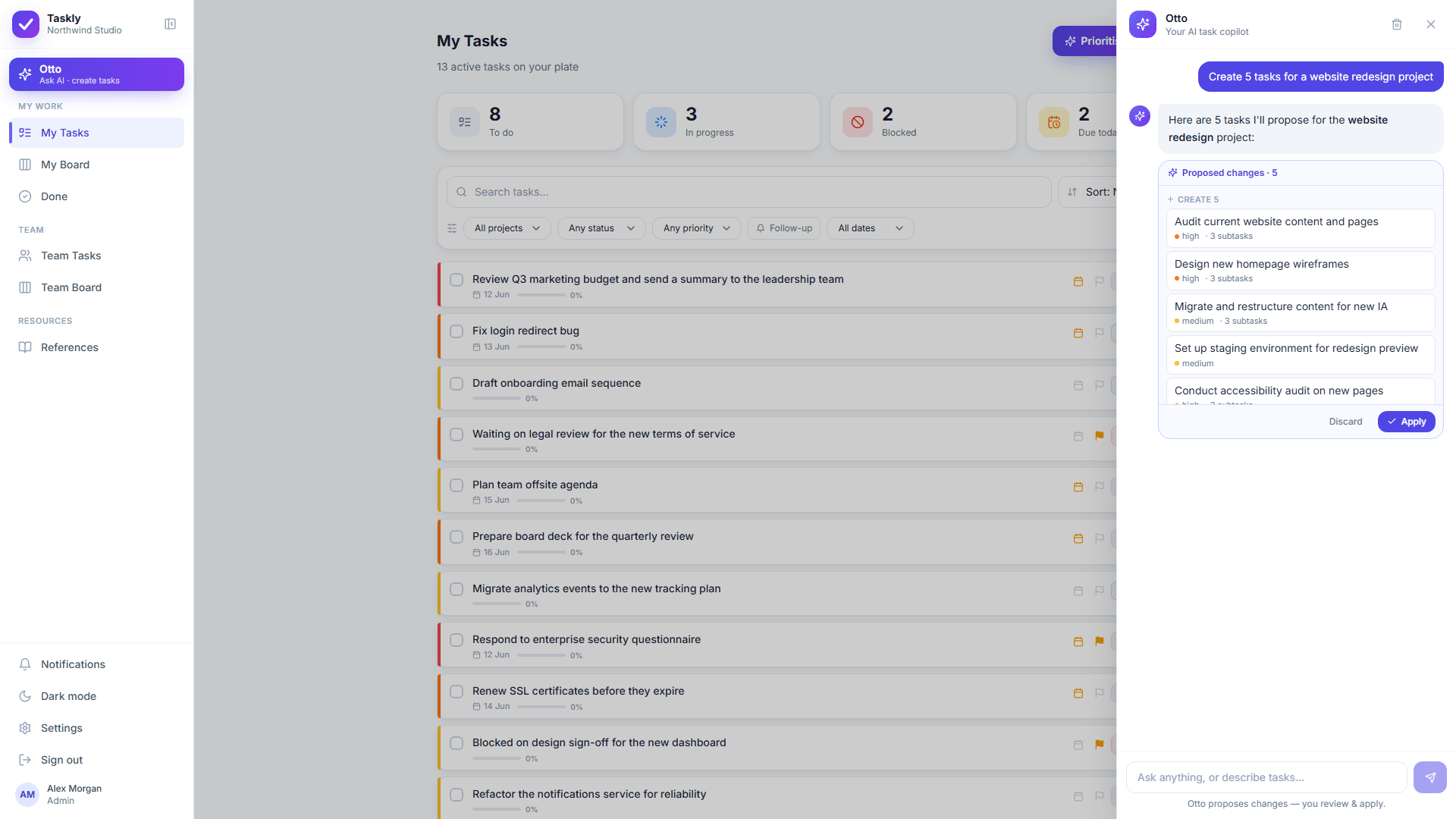
"Create 5 tasks for a website redesign and assign design review to Sarah." Otto proposes the exact tasks (with projects, priorities, due dates, subtasks and assignees) ready for you to apply.

  • Up to 30 tasks per request, all validated server-side
  • Subtasks, recurrence and references in one go
Otto answering what to focus on this week, based on the real task list
Review & apply

Edit by chat, with a diff you approve

"Move my blocked tasks to in-progress and bump them to high priority." Otto shows a clean before→after preview for every change. You Apply or Discard: nothing happens behind your back.

  • Every action membership-checked & re-validated
  • Speak it instead: tap the mic, or use Talk to Otto hands-free
Otto proposes a before→after diff you approve before anything changes
Prioritise

One click to a prioritised day

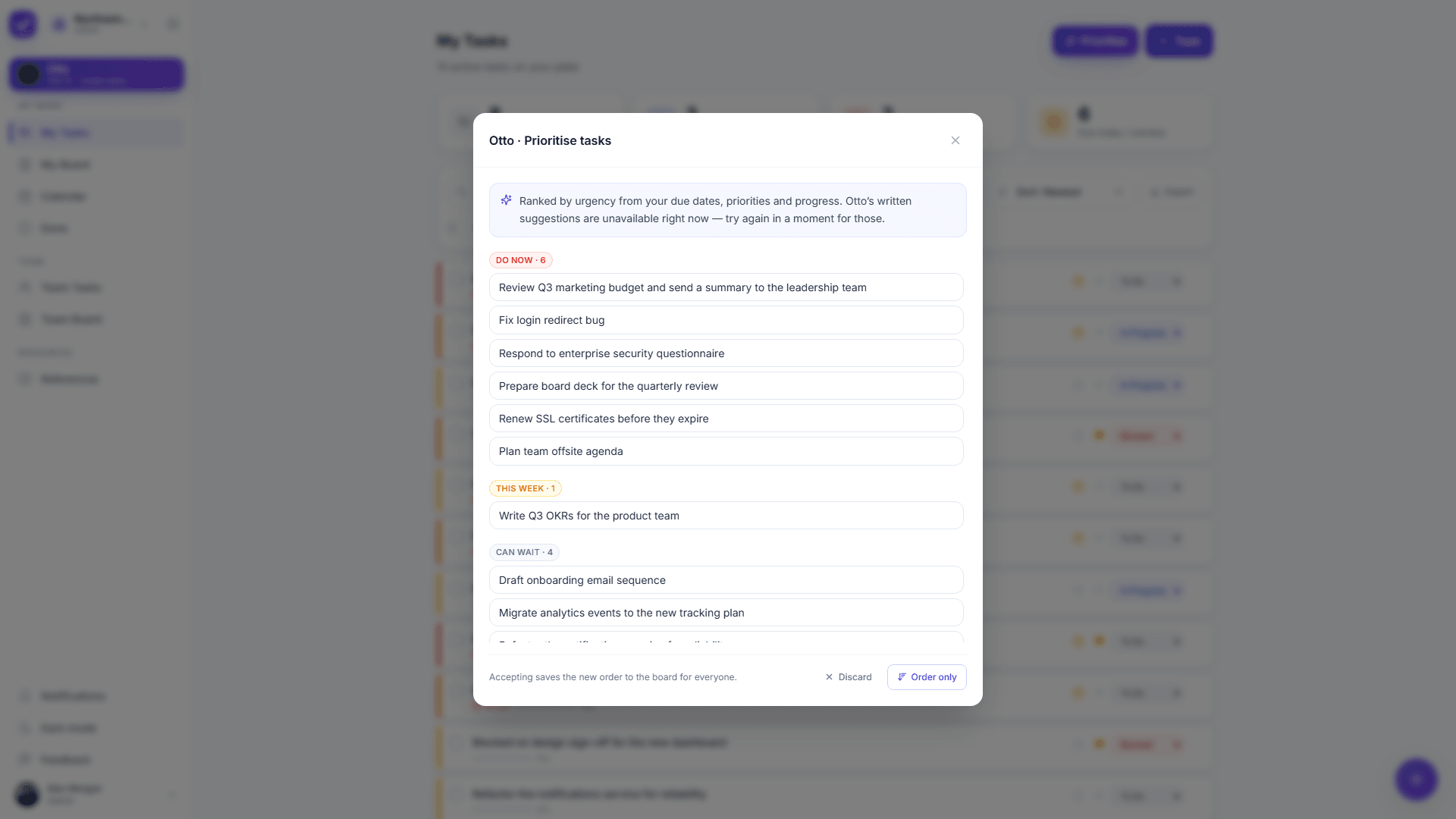
Hit Prioritise and Otto ranks your whole list by urgency (weighing due dates, how much work is left, status and age), then groups it into Do now · This week · Can wait · Reconsider, and even proposes due-date and delegation changes.

  • Accept the order, the order + changes, or discard
  • Hybrid scoring: deterministic + AI reasoning
Otto triage: your tasks grouped into Do now, This week, Can wait, Reconsider
Your turn

Try it yourself, no sign-up

Type something you need to get done. Watch Otto organize it.

Live demo
ExamplePlan a friend's birthday party
Otto

Here's how I'd break that down:

4/4 selected

No sign-up needed. Nothing is saved.

Features

Everything you need to run your day, nothing you don't

The essentials, done well, for one person or a small team.

Otto answering "What should I focus on this week?" with a short plan built from the tasks in the list
Explore all features
Installable PWA

Your whole to-do list, in your pocket

Taskly is a fully responsive progressive web app with a native-feeling bottom tab bar: add it to your home screen and capture tasks the moment they occur to you. Otto comes along for the ride.

Try it on your phone
Taskly task list on a phone, with the bottom tab bar
Security & privacy

Private by design, even from the AI

Every workspace is isolated at the database level with row-level security and encrypted in transit. And the email addresses of the people in your workspace are never sent to the AI model: Otto works with stable pseudonyms instead.

Read about security & privacy

Per-workspace isolation

Emails never sent to AI

You approve AI changes

Google / email sign-in

Lightweight, but real

All the structure of the big tools, with the speed of the simple ones, plus an AI that does the busywork. Coming from a plain to-do app? See Taskly vs Todoist.

  TasklyHeavy PM toolsNotes & chat
Set up in minutesIncludedNot includedIncluded
Boards, subtasks & recurrenceIncludedIncludedNot included
Turns a brain dump into tasksIncludedNot includedNot included
Grows from solo to a small teamIncludedIncludedNot included
AI that creates & edits real tasksIncludedNot includedNot included
Stays out of your wayIncludedNot includedIncluded
Who it's for

Built for one person first

Most task apps assume a team. Taskly starts with you and only adds people when you want them.

Freelancers & solo founders

Client work, admin and follow-ups in one list, with recurring tasks that come back on their own.

See the AI to-do list

Anyone with a long, messy list

Dump it all out, let Otto sort it, then see only what matters today. You approve every change.

Read the to-do list guide

Two people or a small team

Share a workspace, hand tasks over and see everyone's list from the Team views.

Compare team tools
Recently shipped

Still being built, in the open

Taskly is in early access and changes often. These are the last few releases, straight from the in-app release notes.

27 Sep 2026

Skip it, and say so

Skip a task or one run of a repeat. The calendar tells done, missed and skipped apart.

10 Sep 2026

Repeats that hold their shape

Every 3 days, chosen weekdays, or the 1st of the month, and moving one no longer loses it.

6 Sep 2026

The daily loop

Morning list, evening sweep, one-tap postpone and dates you can simply type.

8 Aug 2026

Just talk to Otto

Say what you need out loud, hear the answer, and confirm changes before anything is saved.

Early access

Free while we're in early access

Get the whole product (Otto included) at no cost today. Lock in early-adopter pricing when paid plans arrive.

Starter

Free

For individuals, freelancers and small teams.

  • Lists, boards, subtasks & recurrence
  • Otto AI: create, edit & prioritise
  • Add teammates when you need to
Start free

Team · coming soon

Early-bird

For growing teams that want more seats and controls.

  • Everything in Starter
  • Advanced admin & team controls
  • Priority support & higher AI limits
Join early access

Frequently asked questions

What is Taskly?+

Taskly is an AI-native task manager for individuals and small teams. You describe work in plain English and Otto, the built-in AI assistant, drafts the tasks (with lists, a Kanban board, subtasks and recurring tasks) for you to review and approve.

Can I use Taskly on my own, without a team?+

Yes. Taskly starts as your own space, with lists, boards, subtasks, recurring tasks and Otto all working for one person. You can add a teammate later if you want to share work, but you never have to.

Can Otto turn a messy brain dump into a to-do list?+

Yes. Paste or type everything on your mind in plain English and Otto proposes organized tasks with projects, priorities and due dates. You review the proposal and apply or discard it, so nothing is added without your say-so.

How much does Taskly cost?+

Taskly is free while in early access: the whole product, including the Otto AI assistant, at no cost. Early adopters lock in preferential pricing when paid plans arrive.

What can Otto, the AI assistant, do?+

Otto creates, edits, reprioritises, schedules and assigns tasks from plain-English requests, answers questions like what to focus on this week, and files reference links. Changes to your tasks are shown as a before/after diff that you Apply or Discard.

Is my data private, even from the AI?+

Yes. Every workspace is isolated at the database level with row-level security and encrypted in transit. The email addresses of the people in your workspace are never sent to the AI model. Otto works with stable pseudonyms instead.

How is Taskly different from Todoist, Jira or Trello?+

Taskly sits between plain to-do apps or notes (light, but no real structure) and heavyweight tools like Jira (too much setup and config). You get boards, subtasks and recurrence without the overhead, plus an AI that does the organizing for you.

Can I use Taskly on my phone?+

Yes. Taskly is a fully responsive progressive web app (PWA) with a native-feeling mobile layout. Add it to your home screen on iOS or Android and Otto comes along.

Stop managing tasks. Start describing them.

Give Otto a try: your day, organized in seconds.

No credit card · Sign in with Google or email