The ClickUp alternative with AI included, not billed separately
ClickUp is deep, and getting the AI you actually want means paying three times: the workspace plan, then a per seat AI subscription on top, then AI Super Credits by the request. Taskly gives you the structure teams really use (boards, subtasks, recurrence and a real team model) with nothing to configure, and Otto, an AI that turns plain English into tasks you approve. One product, no add-on, no meter, free while in early access.
Written by Saba Majidi, Founder, Taskly·Last reviewed
AI that asks first
One product, one bill, and an AI that stops for you
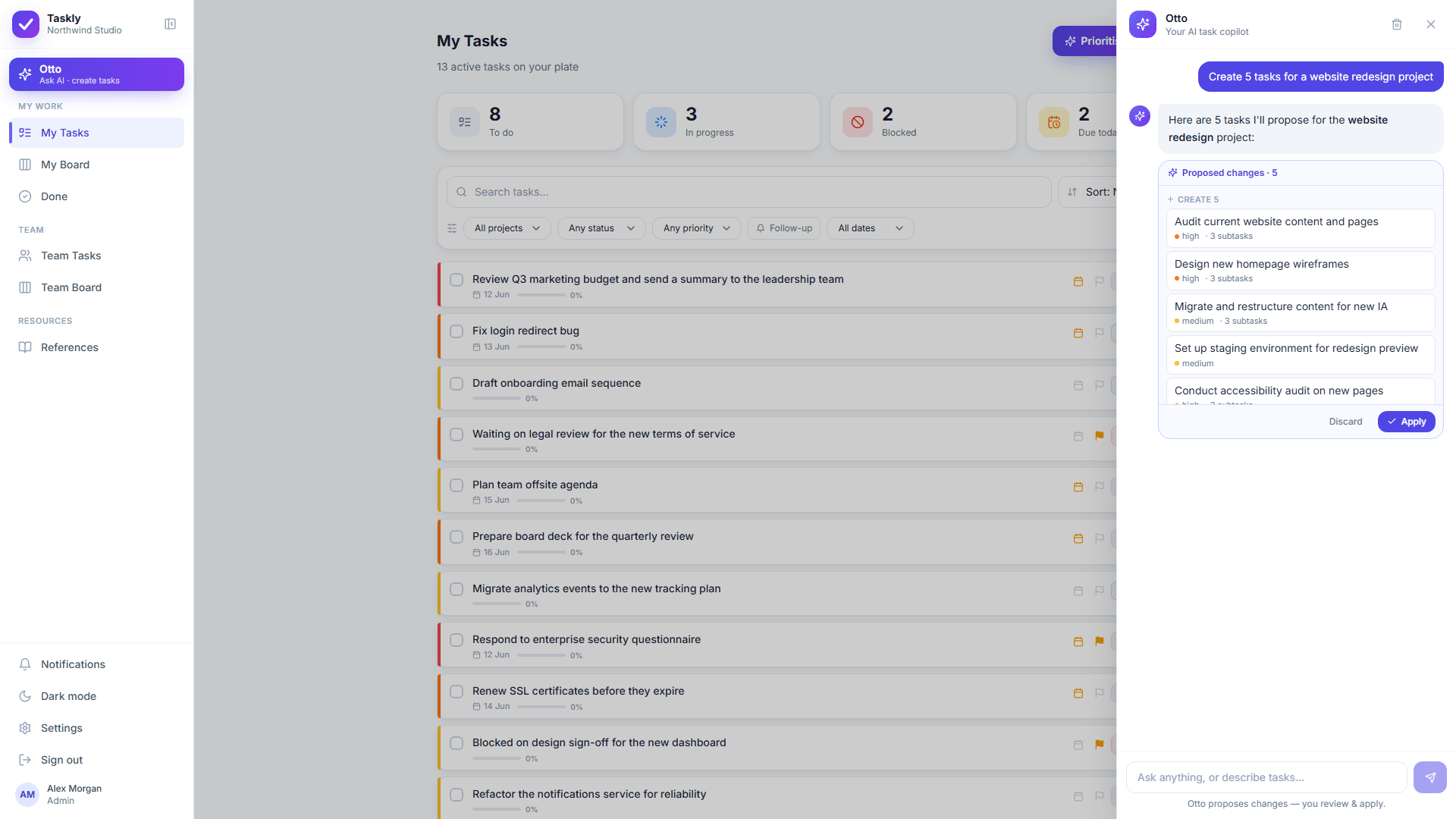
ClickUp Brain and its Super Agents are capable, and reaching them means stacking three charges: a workspace plan, then Brain AI or Everything AI per seat, then AI Super Credits for the agent runs, which ClickUp prices at $10 for 10,000 and says vary by complexity. Otto is different in two ways that matter. Otto is part of Taskly, so there is no AI tier to reach and no credit balance to watch. And Otto does not act on its own: describe the work the way you would say it out loud, and every change Otto proposes, one task or fifty, arrives as a before and after you approve or discard.
Otto proposes. Nothing is created, moved or reassigned until you approve it.
Why teams look for a ClickUp alternative
•
ClickUp bills AI on top of the plan. Brain AI and Everything AI are separate per seat subscriptions, charged on top of whatever your workspace plan already costs.
•
On top of that, AI Super Credits meter the agent work by the request, and ClickUp says usage varies by complexity.
•
AI Assign and AI Prioritize, the two features closest to everyday task organizing, sit on the paid AI tiers rather than on the workspace plan.
•
The feature surface (many view types, custom fields, nested Spaces, Folders and Lists) takes real time to configure before ClickUp feels simple.
•
The Free Forever plan is small enough to be a trial: 60MB of storage, 5 Spaces, 1 Form, 3 Whiteboards and 100 automation executions a month.
•
Heavy customization means every ClickUp workspace ends up different, so onboarding a new hire takes longer than it should.
•
Notification overload once a workspace is fully wired up is a recurring complaint in ClickUp reviews.
Taskly as your alternative
Taskly is the lightweight, AI-native alternative to ClickUp for teams that want real structure (boards, subtasks, recurring tasks and a true team model) without the view sprawl, the custom field setup, or an AI bill that arrives in three parts. Describe what needs doing in plain English and Otto drafts the tasks for you to review. Most teams are organized in minutes rather than running a configuration project, Otto is included rather than sold as a tier and metered by the credit, and the whole product is free while Taskly is in early access.
Side by side
Taskly vs ClickUp
Taskly
ClickUp
Setup time
Minutes: no config, no admin project needed
Hours to days: Spaces, Folders, Lists and custom fields to configure first
AI assistant
Otto creates and edits real tasks from plain English, behind a diff you approve
ClickUp Brain, Super Agents and Autopilot Agents: powerful, and sold separately from the workspace plan
What the AI costs
Otto is included: no AI tier, no credits, no per-seat AI charge
Brain AI $9 or Everything AI $28 per user a month, on top of the workspace plan (2026)
When the AI runs out
It does not: there is no usage budget to exhaust
AI Super Credits meter agent work by the request, at $10 for 10,000, and ClickUp says usage varies by complexity
Prioritizing and assigning
Ask Otto, on any plan, at no extra cost
AI Assign and AI Prioritize sit on the paid AI tiers, not on the workspace plan
Views
Board, lists, filters and Otto’s prioritised order: nothing to pick from
Many view types (Gantt, mind map, whiteboard, timeline and more): powerful, and a lot to learn
Weight
Focused on the essentials
Broad everything app, can feel heavy for plain task tracking
Free plan limits
The whole product, Otto included, while in early access
Free Forever; Unlimited $7 and Business $12 per user a month billed yearly, AI extra (2026)
Taskly is free for the whole product, Otto included, while in early access. Checked against ClickUp’s own pricing pages on 10 September 2026: ClickUp has a Free Forever plan (60MB storage, 5 Spaces, 1 Form, 3 Whiteboards, 2 Teams, 5 active automation rules and 100 automation executions a month), then Unlimited at $7 per user a month billed yearly ($10 billed monthly) and Business at $12 billed yearly ($19 billed monthly). Enterprise is custom priced. ClickUp sells its AI separately from those plans: Brain AI is listed at $9 per user a month and Everything AI at $28, each including a monthly AI Super Credit allowance shared across the workspace (1,500 and 5,000 per user a month), with more credits at $10 for 10,000. Talk to Text is a further $9 per user a month and the AI Notetaker starts at $12 for 60 hours a month. So a five person team wanting AI on the Business plan is looking at the plan plus the AI subscription, at the listed rates, before any credit top ups. Prices move, so check ClickUp’s pricing page for current rates.
See it
What you get instead of ClickUp
app.ottotaskly.com
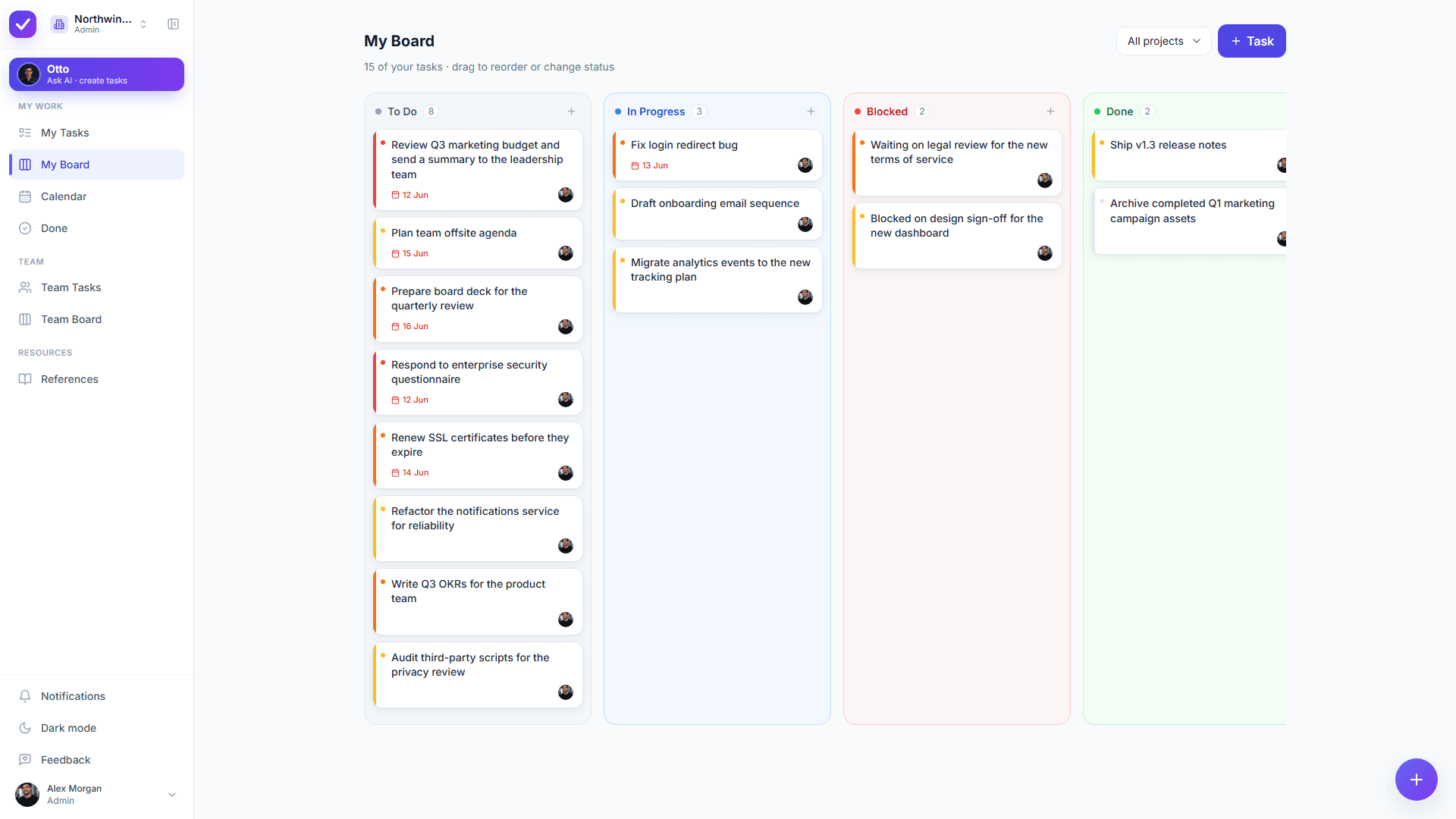
One board that works on day one: To-Do, In-Progress, Blocked, Done, with no Spaces, Folders or custom fields to set up first.
app.ottotaskly.com
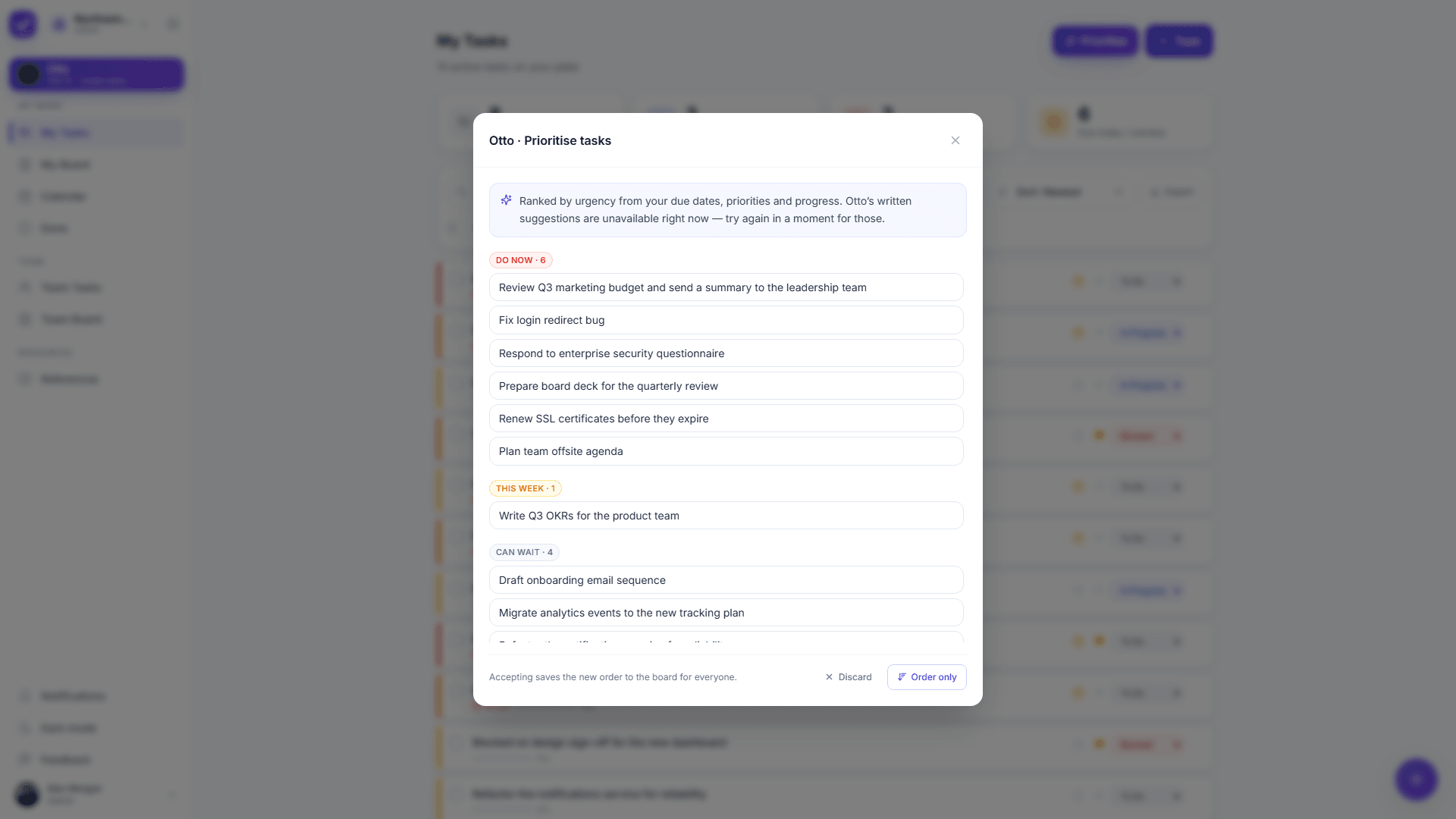
Ask Otto what matters this week and Otto proposes an order with its reasoning attached, at no cost per request.
app.ottotaskly.com
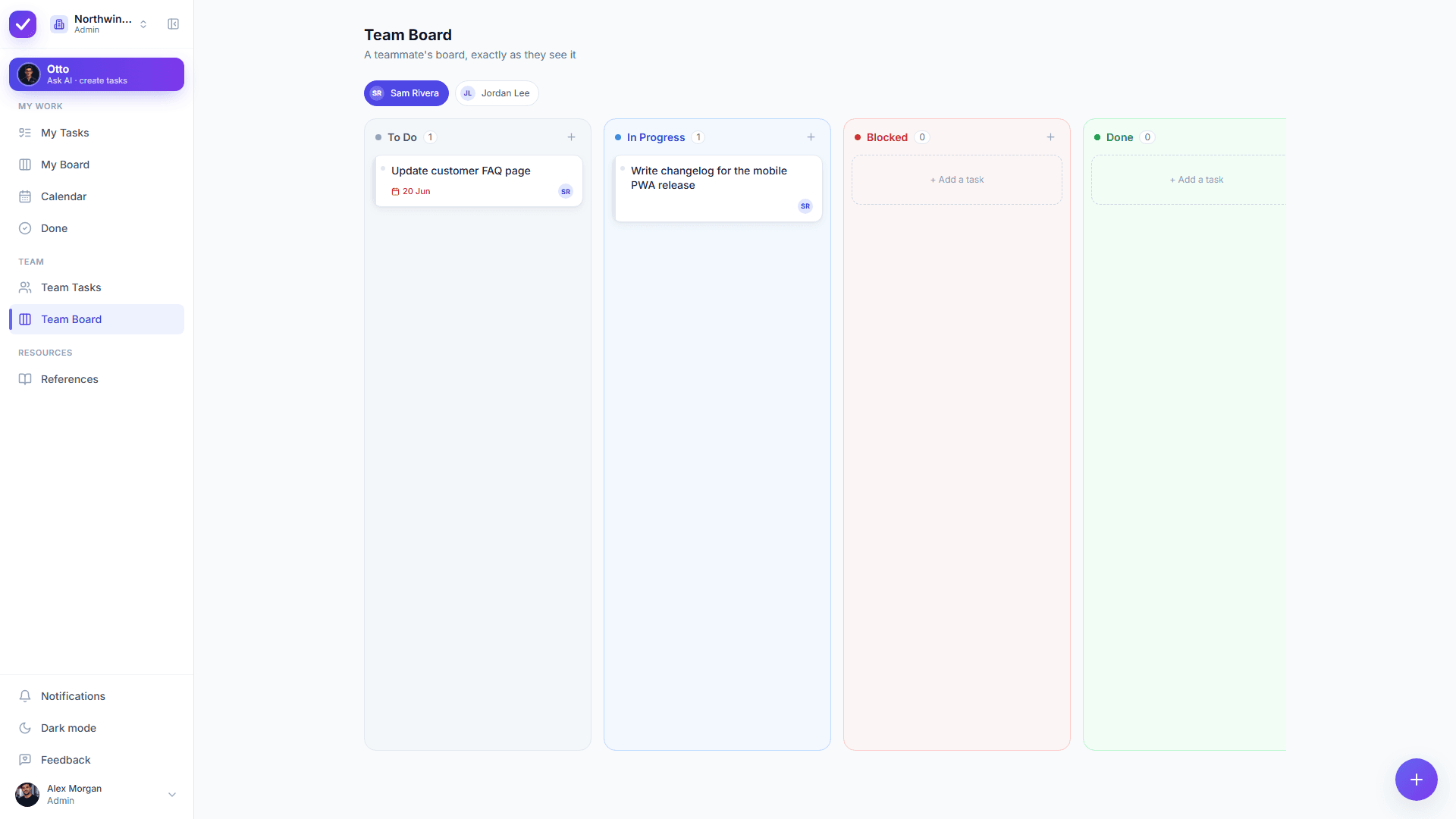
Admin Team views give you who owns what, without a configuration project in front of them.
Choose Taskly if…
ClickUp feels like a configuration project instead of a task list.
You do not want to pay for AI twice, once as a per seat subscription and again by the credit.
The AI you actually wanted was assigning and prioritizing, and you would rather not reach a tier for it.
Your team is cross-functional and wants simple structure, not a menu of view types to choose between.
You want an AI that does the organizing and lets you approve every change before it happens.
You want to start free today, with nothing to set up.
ClickUp is the better choice if…
• You want one platform for docs, wikis, whiteboards, mind maps, goals, dashboards, Gantt charts and time tracking. Taskly has none of those and is not building them.
• You need deep customization: custom fields, custom task types, many view types and granular automations. Taskly has one board, lists and filters, and that is the whole of it.
• You want a large integration and app ecosystem. Taskly’s integration surface is small.
• You want AI that also writes copy, generates images, takes meeting notes and searches across your other tools. Otto only does tasks.
• You want AI that acts autonomously across the workspace. Otto deliberately stops and waits for approval, which is slower by design.
• You are a larger org standardizing many teams on one tool, and you have someone to configure it. That depth is genuinely useful.
We’d rather be honest than oversell: it’s your team’s call.
Switching from ClickUp
Moving from ClickUp is quick, because you only bring the live work. Recreate your active lists in a few minutes, or tell Otto "Create tasks for [project]..." and approve what Otto drafts, complete with priorities, subtasks and due dates. Most teams move only what is open, not years of nested Spaces and Folders, and there are no automations to rebuild because Taskly does not have an automation engine.
FAQ
ClickUp alternative: questions
What is the best lightweight alternative to ClickUp?+
Taskly is a strong choice for teams that find ClickUp’s depth more than they need. Taskly offers boards, subtasks, recurring tasks and a real team model with nothing to configure, plus Otto, an AI assistant that turns plain English into tasks you approve. The difference buyers usually care about is the bill: ClickUp sells its AI as a separate per seat subscription on top of the workspace plan, then meters agent work with AI Super Credits, while Otto is included in Taskly and Taskly is free while in early access.
Does ClickUp charge extra for AI?+
Yes, in two ways as of 10 September 2026. ClickUp sells AI as a separate per seat subscription on top of the workspace plan, listed at $9 per user a month for Brain AI and $28 for Everything AI, and each of those includes a monthly allowance of AI Super Credits (1,500 and 5,000 per user a month) that meter agent work, image generation and AI Fields. More credits are $10 for 10,000, and ClickUp says usage varies by complexity. The Free Forever plan gets trial access to the advanced AI features rather than ongoing use. Taskly includes Otto with no AI tier and no credits.
Is Taskly cheaper than ClickUp?+
Taskly is free for the entire product, Otto included, during early access. ClickUp’s paid plans start at $7 per user a month on Unlimited and $12 on Business, billed yearly, and its AI is a separate subscription on top of that, listed at $9 per user a month for Brain AI (checked 10 September 2026). For a team that wants AI included rather than stacked, Taskly is less expensive today.
Does Taskly have AI like ClickUp Brain?+
Taskly has an AI assistant, Otto, with a much narrower job than ClickUp Brain. ClickUp Brain reaches across writing, image generation, meeting notes, enterprise search and autonomous agents. Otto does one thing: Otto creates, edits, reprioritizes and assigns the real tasks from a plain-English request, and shows every change as a before and after diff you approve before anything is applied. Otto is included in Taskly rather than billed as a separate subscription and metered by the credit, and teammate email addresses are never sent to the AI model.
Can Taskly replace ClickUp for a small team?+
Taskly can replace ClickUp for a small team whose real use of ClickUp is tasks, boards, subtasks, recurrence and knowing who owns what. Taskly is the wrong swap if the team depends on ClickUp Docs, whiteboards, mind maps, goals, dashboards, Gantt charts, time tracking or custom fields, because Taskly has none of those. That is the honest split, and it is worth checking against how the team actually uses ClickUp before switching.
When is ClickUp still the better choice?+
ClickUp is still the better choice when you want one platform covering docs, goals, whiteboards, dashboards and highly customized workflows across a large org, and you have the time to configure it and the budget for the AI tiers. That depth is real and Taskly does not have it. Taskly is for teams that want structure and an AI that organizes it for them, with nothing to set up and nothing extra to buy.