The free Trello alternative that grows with your team
Trello is great until the boards get messy. Taskly keeps the open-it-and-go simplicity but adds priorities, subtasks, recurring tasks and a real team model, with Otto, an AI assistant that turns plain English into organized tasks you approve.
Written by Saba Majidi, Founder, Taskly·Last reviewed
AI that asks first
The part a Trello board has no answer for
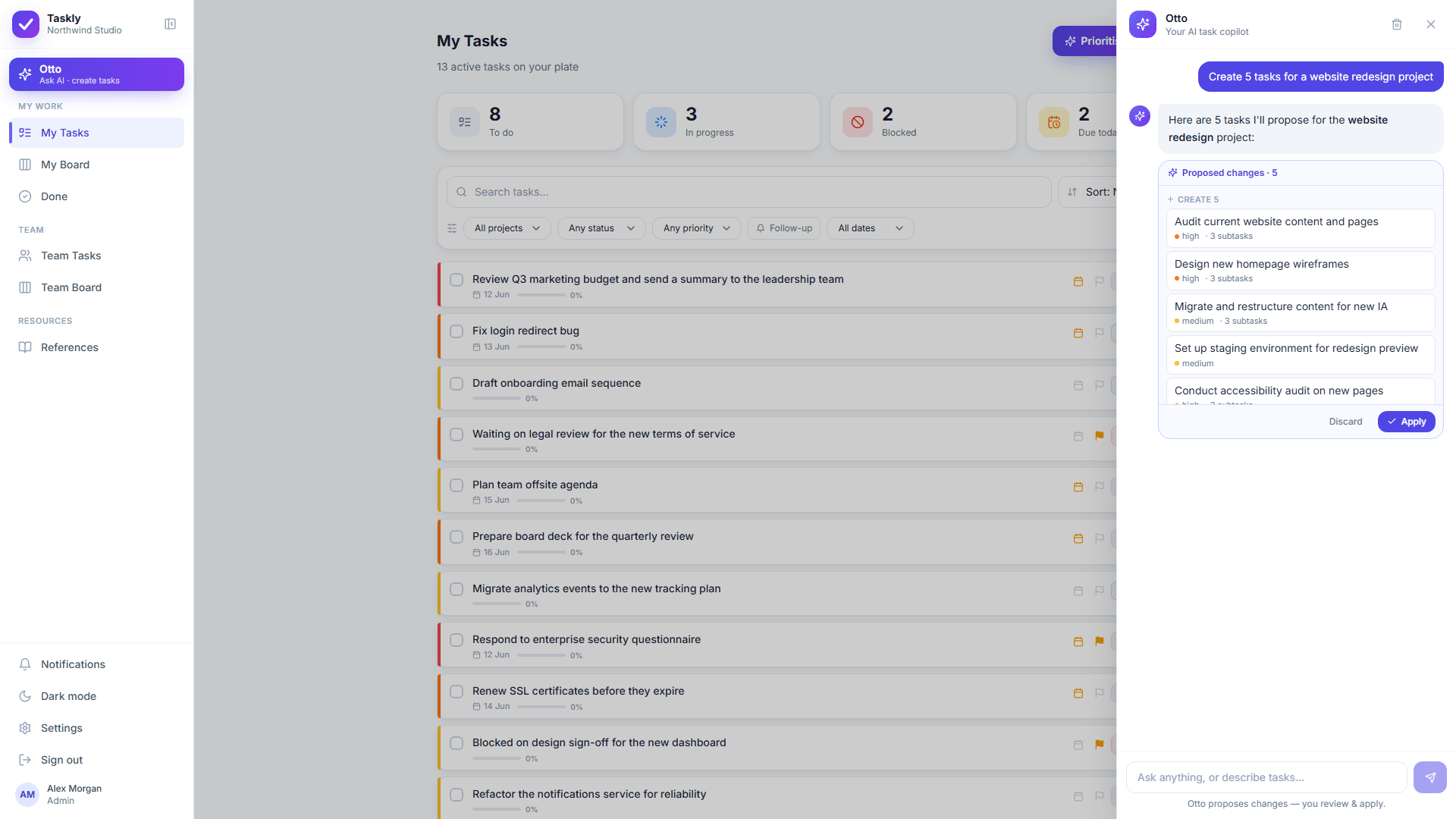
Butler runs the rules you set up in advance. Otto starts from a sentence: describe the work the way you’d say it out loud and it drafts the actual cards, subtasks, priorities and dates. Then it stops. You get a before and after of every change and approve or discard it, whether that’s one card or fifty.
Otto proposes. Nothing is created, moved or reassigned until you approve it.
Why teams look for a Trello alternative
•
Boards get messy once you pass a handful of cards or people.
•
No real subtasks, priorities or recurring tasks without stacking Power-Ups.
•
Reporting and cross-board views are limited.
•
It’s hard to see who’s responsible for what across a whole team.
•
Butler automates the rules you write in advance, so the organizing itself is still yours to do.
Taskly as your alternative
Taskly keeps Trello’s open-it-and-go simplicity but adds the structure a board alone can’t give you (priorities, subtasks with progress, recurring tasks and a real team model), plus Otto, an AI assistant that turns plain English into organized tasks. Same speed, far less mess.
Side by side
Taskly vs Trello
Taskly
Trello
Simplicity
Simple: with structure built in
Very simple: a board of cards
Subtasks, priorities, recurrence
Built in
Needs Power-Ups or workarounds
Views
Board + lists + filters + Otto’s prioritised order
Boards (other views require paid tiers)
AI assistant
Otto creates & edits tasks from plain English, approve-diff
Butler automation & some Atlassian Intelligence, not task drafting by chat
Team oversight
Personal buckets + admin Team views
Limited cross-board visibility
Getting a project set up
Describe it once, then approve the tasks Otto drafts
Build the board, then the lists, then every card, by hand
Free plan limits
The whole product, Otto included, while in early access
Up to 10 boards per Workspace, 10MB file uploads, 250 Butler runs a month
Taskly is free for the whole product while in early access. As of 2026 Trello has a free tier (up to 10 boards), then $5/user/mo on Standard and $10/user/mo on Premium billed annually (about $6 and $12.50 billed monthly), with Enterprise from $17.50/user/mo at a 50-seat minimum. Check Trello’s pricing page for current rates.
See it
What you get instead of Trello
app.ottotaskly.com
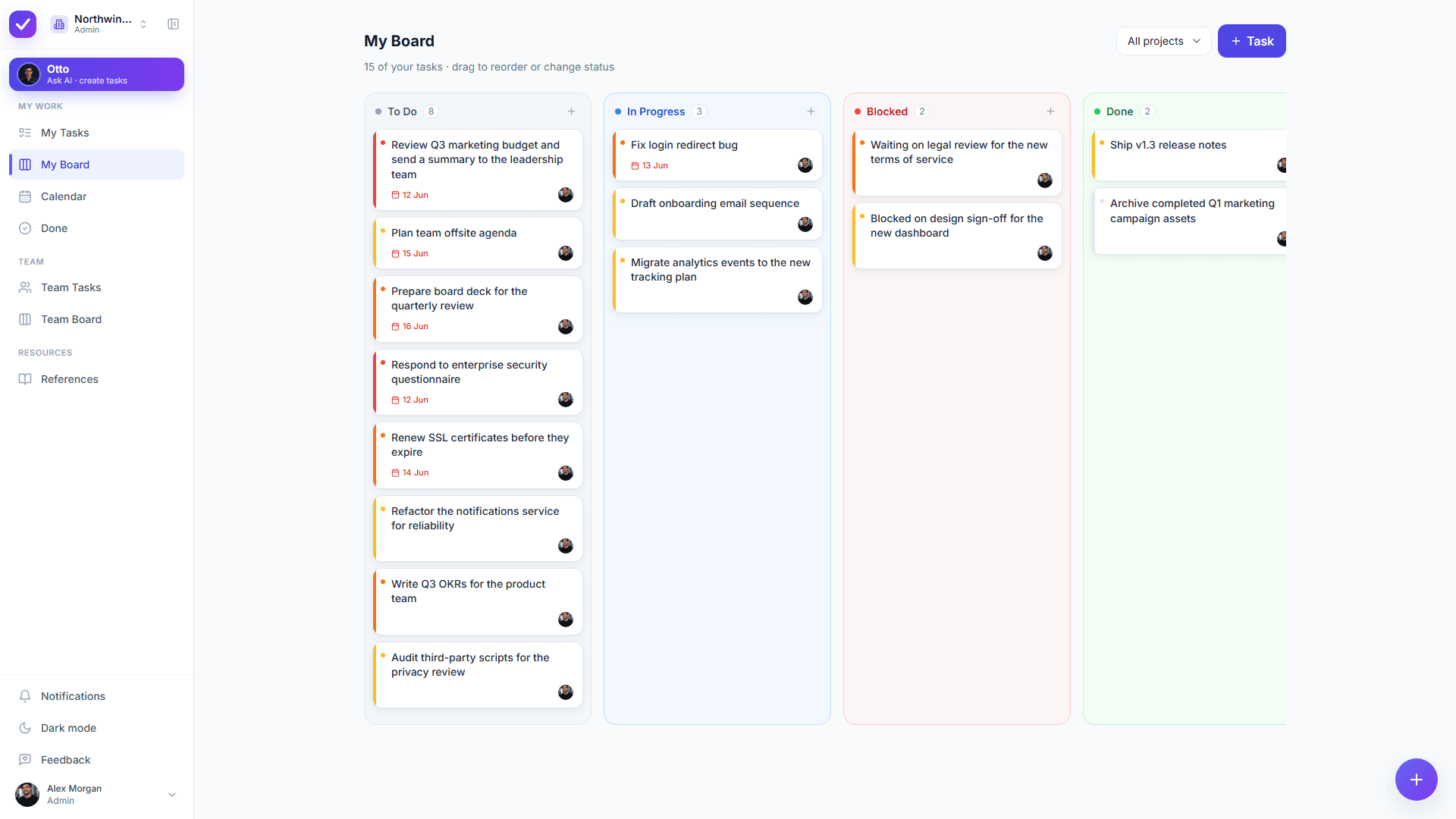
The board you already know, with priorities, subtasks and recurrence built in rather than bolted on.
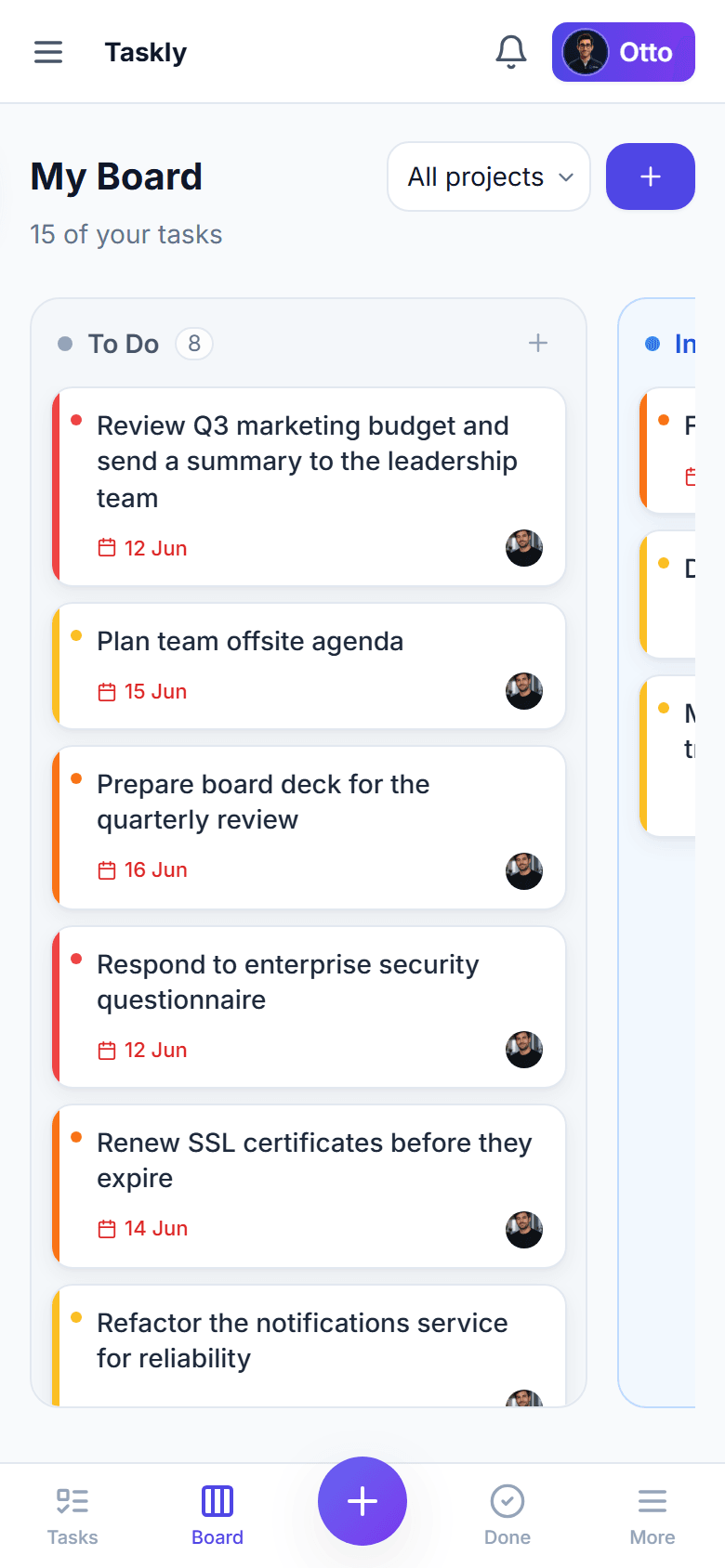
The same board on a phone, with nothing to install and no Power-Ups to pick.
app.ottotaskly.com
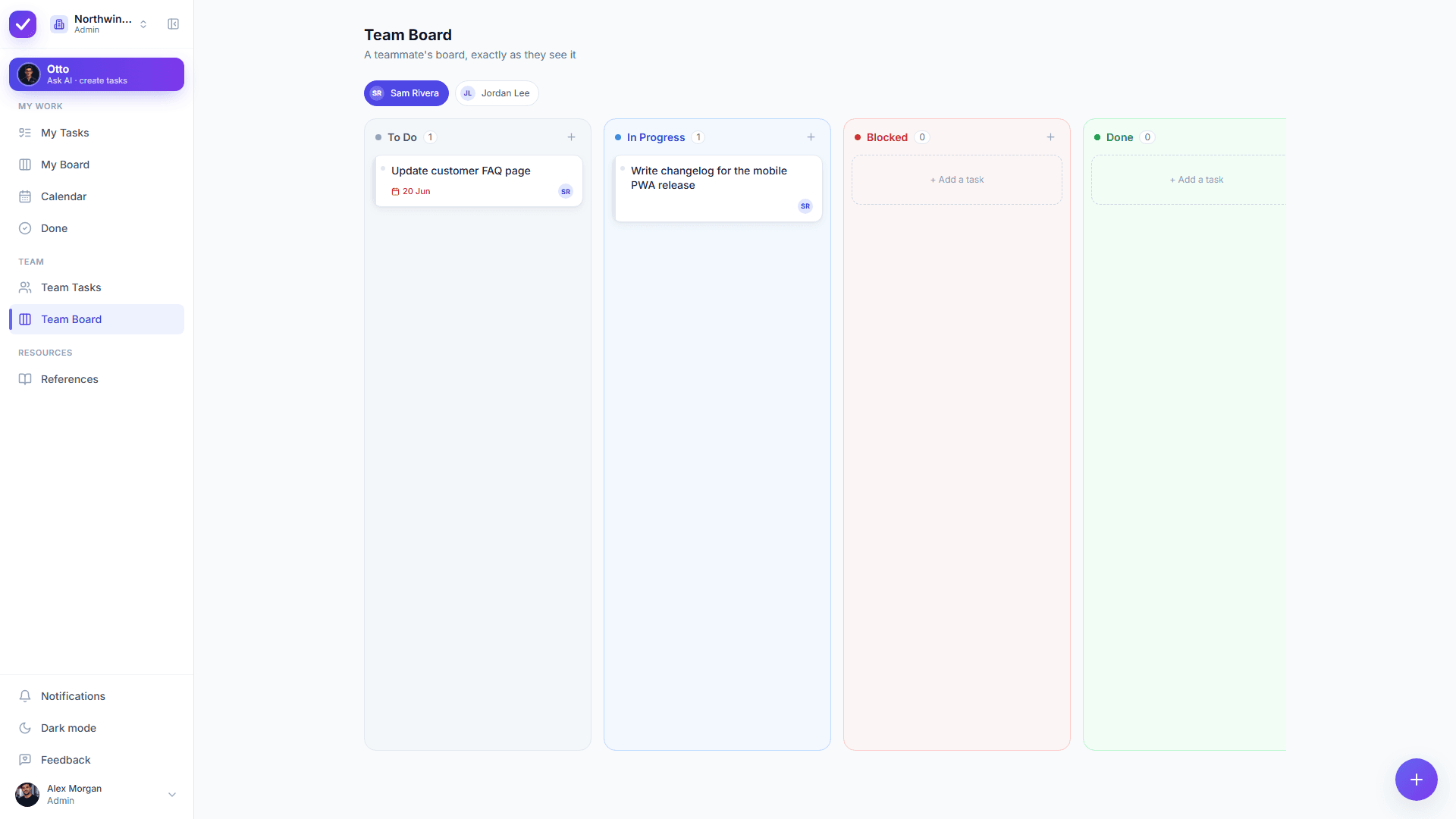
Team views answer the question a wall of boards can’t: who owns what, across all of it.
Choose Taskly if…
Your Trello boards have outgrown “simple” and feel chaotic.
You need subtasks, priorities, recurrence and due dates without bolting on Power-Ups.
You manage a team and need to see who’s doing what.
You want an AI assistant to organize the board for you.
Trello is the better choice if…
• You want the simplest possible visual board for a few people and nothing more.
• Your workflow is a single board you check casually.
• You’re already in the Trello ecosystem and Power-Ups cover your needs.
We’d rather be honest than oversell: it’s your team’s call.
Switching from Trello
Moving from Trello is quick: your boards usually map to a single Taskly workspace. Recreate active cards in minutes, or describe a board to Otto and let it draft the tasks (with priorities, subtasks and due dates) for you to approve.
Is there a free Trello alternative with AI built in?+
Taskly is a free Trello alternative with AI built in: the whole product, Otto included, costs nothing while Taskly is in early access, and the assistant is not sold as an add-on. Describe the work in plain English and Otto drafts the cards, subtasks, priorities and due dates, then shows every change as a before/after diff you approve. Trello’s automation (Butler) runs rules you configure yourself, and its free plan caps Workspace command runs.
What is a good Trello alternative for growing teams?+
Taskly is built for exactly the moment Trello starts to feel messy. It keeps a simple board but adds priorities, subtasks, recurring tasks and a real team model, plus an AI assistant (Otto). It’s free while in early access.
Does Taskly have a Kanban board like Trello?+
Taskly has a drag-and-drop Kanban board like Trello’s, with To-Do, In-Progress, Blocked and Done columns, reordering within a column, and a quick add on every column. Alongside the board you also get filtered lists and Otto’s prioritised order, so the same work reads either as a board or as a focused list.
Is Taskly free like Trello?+
Taskly is free for the entire product (including Otto) during early access. Trello also has a free tier, but features like subtasks, priorities and recurrence are built into Taskly rather than needing Power-Ups.
When is Trello still the better choice?+
Trello is still the better choice when you only ever need one simple visual board for a few people and want no extra structure at all: it is familiar, fast and free to start. Taskly is for teams that have outgrown that point, where a board on its own stops answering who owns what and what happens next.