Task manager for freelancers

Every client, the admin and the chasing, in one list

Describe a new engagement the way you described it on the call and Otto drafts the tasks, due dates and recurring admin. Then Otto shows you a before and after, so nothing you promised a client changes without your approval.

No credit card · Free while in early access

Saba Majidi, founder of Taskly.Written by Saba Majidi, Founder, TasklyLast reviewed

Quick answer

The best task manager for freelancers is the one that holds several clients, the unbillable admin and the follow-ups in a single list without charging you for a team you do not have. Taskly gives each client a project, recurring tasks for the invoicing and the chasing, and an assistant called Otto that drafts a new engagement from one sentence. Otto shows every change as a before and after you approve, so a client commitment never moves on its own. Taskly does not invoice and does not track time, so billing stays in the tool you already use.

The four jobs

What freelance work actually asks of a list

A freelance list is not one project with twenty tasks. It is six clients, the admin nobody pays for, and a set of follow-ups that are the business. These are the four jobs.

Every client in its own project

A task manager for freelancers has to separate clients without burying them. Each client is a project you can filter to in one click, and your own day still opens as one list across all of them.

The admin that comes back, set up once

Invoices, reconciliation, the quarterly tax set-aside, the Monday pipeline review. Recurring tasks recreate themselves when the last one is done, so the unbillable half of the business stops living in your memory.

A new engagement, drafted from a sentence

Describe the engagement the way you described it on the call and Otto drafts the tasks, subtasks, priorities and due dates. Each new client stops costing you an hour of setting up the same list again.

The brief, the contract and the login, filed

Freelance work drowns in links. The References library keeps briefs, contracts and shared folders against the work they belong to, under types you define yourself, and Otto can file them for you.

Your day

Six clients, one list to open in the morning

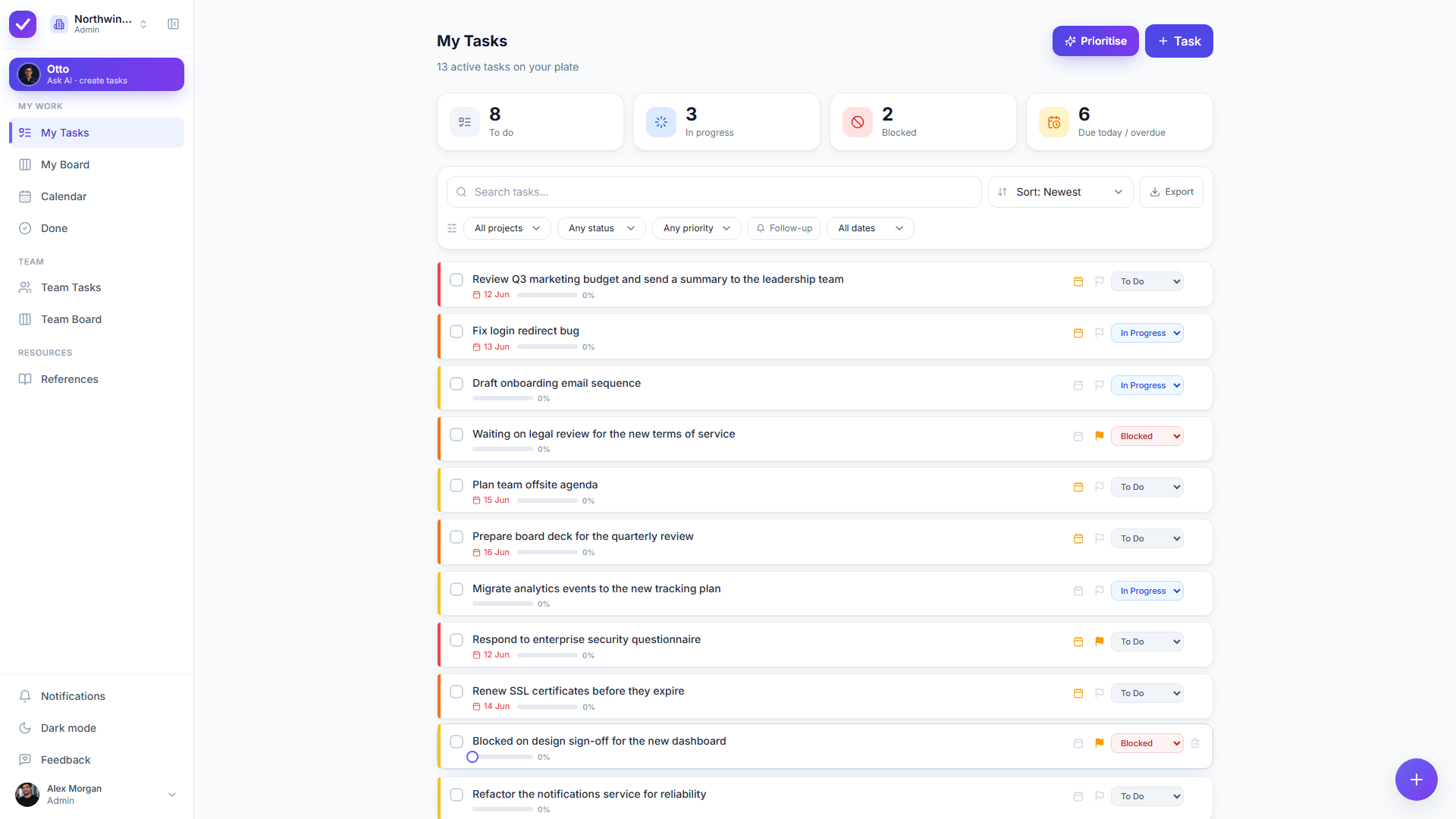
A freelancer does not want to visit six projects to find out what today is. My Tasks is your whole workload in one place, split into to-do, in progress, blocked and due or overdue, with the client attached to each item rather than hiding it.

  • Everything across every client in one personal bucket
  • To-do, in progress, blocked and due or overdue at a glance
  • A project per client, so a handover is one filter away
  • Light and dark, on desk or phone
The Taskly My Tasks view, showing one freelancer’s work across clients for the day
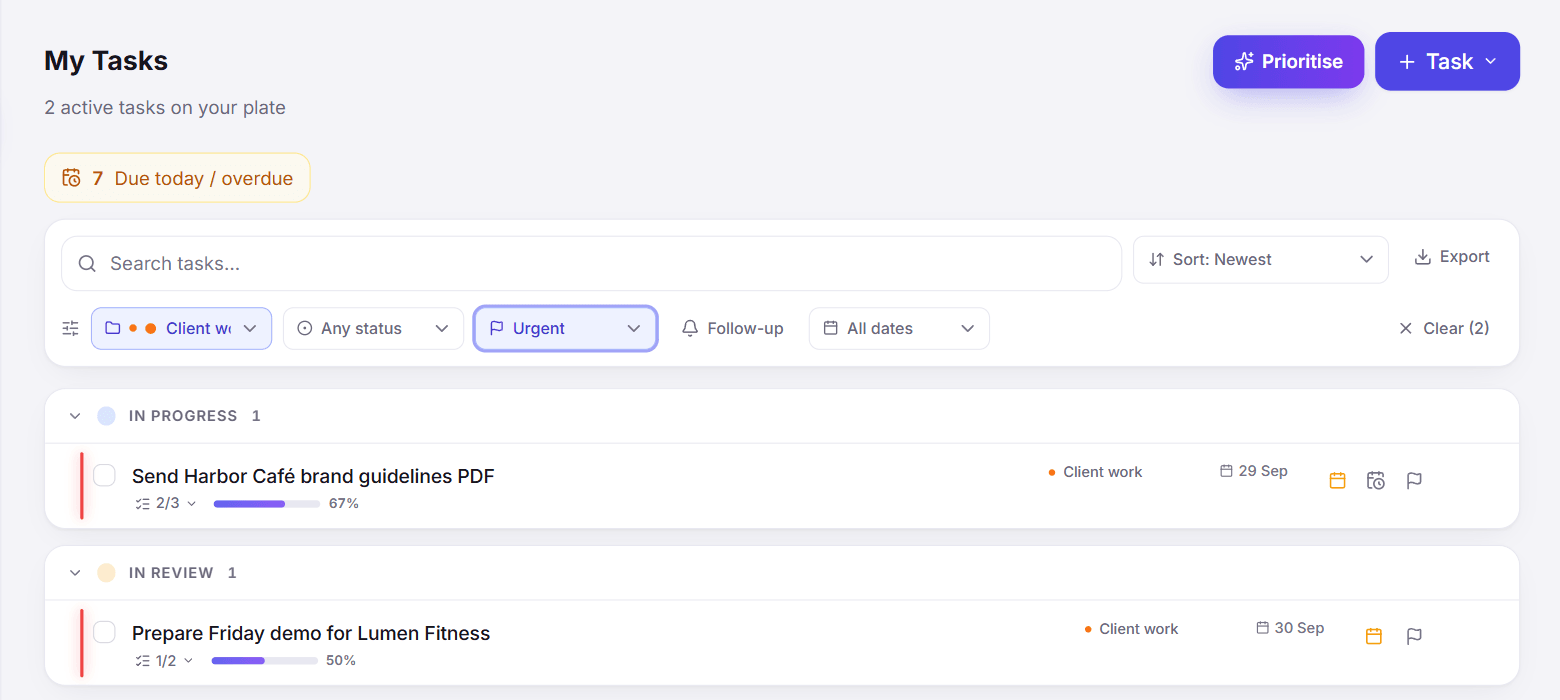
A filtered task list in Taskly, narrowed to one client project
Filter by client

One client, on demand, for the call you are about to take

Filtered lists narrow the whole workload to one client, one priority band or one date range. The status update you would otherwise assemble in your head is just the filtered view, read out.

  • Filter by project, priority, assignee and date range
  • Narrow to one client before a check-in call
  • Everything due this week, across every client, in one query
  • Saved views for the filters you use every week
Otto AI

A new engagement, drafted while the call is still fresh

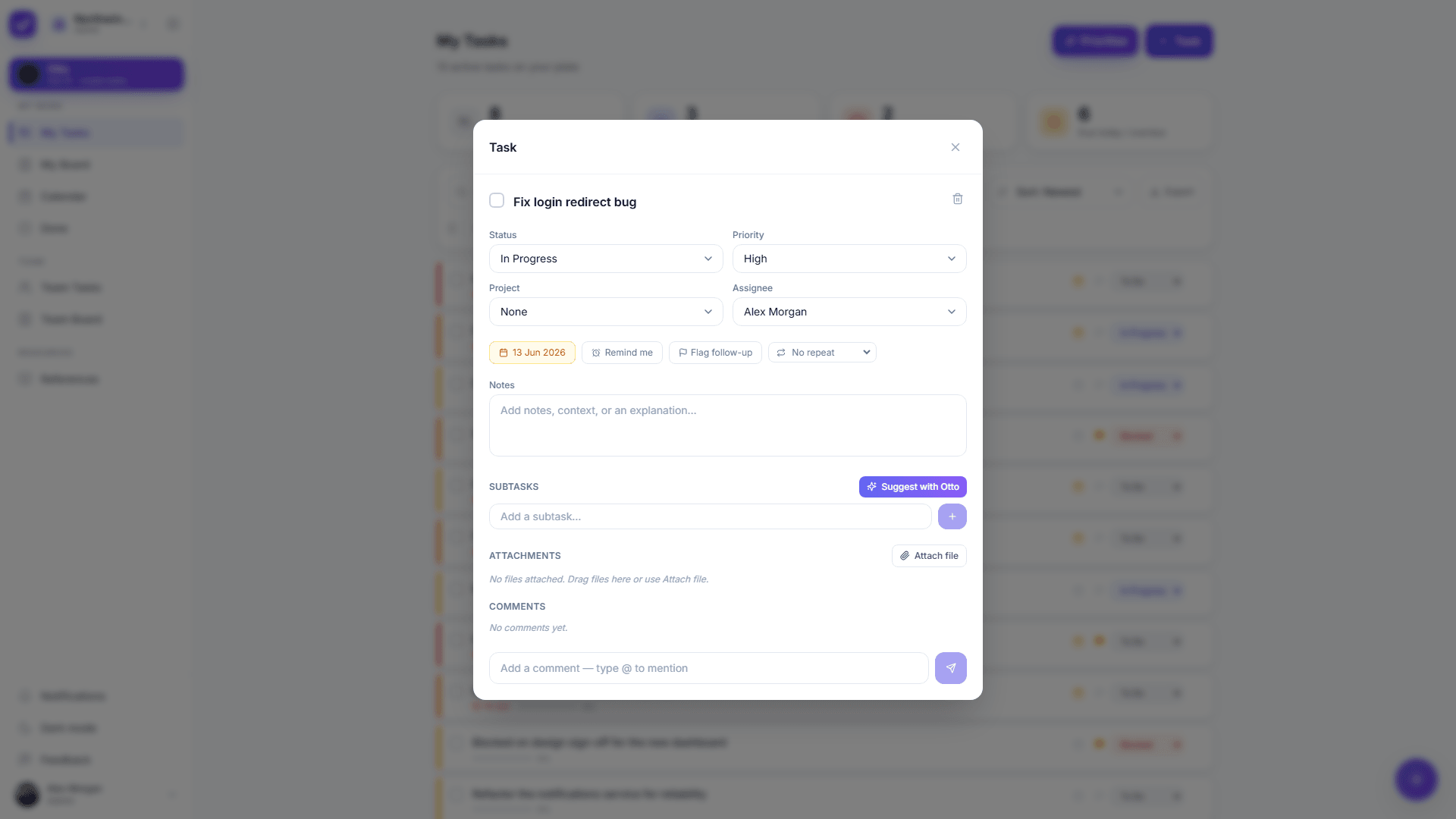
Describe the engagement in the words you used on the call and Otto drafts the tasks, subtasks, priorities and due dates. Every create and edit arrives as a before and after you apply or discard, so a misheard scope costs a click rather than an afternoon of cleanup.

  • One paragraph becomes a structured client project
  • Subtasks and due dates on the items that implied them
  • Reschedule a slipped milestone in one approved step
  • Apply or discard the whole proposal in one click
A Taskly task detail panel with subtasks, due date and recurrence for a client deliverable
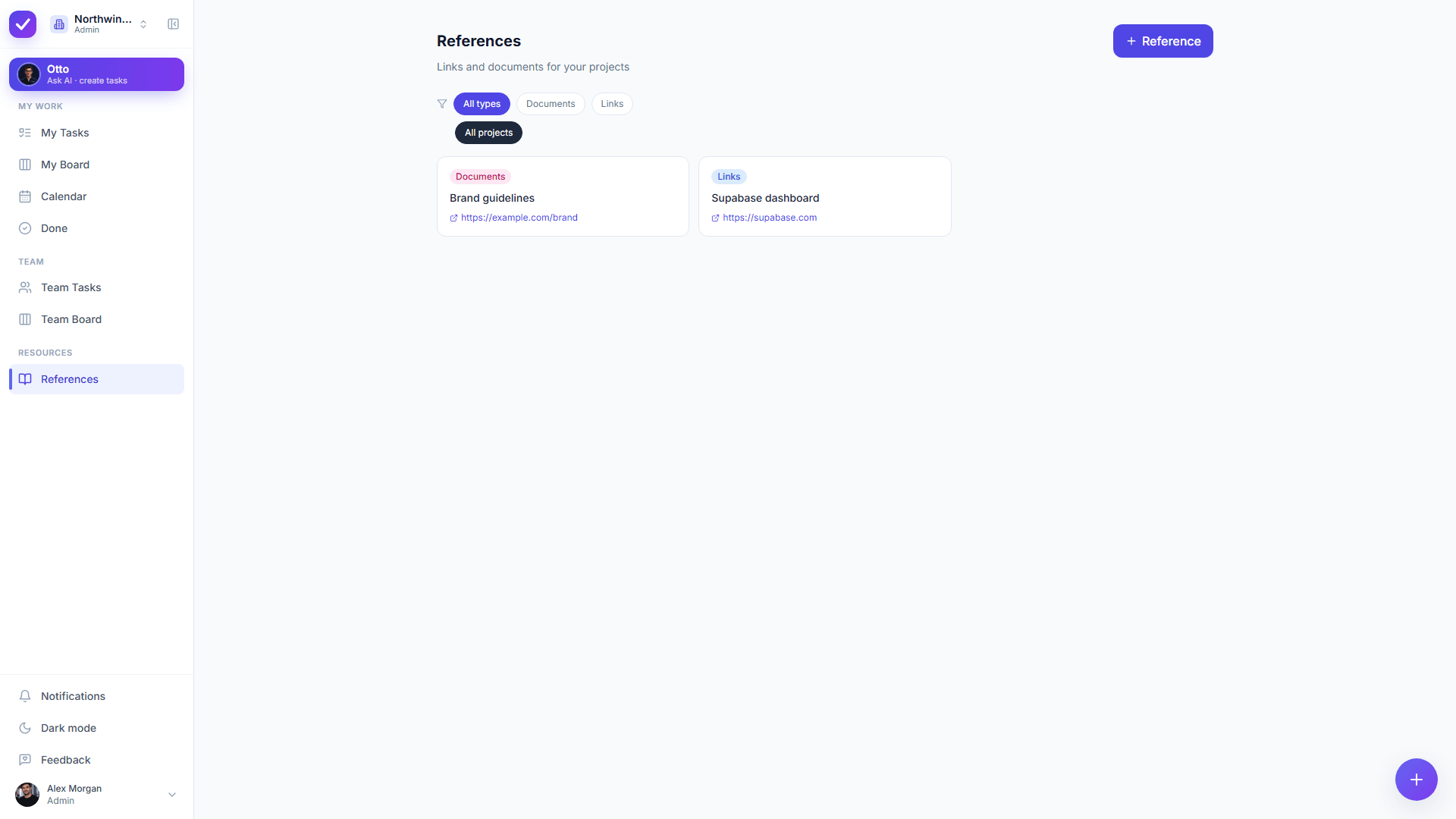
The Taskly References library, holding briefs and documents under custom types
References

The brief, the contract and the shared folder, where the work is

Freelance work drowns in links: the brief, the signed scope, the client’s drive, the staging URL. The References library keeps them against the work they belong to, under types you define yourself rather than a fixed preset list.

  • Save links and documents with your own custom types
  • Attached to the client work they belong to
  • Otto can file a reference for you, on approval
  • No hunting through email for the signed scope
A general to-do app vs. a freelance workload

Where a solo business breaks a plain list

The freelance jobA typical to-do appTaskly with Otto
Clients Capped by the free plan’s project count, then a paid tier A project per client, with your own day as one list across all of them
Unbillable admin Remembered, or re-entered by hand every month Recurring tasks that recreate themselves on completion
Setting up a new engagement Duplicate an old project and edit every line Describe it once and approve the plan Otto drafts
Follow-ups and chasing A reminder you snooze until it stops meaning anything Rescheduled in one approved step, with the reason attached
Who pays for the AI A per-seat subscription, a paid tier or a credit allowance Included, not metered, and free while Taskly is in early access
Taskly’s own behaviour. The third-party figures on this page were checked on 22 October 2026.
What the plans allow

Where the free tiers run out for a freelancer

Every figure below comes from the vendor’s own page, checked on 22 October 2026. Plans and platform support change often, so check the date before you rely on any of it.

Todoist

Todoist’s free Beginner plan allows 5 personal projects, which is five clients if you run a project per client, plus 3 custom filters and one week of activity history. Its AI is split by tier: Ramble sessions are limited on Beginner and Task Assist is listed as a Pro feature.

Source: Todoist’s own page, checked 22 October 2026

Things 3

Things is one of the best-liked personal task apps there is, and Cultured Code lists it for Mac, iPhone, Watch, iPad and Vision Pro only. There is no web version and no Android version on that page, which matters if a client hands you a Windows machine.

Source: Things 3’s own page, checked 22 October 2026

Motion

Motion lists no free plan at all, only a trial, with Pro AI shown at 19 US dollars per seat a month on its pricing page. For a one-person business that is a fixed monthly cost before the first invoice goes out.

Source: Motion’s own page, checked 22 October 2026

Taskly

Taskly is free while it is in early access, with Otto included rather than sold as an add-on or metered by credit, and early adopters keep preferential pricing when paid plans arrive.

Taskly’s own pricing, 22 October 2026

Coming from a list you already keep? The Todoist alternative and Notion alternative for tasks pages go through the comparison task by task.

Where the line is

What Taskly cannot do for a freelance business

Taskly is a young product with a deliberately small surface. If one of these four is a requirement rather than a nice to have, Taskly is the wrong pick today, and it is cheaper to find that out on this page than in week three.

Invoice anyone

Taskly tracks the task that says to send the invoice. Taskly does not create the invoice, does not track time against it and does not talk to your accounting tool, so invoicing stays wherever it is now.

Work offline

Taskly runs in the browser and installs as a PWA on a phone, so Taskly needs a connection. There is no offline mode and there are no native desktop or mobile apps today, which rules out working from a train with no signal.

Show the week as a calendar

Taskly has lists, a board and filtered views, and Taskly has no calendar layout. If you quote by the hour and plan by dropping work into time slots, that part still happens in your calendar.

Connect to your whole stack

Taskly’s integration surface is small today. If your freelance workflow depends on a chain of connected tools firing at each other, Taskly is not yet the hub that sits in the middle of it.

Who it’s for

You’ll feel it right away if

You run several clients at once and your to-do list is the only place they meet.

The unbillable half of the business, invoicing, chasing, admin, is the half that slips.

Setting up the same project shape for every new client has stopped being a reasonable use of an hour.

You want the AI to draft the plan, and you will not let software change a client commitment without asking.

Not running clients, just your own long list? See the personal AI task manager.

Want the method rather than the product? Start with AI to-do list.

Planning the week in a chatbot today? Read how to use ChatGPT as a to-do list for where the handoff has to happen.

Need the billable hours protected from the admin? See deep work strategies and the time blocking template.

Hired help and now managing someone? That is the AI task manager for teams.

Holding client data in a tool you just met? Taskly’s security page sets out workspace isolation and what Otto is and is not sent.

FAQ

Common questions

What should a freelancer look for in a task manager?+

A freelancer should look for four things in a task manager: enough projects to give every client their own without hitting a free-plan cap, recurring tasks for the unbillable admin, one view that shows the whole workload across clients, and a price that does not assume a team. Time tracking and invoicing matter too, and most task managers do not do them, so expect to keep a separate tool for billing.

Is Taskly a good task manager for freelancers?+

Taskly suits a freelancer who wants the organizing done for them without losing control of client commitments. A project per client, recurring tasks for the admin, a references library for briefs and contracts, and Otto drafting new engagements from a sentence. Taskly does not invoice, does not track time and has no calendar layout, so a freelancer who bills by tracked hours will still need a second tool alongside it.

How many clients can you manage in a free task manager?+

The number of clients a free task manager will hold is usually capped by its project count. Checked on 22 October 2026, Todoist’s free Beginner plan allows 5 personal projects, which is five clients if you give each one a project, while Motion lists no free plan at all. Taskly is free while Taskly is in early access and does not cap a solo workspace’s projects at a tier boundary.

Can an AI task manager set up a new client project for you?+

An AI task manager can set up a new client project if its assistant creates real tasks rather than suggesting text. In Taskly you describe the engagement the way you described it on the call, and Otto drafts the tasks, subtasks, priorities and due dates as a before and after you approve or discard. Nothing is created until you approve it, so a misheard scope costs a click rather than a cleanup.

Does a task manager for freelancers handle invoicing?+

Most task managers for freelancers do not handle invoicing, and Taskly does not either. Taskly holds the task that says the invoice is due, including as a recurring task on the day of the month you bill, and the invoice itself is created in whatever accounting or invoicing tool you already use. Treat a task manager that claims to replace your accounting tool with suspicion.

What can a task manager not do for a freelance business?+

A task manager cannot decide which client matters most, chase a late payment, negotiate a deadline, or know anything that was agreed on a call and never written down. Taskly specifically does not invoice, does not track time, has no offline mode, no native apps and no calendar layout today. Otto turns what you tell it into structure, and the judgement about what deserves the next hour stays yours.

Is a freelance task manager worth paying for?+

A freelance task manager is worth paying for at the point where the hour a week you lose to re-sorting the list costs more than the subscription, which for most rates is almost immediately. The harder question is which one, because switching costs an afternoon. Taskly is free while Taskly is in early access, so the evaluation costs an afternoon and no money.

What happens to client data in Taskly?+

Taskly isolates every workspace at the database level with row-level security and encrypts data in transit, so one freelancer’s workspace is not reachable from another. If you ever share the workspace with a collaborator, their email address is never sent to the AI model: Otto works with stable pseudonyms instead. Taskly’s security page sets out what Otto is and is not sent.

Put every client in one list and let Otto keep it in order

Start free, describe your next engagement in a sentence, and approve the plan Otto drafts.

No credit card · Sign in with Google or email