The personal AI task manager that asks before it acts
Type everything you are carrying, in plain English, and Otto drafts the tasks, priorities and due dates for one person: you. Then Otto shows you a before and after, and nothing changes until you approve it.
Written by Saba Majidi, Founder, Taskly·Last reviewed
Quick answer
A personal AI task manager is a to-do app for one person with a built-in assistant that turns plain language into organized, prioritized tasks, instead of asking you to fill in a form per item. Most stop at suggestions you still have to apply yourself. Taskly goes further: Otto drafts the real tasks, orders them and reschedules what you missed, then waits for your approval. You get the sorting done for you without handing over control of your own list.
What it actually does
From a messy dump to today’s three things
A personal AI task manager earns its place at the moment your list is too long to read. These are the four things Otto does with it.
Turns a brain dump into a real list
Type everything in your head the way you would say it out loud. A personal AI task manager should hand that back as separate tasks with priorities and due dates on the right ones, and Otto does, as a draft you approve.
Decides what today looks like
Ask Otto to order what is left and you get a sequence with the reasoning attached. You disagree with it in one place, once, instead of dragging twenty items up and down a list.
Breaks down the one you keep skipping
The task you have rewritten four times is usually too big. Ask for a breakdown and Otto proposes real first steps, so the item stops being a line that reads “sort out the website”.
Handles the admin that comes back
Invoices, renewals, the weekly review. Set them up once as recurring tasks and each one reappears when the last is done, so your own admin stops living in your memory.
Your day
One view that answers “what am I doing now”
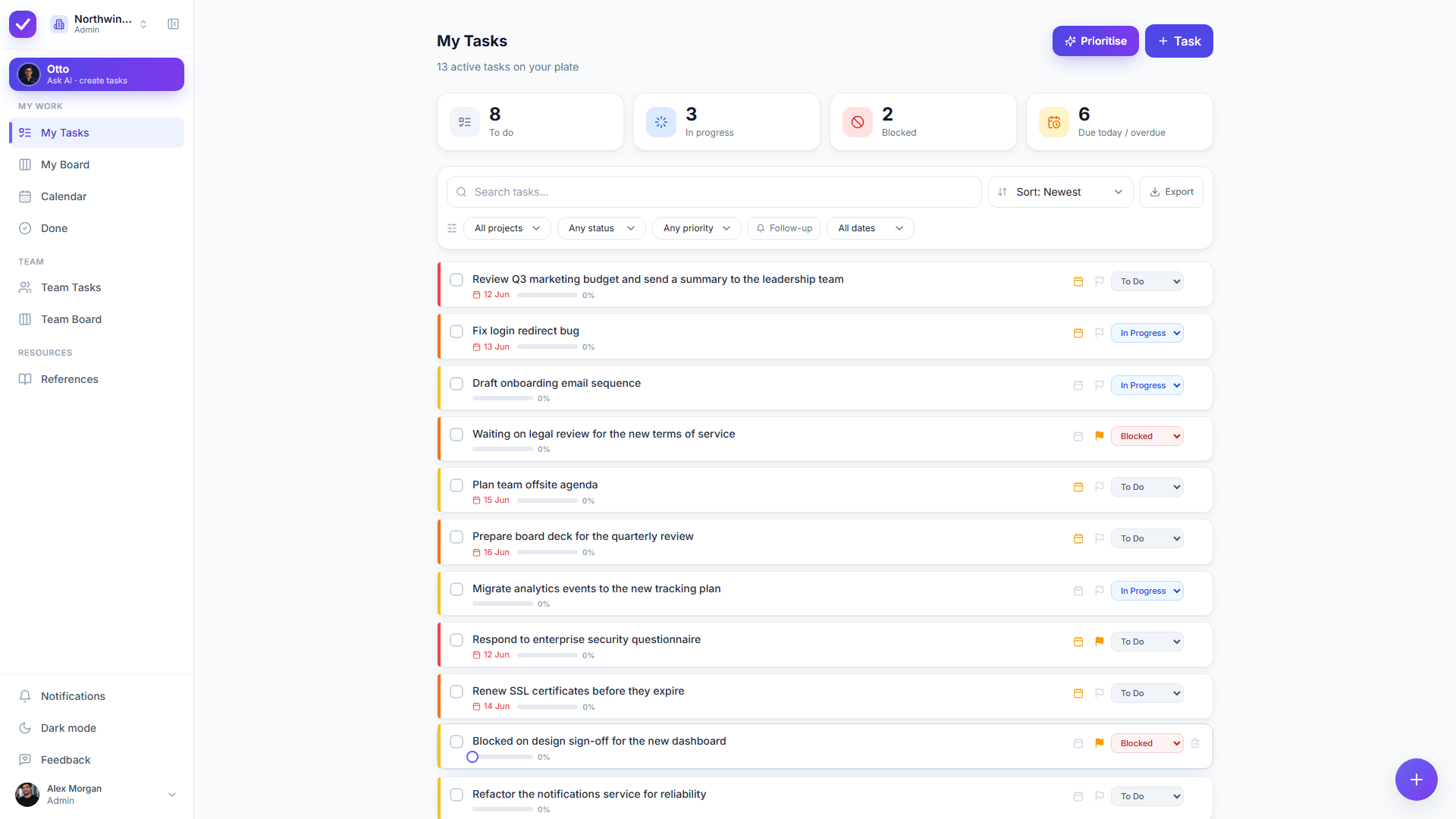
A personal AI task manager should open on your own work and nothing else. My Tasks is one person’s list, split into to-do, in progress, blocked and due or overdue, so the first thing you see is the next thing to do.
Your own bucket by default, with no project to pick first
To-do, in progress, blocked and due or overdue at a glance
Filtered lists by priority, project and date range
Light and dark, on desk or phone
app.ottotaskly.com
app.ottotaskly.com
Otto AI
Say it the way you would say it out loud
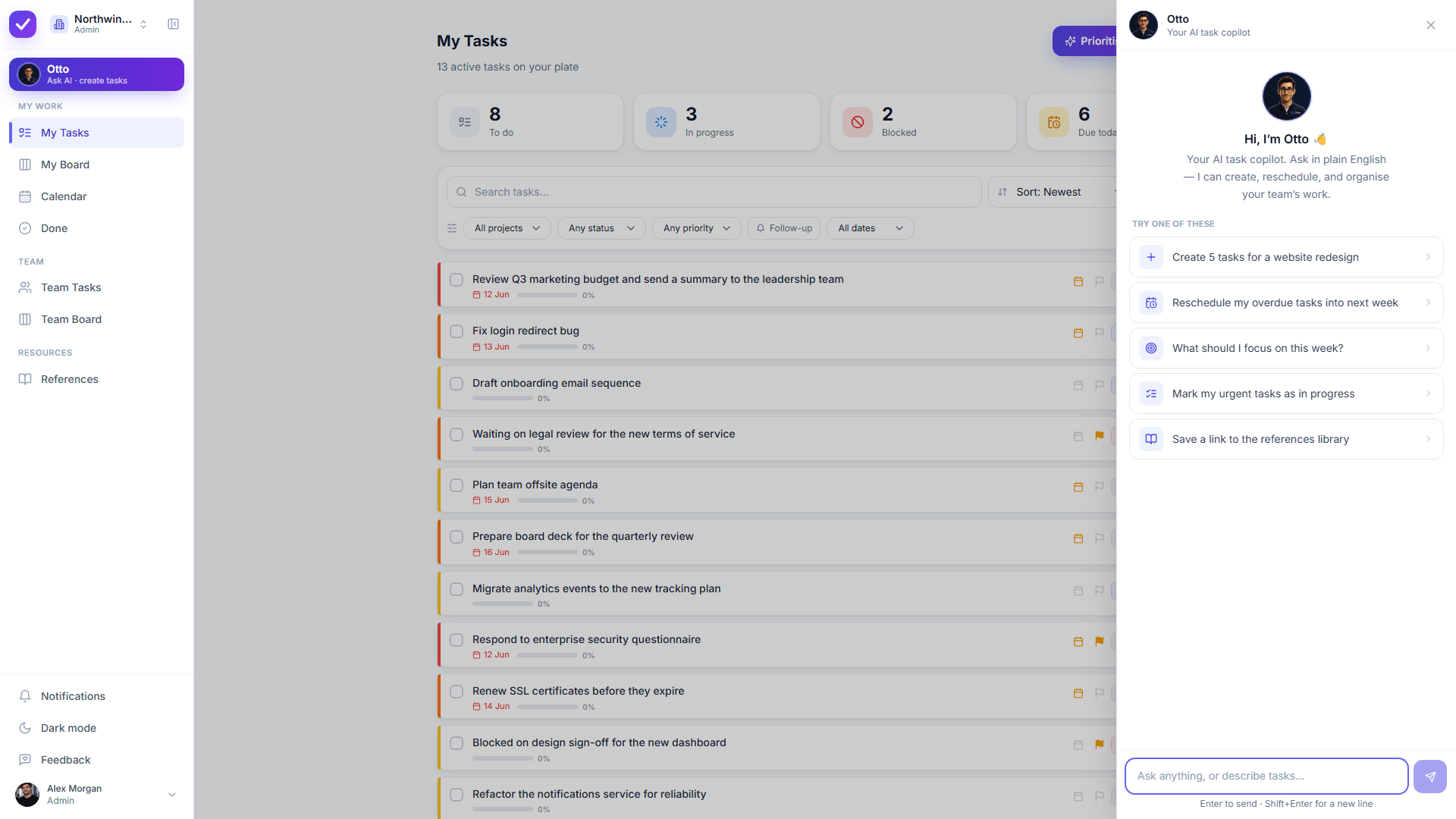
Otto reads a paragraph of everything you are carrying and drafts it as separate tasks with priorities, due dates and subtasks. Every create and edit arrives as a before and after you apply or discard, so the AI never gets the last word on your list.
A brain dump becomes separate tasks, not one long note
Priorities and due dates land on the items that implied them
Breakdowns for the task that is too big to start
Apply or discard the whole proposal in one click
Prioritise
Let the order be someone else’s problem
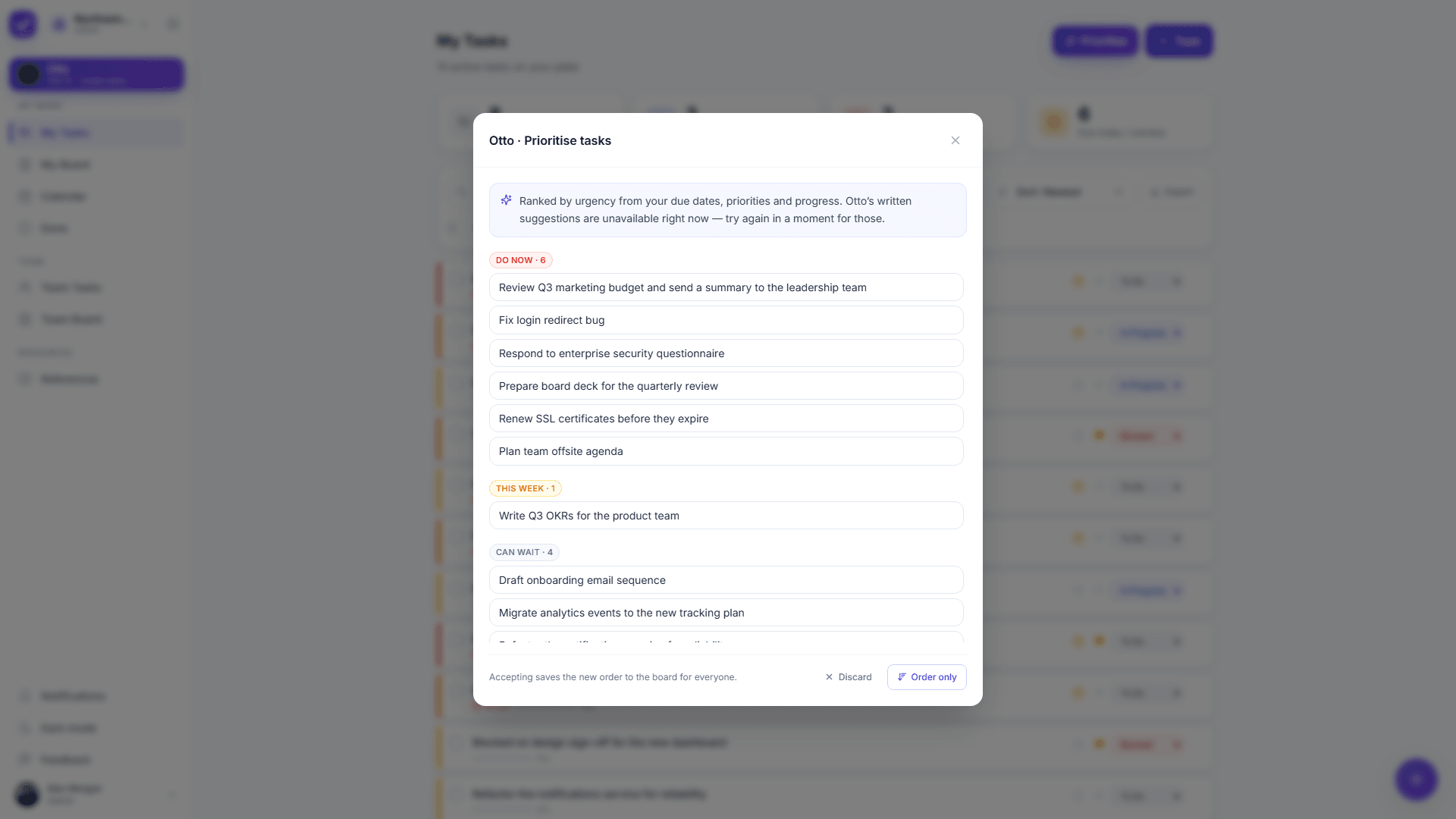
Ask Otto to triage what is left and the list is grouped into do now, this week, can wait and reconsider, with the reasoning attached. You argue with the grouping once, in one place, instead of re-ranking items by hand every morning.
One click groups the whole list by what to do when
Reasons shown, so you can disagree with the logic
Reschedule everything you missed in one approved step
Recurring personal admin that recreates itself
app.ottotaskly.com
app.ottotaskly.com
Quick capture
Catch the thought before it leaves
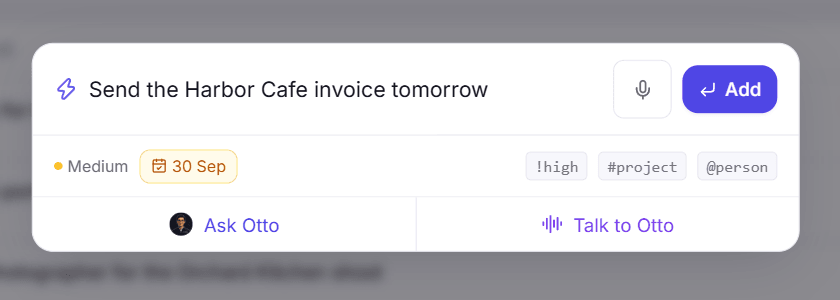
Press the quick capture shortcut anywhere and type the task the way it arrived in your head. Taskly parses the priority and the project as you type, so capturing something costs one keystroke and no decisions.
Global shortcut from any screen
Priority and project parsed live as you type
Notes, subtasks, due dates and recurrence on the detail panel
Live autosave, so nothing waits on a save button
The difference
AI that asks first, on your own list
Most AI features are racing to act for you. On a personal list that is a worse trade than it sounds, because your list is the only record of what you promised and a silent edit is indistinguishable from forgetting. Taskly is built the other way around. Otto proposes and you dispose: creating tasks, editing them, reordering, rescheduling, each one arrives as a clear before and after you approve or discard. One task or fifty, you see it before it happens.
A paragraph of everything, split into separate tasks for you
Who orders the list
You do, by dragging, every time the day changes
Otto proposes an order with its reasons, you approve or discard it
Yesterday’s leftovers
Re-dated by hand, one item at a time
Moved to a sensible day in one approved step
The AI’s reach
Varies. Some apps act on their own, some only suggest text
Nothing changes until you approve it, one task or fifty
Cost of the AI
Often a paid tier, a credit allowance or a separate add-on
Included, not metered, and free while Taskly is in early access
Taskly’s own behaviour. The third-party figures on this page were checked on 22 October 2026.
What one person pays
The free tiers, as the vendors state them
Every figure below comes from the vendor’s own pricing page, checked on 22 October 2026. Plans change often, so check the date before you rely on any of it.
Todoist
Todoist’s free Beginner plan allows 5 personal projects, 3 custom filters, 5 MB file uploads and one week of activity history, and its AI is split across tiers: Ramble sessions are limited on Beginner, while Task Assist is listed as a Pro feature.
Taskly is free while it is in early access, with Otto included rather than sold as an add-on or metered by credit, and early adopters keep preferential pricing when paid plans arrive.
Taskly’s own pricing, 22 October 2026
Moving an existing list across? The Todoist alternative page goes through the comparison task by task.
Where the line is
What Taskly cannot do for you
Taskly is a young product with a deliberately small surface. If one of these four is a requirement rather than a nice to have, Taskly is the wrong pick today, and it is cheaper to find that out here.
Work offline
Taskly runs in the browser and installs as a PWA on a phone, so Taskly needs a connection. There is no offline mode and there are no native desktop or mobile apps today.
Show your week as a calendar
Taskly has lists, a board and filtered views, and Taskly has no calendar layout. If you plan by dropping tasks onto time slots, that part still happens in your calendar.
Plug into everything you use
Taskly’s integration surface is small today. If your work depends on a chain of connected tools firing at each other, Taskly is not yet the hub for it.
Decide what actually matters
Otto can order a list by what you tell it. Otto cannot know that the small task belongs to the client who pays your rent, so that judgement stays with you.
Who it’s for
You’ll feel it right away if
Your list is long enough that opening it is the part you avoid.
You want the sorting done for you, and you refuse to let software change your work without asking first.
You are the only person on your list, so per-seat team pricing was never the point.
You have tried asking a chatbot to plan your day and watched it forget the list by the next session.
Worried about what reaches the model? Taskly’s security page sets out workspace isolation and what Otto is and is not sent.
FAQ
Common questions
What is a personal AI task manager?+
A personal AI task manager is a to-do app for one person with a built-in assistant that turns plain language into organized, prioritized tasks. Instead of filling in a form per item, you describe what needs doing and the assistant drafts the tasks, subtasks, priorities and due dates. Taskly is a personal AI task manager whose assistant, Otto, drafts that work and then shows every change as a before and after you approve before anything is applied.
How is a personal AI task manager different from a team task manager?+
A personal AI task manager is built around one person’s day rather than around who owes whom what. There are no seats to buy, no assignment or handover model to learn, and the default view is what you personally have to do next. Taskly works either way: a solo workspace behaves as a personal task manager, and the team features sit out of the way until a second person is actually in the workspace.
Does a personal AI task manager change your tasks without asking?+
Taskly never changes anything automatically, which is the core design decision behind the product. Otto proposes and you dispose: you see exactly what will be created, edited, reordered or rescheduled before it is applied, and you can discard the whole proposal with one click. Other personal AI task managers differ, and some do act on their own, so it is worth checking the default before you adopt one.
Is a personal AI task manager better than asking ChatGPT for a to-do list?+
A general chatbot can write you a good list and then cannot keep it. The list lives in a conversation, so nothing reminds you, nothing recurs, and the next session starts from nothing. A personal AI task manager keeps the list as real data you can filter, reschedule and complete. Taskly’s guide to using ChatGPT as a to-do list sets out where the chatbot genuinely wins and where the handoff has to happen.
What does a personal AI task manager cost?+
Pricing for a personal AI task manager usually lands in one of three shapes: a free tier with the AI held back, a paid subscription per month, or an AI allowance metered by credit. Checked on 22 October 2026, Todoist’s free Beginner plan allows 5 personal projects and limits its Ramble sessions, Motion lists no free plan at all, and Sunsama states it has no free forever plan. Taskly is free while Taskly is in early access, with Otto included rather than metered.
What can a personal AI task manager not do for you?+
A personal AI task manager cannot decide what matters in your life, supply the motivation to start, or know anything you never wrote down. Taskly specifically has no offline mode, no native apps, no calendar layout and a small set of integrations today. Otto turns what you tell it into structure, and the judgement about what deserves your attention stays yours.
Is a personal AI task manager helpful for ADHD?+
A personal AI task manager can lower the cost of starting, which is often the hardest part of a task list for an ADHD brain: saying the work out loud is easier than structuring it, and one approved step can clear a backlog that would otherwise be twenty small decisions. A task manager is not a treatment and it will not supply motivation. Taskly’s guide to ADHD planning tools covers what genuinely helps and where each kind of tool breaks down.
What happens to your data in a personal AI task manager?+
Taskly isolates every workspace at the database level with row-level security and encrypts data in transit, and if a second person ever joins your workspace, their email address is never sent to the AI model. Otto works with stable pseudonyms instead. Taskly’s security page sets out the detail of what Otto is and is not sent.
Your list, sorted before you open it
Start free, dump everything you are carrying into Otto, and approve the plan it hands back.