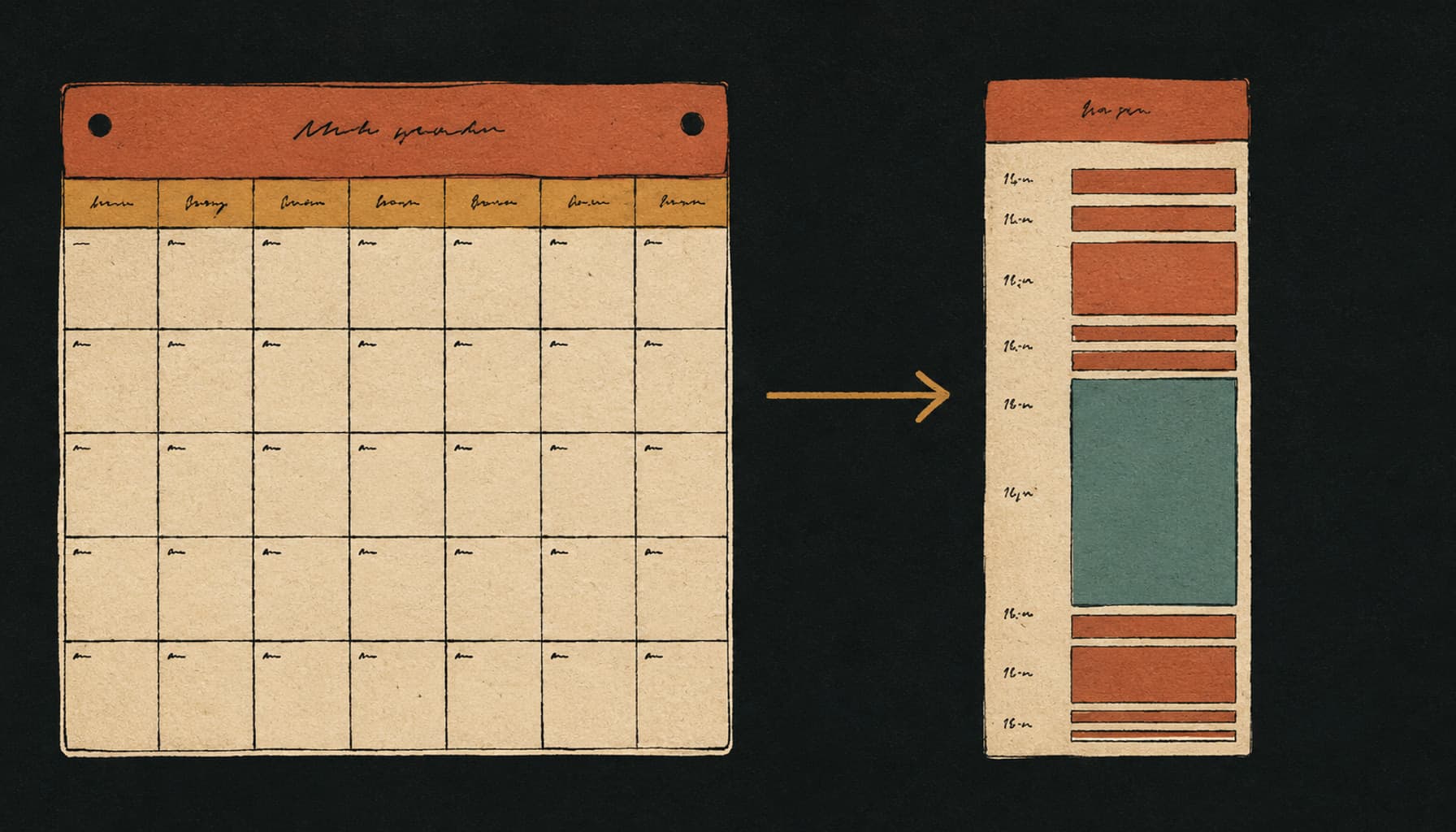

Productivity tips for work that survive a real job share one property: they remove decisions and restarts instead of adding a system you have to maintain. Nine hold up. Decide tomorrow’s three tasks before you stop today, write the first physical action rather than the project name, treat your pessimistic estimate as still optimistic, check email on a schedule, defend the two windows everyone books meetings in, keep the day’s list day-sized, batch admin into one block, reduce the number of places work lives, and close the week with a ten minute review.
The nine below are ordered by how cheap they are to start, not by how impressive they sound. Each one names the thing it fixes and where it breaks, because a tip that only works on a good week is not a tip, it is a mood.
“employees using Microsoft 365 are interrupted every 2 minutes by a meeting, email, or notification”
That figure describes the environment every productivity tip has to survive. It is worth reading the small print with it, which we do in the limits section below, because Microsoft calculated it from the heaviest quintile of its users rather than from everyone. The direction is not in doubt even if your own number is gentler.
Why most productivity tips fail at work
Most productivity advice is written for a day you own. A normal job is not that. Gloria Mark and colleagues at UC Irvine shadowed 24 information workers for more than 700 hours and published the result at CHI in 2005: people averaged 11 minutes and 4 seconds in a unit of work before switching or being interrupted, and 57.1% of those units were interrupted before they finished.
The number that matters more is what happened afterwards. When interrupted work was picked up again on the same day, it took an average of 25 minutes and 26 seconds to return to it, and people had worked in an average of 2.26 other things in between. So the cost of an interruption is not the interruption. It is the reorientation, multiplied by however many detours happened first.
Twenty years later the shape is the same and the volume is higher. Microsoft’s June 2025 telemetry reports an average of 117 emails and 153 Teams messages per worker per weekday, and its survey of 31,000 knowledge workers found 48% of employees, and 52% of leaders, describing their work as chaotic and fragmented.
A tip designed for a quiet morning does not survive that. A tip designed to make returning cheap, or to remove a decision entirely, does. That is the filter every item below had to pass.
1. Decide tomorrow’s three tasks before you close the laptop
Deciding tomorrow’s work tonight costs about two minutes and removes the single most expensive decision of the next morning: what to do first, made at the exact moment you have the least appetite for choosing. Write three things, in the order you will do them, and stop.
The reason this is more than a scheduling trick is that an undecided task keeps running in the background. E. J. Masicampo and Roy Baumeister tested this directly and reported it in the Journal of Personality and Social Psychology in 2011.
“Allowing participants to formulate specific plans for their unfulfilled goals eliminated the various activation and interference effects.”
Unfinished goals produced intrusive thoughts during an unrelated reading task and worse performance on an unrelated anagram task. Making a specific plan for them removed the effect. Note what that means in practice: writing the plan is not primarily how you remember the work, it is how you put the work down.
Where it breaks: deciding tomorrow’s three at the end of a bad day produces a list written by someone demoralised. If the day went badly, write the three anyway and make the first one small enough to be nearly free.
2. Write the first physical action, not the project name
“Q3 reporting” is not a task, it is a heading, and a heading on a list is something you read past every day for a week. “Pull the September numbers into the Q3 sheet” is a task, because it says what your hands do first. Naming the first physical action converts an item you avoid into an item you either do or consciously defer.
This is the cheapest tip on the list and the one people skip, because writing the vague version takes four seconds and writing the specific version takes twenty. The twenty seconds are the work of deciding, and deciding is the part that was going to block you tomorrow morning regardless. Doing it once, in advance, is strictly cheaper than doing it every time you scan the list.
Where it breaks: some work genuinely is a project rather than a task, and forcing it into one line produces a fiction. When an item needs more than one sitting, the honest move is to break it into its real steps rather than to rename it more decisively.
3. Distrust your own worst case, not just your best guess
Everyone has heard that work takes longer than planned. The useful and less familiar finding is that it takes longer than your pessimistic estimate too. Roger Buehler, Dale Griffin and Michael Ross followed psychology students finishing their theses and reported the numbers in the Journal of Personality and Social Psychology in 1994.
| What students were asked | Days predicted | Days actually taken |
|---|---|---|
| Best estimate | 33.9 | 55.5 |
| If everything went as well as possible | 27.4 | 55.5 |
| If everything went as badly as possible | 48.6 | 55.5 |
Only 29.7% of the students finished within their best estimate, and fewer than half (48.7%) finished even by the date they gave when told to assume everything went as badly as it possibly could. The practical consequence for work is not to pad every estimate by a fixed multiplier, which people simply learn to discount. It is to commit to fewer things per week and to quote dates from your worst case rather than your best.
Where it breaks: the study followed one type of task for one type of person, and a familiar repeated task is estimated far better than a novel one. Distrust your estimates most on the work you have never done before, which is usually the work you were most confident about.
4. Check email on a schedule, not on arrival
Checking email on a schedule is one of the few productivity tips for work with a controlled experiment behind it. Kostadin Kushlev and Elizabeth Dunn ran a two week within-subjects study published in Computers in Human Behavior in 2015.
“During one week, 124 adults were randomly assigned to limit checking their email to three times a day; during the other week, participants could check their email an unlimited number of times per day. We found that during the limited email use week, participants experienced significantly lower daily stress than during the unlimited email use week.”
Three checks a day is the tested number rather than a sacred one, and plenty of roles cannot go four hours without looking. The transferable part is the switch from arrival to schedule: email stops setting the tempo and starts occupying slots you chose. Turn off the notification as well as closing the tab, because a badge is a check.
Where it breaks: in a team that treats chat as a phone call, batching quietly moves the cost onto colleagues waiting on you. Say out loud when you check, so the people who need you know the shape of it rather than discovering it during something urgent.
5. Defend the two windows everyone else wants
Microsoft’s 2025 telemetry found that half of all meetings land between 9 and 11 in the morning and 1 and 3 in the afternoon. Those windows are contested precisely because they are the good ones, so anything you intend to think hard about has to be booked into them before the week fills, not fitted around what is left.
Two protected blocks a week is a realistic starting claim in most jobs, and it is worth more than five aspirational ones that get moved. Put them in the calendar as a normal appointment with a name that says what the work is, because a block labelled “focus” is the first thing a colleague overrides and a block labelled “Q3 forecast draft” is not.
Protecting the block is one problem and using it well is another. The second is a longer argument, and it is in our guide to deep work strategies, which covers what to do with a block once you have one and how to shrink it until it survives a bad week.
Where it breaks: defending a window works until someone senior books over it, and then it works again only if you rebook rather than write the week off. The habit is the rebooking, not the block.
6. Cut the list to a day-sized list, and say what is not happening
A daily list with twelve items on it is not a plan. It is a record of everything you would like to be true, and its practical effect is that finishing eight good hours of work still reads as failure. Three committed tasks plus whatever small things fit around them is roughly what a day holds once meetings, messages and yesterday’s leftovers have taken their share.
The half of this tip that people skip is the announcement. When you cut four things from the day, two of them belong to somebody else, and the difference between a prioritisation and a broken promise is one message saying which. Tell the person the new date before they ask for the old one.
Where it breaks: a day-sized list becomes a way of hiding the backlog if the things you cut never go anywhere. They have to land on a real date in whatever holds your full list, or the list is calm and the work is still late.
7. Batch the admin into one block a week
Expenses, timesheets, small approvals, the form nobody owns. Each of these costs a few minutes and a full context switch, and the switch is the expensive half, as the 25 minute return figure above suggests. Scattered across a week they are a tax on every day. Gathered into one block they are ninety minutes you can see the end of.
Put the block somewhere your standards can afford to be lower. Late Friday afternoon is popular for a good reason: attention is already spent, the work is low judgement, and clearing it means the week ends actually finished rather than technically finished.
Where it breaks: anything with a real deadline inside the week does not belong in the batch, and a batch that has silently absorbed one urgent item will produce a genuine miss. Keep deadline-bearing admin on the list with everything else.
8. Reduce the number of places work lives
With 117 emails and 153 chat messages arriving on an average weekday, per Microsoft’s 2025 telemetry, the load is not only volume. It is sprawl: a commitment made in a meeting, a second one in a thread, a third in a document comment, and no single surface that holds all three. Every additional place work lives is another thing to check, and checking is the habit that fails first.
The fix is not one perfect tool. It is one list that is allowed to be the real one, with a standing rule that anything agreed anywhere else gets copied into it within the day. Choosing that tool is a separate decision, and our buyer’s guide to task management apps works through it by team shape rather than by feature count.
Where it breaks: consolidating is itself a project, and a half-migrated system is worse than either of the two it replaced. Move one category of work at a time and let the old place die of neglect rather than declaring a cutover.
9. Close the week with a ten minute review
Ten minutes on a Friday, on three questions: what actually moved, what did not and is now late, and what the three things are for Monday. That is the whole ritual. It is the same mechanism as tip one, applied to a week rather than a day, and it is what stops a backlog becoming invisible.
Keep it at ten minutes on purpose. A weekly review that expands into an hour of recategorising is the most respectable form of procrastination available to a working adult, and it is the version that gets abandoned in March.
Where it breaks: the review is worthless if nothing is allowed to be dropped. If every overdue item just rolls to next week, the ten minutes become a weekly reading of your own failures. Something has to be allowed to die.
All nine, compared
The column that matters is the last one. Every tip below has a failure mode, and knowing it in advance is the difference between adjusting a habit and concluding that you are the problem.
| Tip | What it fixes | Cost | Where it breaks |
|---|---|---|---|
| Decide tomorrow tonight | The morning start-up decision | 2 minutes a day | A bad day writes a demoralised list |
| Write the first physical action | Items you read past all week | 20 seconds an item | Real projects do not fit one line |
| Distrust your worst case | Over-committing the week | Nothing, it is a habit | Familiar tasks are estimated fine |
| Email on a schedule | Email setting the tempo | Some responsiveness | Shifts the wait onto colleagues |
| Defend two windows | Prime hours lost to meetings | Two calendar blocks | Only works if you rebook |
| Day-sized list | Finishing well and feeling behind | Saying no out loud | Hides the backlog if cuts vanish |
| Batch the admin | A context switch tax every day | 90 minutes a week | Deadline items must stay out |
| Fewer places work lives | Commitments made in four surfaces | A migration | Half-migrated is worse than either |
| Ten minute weekly review | An invisible backlog | 10 minutes a week | Useless if nothing may be dropped |

A week you can copy
None of the nine needs a tool to start. This is the whole system on one page: copy it, fill in the two protected blocks with real work names, and run it for a fortnight before deciding whether any of it is worth keeping.
EVERY DAY
  Last 2 minutes   Write tomorrow's three, in order. First one small.
  First 60 minutes The first of the three. Not the inbox.
  Email            Three fixed checks. Notifications off in between.
  On interruption  Before standing up, write the next action in one line.

EVERY WEEK
  Mon-Thu          Two protected blocks, named after the actual work.
  Fri afternoon    One admin block. Expenses, forms, approvals, all of it.
  Fri last 10 min  What moved. What is late. Monday's three.

STANDING RULES
  A task names a physical first action, or it is a project and gets split.
  Anything agreed in a meeting or a thread is in the list within the day.
  Quote dates from the worst case, not the best guess.
  When something is cut, the person waiting on it hears it from you first.

REVIEW AFTER TWO WEEKS
  [ ] Which tip did I skip first, and on which day?
  [ ] Did anything get dropped on purpose, or did it all roll over?
  [ ] Is the list still the real list, or is the real list in my head again?
What the evidence does not say
Being straight about the limits of the research above matters more here than in most productivity writing, because this genre routinely launders a small study into a law.
- The Microsoft interruption figure is not an average worker. Microsoft’s own methodology note says the two minute interval and the 275 daily interruptions are based on the top 20% of users by ping volume received, from Microsoft 365 telemetry ending 15 February 2025. It describes the heaviest quintile, not the median job.
- The interruption study is one organisation. Mark, Gonzalez and Harris observed 24 people at a single outsourcing firm, and say plainly that the results generalise to companies with similar characteristics. The 11 minute and 25 minute figures are real and specific, and they are not a universal constant.
- The estimation study followed students finishing theses. Buehler, Griffin and Ross measured one novel, self-directed, high-stakes task. Repeated work with a known shape is estimated considerably better, which is why the tip is aimed at unfamiliar work.
- Email batching reduced stress, and was not measured on output. Kushlev and Dunn measured daily stress and well-being over two weeks in 124 adults. Nobody measured whether those people got more done, and it would be dishonest to imply they did.
- None of this addresses workload. Every tip here changes how a day is arranged. If the work assigned to you genuinely does not fit the hours you are paid for, rearranging it is a way of making the overflow less visible, which is a different problem and needs a different conversation.
Where Taskly fits
Taskly is a task manager, not a productivity philosophy, and most of the nine tips above work fine on paper. Four of them are cheaper in a tool that was built for them, which is the honest size of the claim.
- Tomorrow’s three, without rebuilding a list. Ask Otto to pull tomorrow’s three from what is actually due, and edit them rather than compose them. Reviewing a draft is a far smaller task than producing one at the end of a long day.
- Vague items get split. Paste in “Q3 reporting” and Otto proposes the steps, each one starting with a verb. That is tip two done by something that does not get tired at 6pm.
- Recovery is one move. “Move everything I didn’t finish to Thursday” is one request and one approval rather than twenty edits, which is what makes a day-sized list survivable when the day goes wrong.
- Nothing changes without your approval. Otto shows every proposed change as a before and after that you accept or discard, so the list never rearranges itself behind you. An assistant that edits your plan silently is worse than no assistant.
What Taskly does not do: it is not a calendar, so tip five still happens in whatever you already use, it will not answer your email, and it has no opinion about which client matters most. If the assistant part is the interesting bit, the AI to-do list page covers what it does and what to check before trusting any tool with your list, and what an AI task manager is covers the category.
The short version
The productivity tips for work that last are boring and structural. Decide tomorrow before you stop today, so the plan stops running in your head. Name the first physical action. Assume your pessimistic estimate is optimistic. Put email on a schedule. Book two real blocks in the hours everyone competes for. Keep the day’s list to what a day holds, and say out loud what is not happening. Batch the admin. Keep the real list in one place. Spend ten minutes on Friday deciding what is allowed to die. None of that requires a good week, which is the only test that matters.