
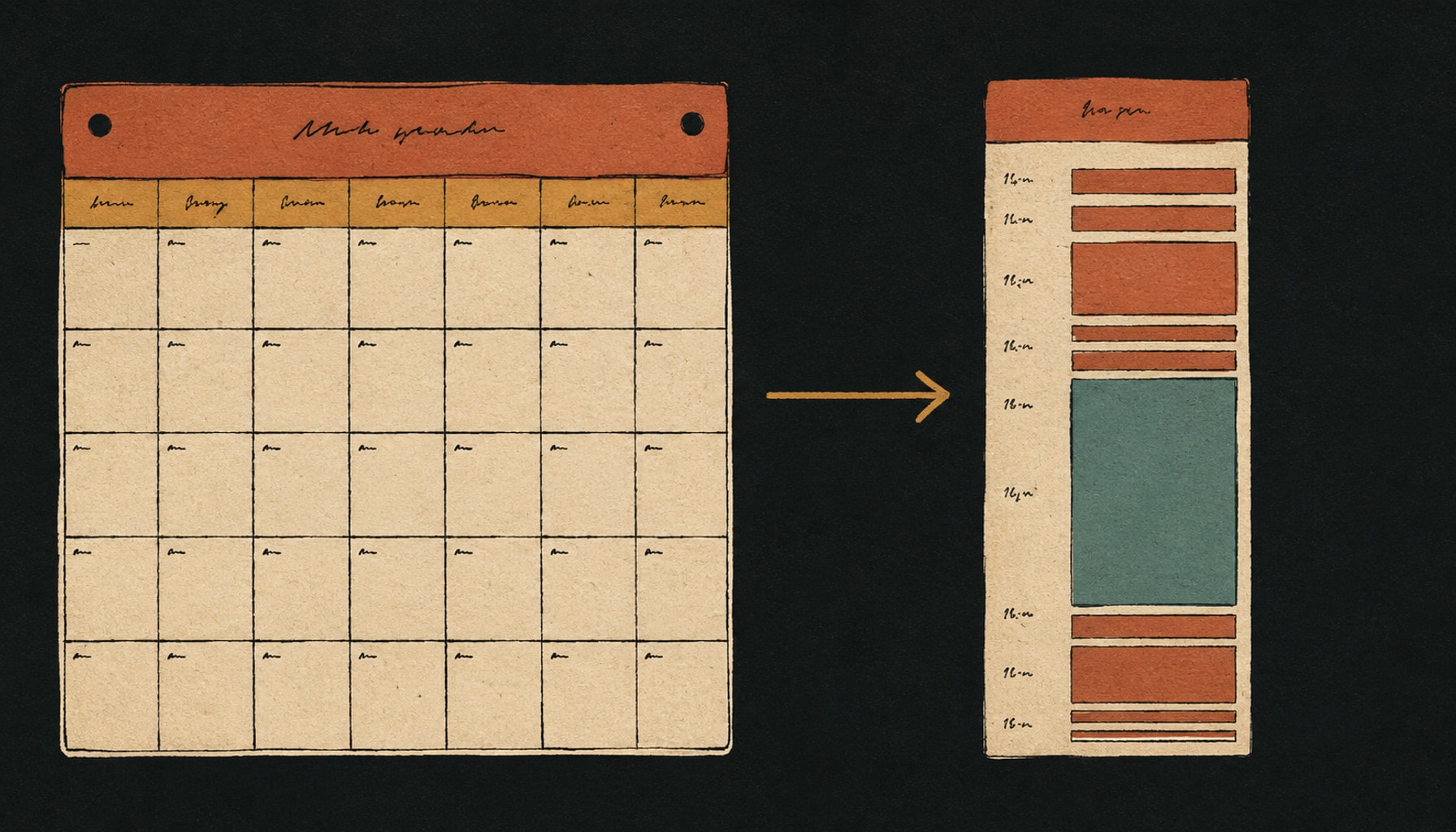
An ADHD calendar app is a calendar chosen for one job: making time visible instead of merely storing appointments. The ones that hold share four properties. They draw the day as a timeline rather than a grid of empty boxes, they let you get something in within seconds, they warn you before you need to move rather than at the moment you were already late, and they are cheap to come back to after you ignore them. Google Calendar, Apple Calendar, Tiimo, Structured, Fantastical, Reclaim and Sunsama each solve a different part of that, and no single one solves all four.
So the question is not which calendar app is best. It is which part of the day keeps collapsing, and which app is built for that part.
The four properties that make a calendar app work for ADHD
Most calendar apps are built for people whose problem is having too many meetings. An ADHD calendar app has to solve a different problem: knowing what is coming, feeling how long it will take, and still being reachable after a week of avoidance. Four properties do that work.
- Time is drawn, not listed. A day rendered as a proportional timeline shows you that the gap between two meetings is forty minutes, not a whole afternoon. A month grid of small boxes shows you nothing of the kind.
- Entry costs almost nothing. If putting an appointment in takes six taps and a decision about which calendar it belongs to, it will not go in. Plain-language entry and voice entry exist for exactly this reason.
- The alert arrives before you have to move. A notification at the start time is a notification about a thing you have already missed. Travel time, leave-now alerts and lock screen countdowns are the useful category.
- Re-entry is cheap. Every calendar looks good on setup day. The one worth keeping is the one you can reopen after nine days of avoidance without first performing an hour of accounting for what you missed.
The category level version of this argument, covering paper planners, timers and alarms alongside digital calendars, is in our guide to ADHD planning tools. This page is the calendar layer, argued app by app.

Why the calendar, and not the list, is the ADHD tool
The reason a calendar earns its place is that ADHD makes duration hard to feel, and a calendar is the cheapest external substitute for that missing sense. This is not a motivational claim. It is the most consistent finding in the timing literature.
“From 2,266 records, 55 studies were retained and meta-analyzed with random effects models. … There is meta-analytic evidence of a broad range of timing deficits in individuals with ADHD.”
Fifty five studies, and a deficit the authors call broad rather than narrow. The practical reading is not that you should try harder to estimate time, but that you should stop estimating it internally and put it on a surface you can look at.
The second reason is about starting rather than sensing. Writing something on a list records an intention. Putting it on a calendar records when and where, and that specific structure has been measured. Behavioural researchers call it an implementation intention: an if-then plan that ties a response to a moment.
“Overall, forming implementation intentions had a medium-to-large effect on rates of goal attainment across the 94 studies included in the review (d = .65).”
A calendar entry is an if-then plan with a clock attached. That is the mechanism, and it is why the calendar is a more powerful ADHD tool than any list feature. The rules for the list that feeds it are in the ADHD to-do list guide, and the two work together rather than competing.
Google Calendar, the free baseline everything syncs with
Google Calendar is free with a personal Google account, runs on the web, iPhone and Android, and is the calendar every other app on this page can read. That last part is the reason to start here rather than somewhere more interesting: whatever you adopt later will sit on top of it, so the underlying data may as well be somewhere universal.
For ADHD specifically, the two settings worth changing on day one are colour and density. Give protected work blocks one colour and everything owed to other people another, so that a glance tells you what kind of day it is before you read a single word. Then set the default view on your phone to a single day or three days, because a month grid is where a plan goes to become abstract.
Where Google Calendar breaks: it treats an hour of deep work and a five-minute call as visually similar objects, and it has no opinion at all about whether your day is achievable. It is a container. Everything that makes a day survivable has to be supplied by you or bolted on.
Apple Calendar and Reminders, one timeline on an iPhone
Apple Calendar is free on Apple devices, and the version that matters for ADHD is the one that also shows your reminders. Apple documents how to switch this on: in the Calendar app you can turn on Scheduled Reminders, after which reminders scheduled at a specific time appear at that time in the full-day schedule, and all-day reminders sit in the strip at the top.
That is more useful than it sounds. The most common ADHD failure with an iPhone is not missing information, it is having the information in two places, so the calendar looks empty while Reminders quietly holds nine things due today. Merging them onto one surface removes an entire category of surprise, it costs nothing, and it takes about thirty seconds.
Where Apple Calendar breaks: it is Apple only, so a work Windows machine breaks the habit immediately. It is also visually quiet by design, which is pleasant and exactly wrong when the thing you need is for a block to be hard to ignore.
Tiimo, for a day you can actually see
Tiimo is a visual planner built by and for neurodivergent people, and it is the most direct answer on this page to time blindness. The day is drawn as a colour coded, icon led timeline rather than a list of rows, widgets and Live Activities keep the current block on the lock screen so you do not have to open anything, and a focus timer runs the block you are in. Its AI planner will turn a written intention into a step by step plan with time estimates attached.
Tiimo is also the only app here with outside recognition of that specific design work: Apple named Tiimo iPhone App of the Year in the 2025 App Store Awards. Tiimo offers a free version covering the core planning tools, to-do lists and the focus timer, plus a seven day free trial of Tiimo Pro, which adds AI task breakdown, custom widgets and advanced scheduling.
Where Tiimo breaks: a visual timeline has to be built, and building tomorrow tonight is itself an executive function task. In the weeks you most need Tiimo, the planning session is the thing you are most likely to skip. Tiimo also ships streaks and trophies, which are motivating for some people and a source of dread for anyone who has already lost a streak and quietly abandoned an app because of it.
Structured, for collapsing the day into one line
Structured lays events, tasks and to-dos onto a single vertical timeline for the day, on iPhone, Android and the web. It is the lighter, faster cousin of Tiimo: less explicitly designed around neurodivergence, quicker to fill in, and generous about what it gives away. Structured says almost every feature is free, with no ads and no selling of data, and its paid Pro tier adds Structured AI, calendar and reminders import, recurring tasks and its Replan feature. In US pricing, Pro is US$6.99 monthly, US$29.99 yearly or US$99.99 for lifetime access, and the company prices by region, so check the figure your own app store shows you.
A column of eleven tasks implies infinite room. A timeline does not. Laid against a day that ends at six, the same eleven items make the overcommitment visible before you live it, which is usually a more useful correction than any prioritisation feature.
Where Structured breaks: Structured shows the day, and largely only the day. Anything that matters in three weeks has to live somewhere else, so it works best as the front end to a real calendar rather than as the whole system.
Fantastical, for getting things in before they evaporate
Fantastical solves the entry problem. You type a sentence and the sentence becomes an event: Flexibits gives the example “Lunch with John at 123 Main Street on Tuesday”. Starting a sentence with “todo” or “remind me to” creates a task instead, and Fantastical reads iCloud Reminders, Google Tasks and Todoist, so the tasks you already have appear next to your events rather than in a separate app.
Both of those are in the free tier, along with home screen widgets and Live Activities. Flexibits Premium, which has a fourteen day free trial, adds the things that reduce lateness rather than clutter: travel time blocked out around events, time to leave notifications that account for traffic, urgent alarms on iPhone and iPad, and unlimited calendar sets so a work set and a home set can be switched with one tap.
Where Fantastical breaks: it is a beautiful conventional calendar, not a visual planner. It will not make two hours feel like two hours, and its best features sit behind a subscription on a platform where the built-in calendar is already free.
Reclaim, for a week that belongs to other people
Reclaim is a different species: it does not draw your day, it fills it. You tell it what you want to protect, and it finds and defends that time inside your existing Google Calendar. Its free Lite plan covers Focus Time, Habits, Buffer Time and Smart Meetings for a single user, with a one week scheduling range, one calendar sync and one scheduling link. Paid plans start at $10 per seat per month billed annually, or $12 billed monthly, and lift the scheduling range and the integration limits.
The ADHD case for Reclaim is narrow but real. If your problem is not knowing what to do but deciding where in a meeting-shredded week it could possibly go, then removing that decision is worth more than any visual improvement. Buffer time after calls is the underrated part: an ADHD day usually fails in the transitions, not in the blocks.
Where Reclaim breaks: it moves things. A calendar that quietly rearranges itself is a calendar you stop trusting, and once you stop trusting it you stop looking, which is the failure this whole page exists to avoid. It is also aimed at working weeks, so it has little to say about a Saturday. The wider version of that problem is covered in the ADHD work planner guide.
Sunsama, for people who need the ritual more than the app
Sunsama is a daily planner wrapped around a guided routine: each morning it walks you through pulling tasks in from your other tools, deciding what today actually holds, and timeboxing each one onto the calendar. It pulls from Gmail, Outlook, Todoist, Asana, Notion, Trello, Apple Reminders and Google Tasks, and it can auto-schedule and auto-reschedule the blocks it creates.
Sunsama has no free tier. New accounts start a fourteen day trial with every feature and no card required, and after that it is $22 per user per month billed monthly, or $17 per user per month billed annually as $204 once a year. Worth knowing before you commit: Sunsama deletes workspace data thirty days after a cancelled subscription ends.
Where Sunsama breaks: the ritual is the product, and a daily ritual is precisely the thing ADHD makes unreliable. Sunsama is excellent for the person who will do a fifteen minute planning session most mornings, and expensive for the person who will do it for nine days and then avoid the app because opening it means facing the nine days.
All seven, compared
Plan limits and prices below were checked against each vendor’s own pages on 1 September 2026. Free tiers and prices move, and Structured prices by region, so check before you commit money.
| App | What it does differently | Free access | Where it breaks |
|---|---|---|---|
| Google Calendar | The universal container everything else syncs with | Free with a Google account | No opinion on whether your day is achievable |
| Apple Calendar | Shows scheduled reminders and events on one surface | Free on Apple devices | Apple only, and visually quiet by design |
| Tiimo | Visual timeline, widgets, Live Activities, focus timer | Free tier, 7 day Pro trial | You still build the plan, and it has streaks |
| Structured | Events and tasks collapsed into one day line | Almost every feature free, no ads | Shows today. Next month lives elsewhere |
| Fantastical | Plain-language entry, travel time, leave-now alerts | Free tier, 14 day Premium trial | A conventional calendar, not a visual one |
| Reclaim | Finds and defends time inside your existing calendar | Free Lite plan for one user | It moves things, and trust is the whole game |
| Sunsama | A guided daily planning ritual with timeboxing | 14 day trial, no card, then paid only | The ritual is the product, and rituals lapse |
Setting up an ADHD calendar in twenty minutes
Whichever app you pick, the setup matters more than the choice, and it should be finished in one sitting. Set a timer for twenty minutes and stop when it goes, finished or not. A calendar you configured for three hours is a calendar you have already spent your enthusiasm on.
FIRST FIVE MINUTES
  1. Two or three calendars, colour coded, no more.
       Committed  = owed to other people
       Protected  = your own work, movable without shame
       Personal   = optional
  2. Default view on the phone: one day, or three days. Never month.

NEXT TEN MINUTES
  3. Put in the fixed points only. Meetings, appointments, school run,
     anything with another human attached. Nothing aspirational yet.
  4. Add two protected blocks for the week. Two, not ten.
  5. Turn on travel time or a leave-now alert if your app has one.
     If it does not, set every alert 15 minutes early, on purpose.

LAST FIVE MINUTES
  6. One recurring 10 minute block, same time each week, called Reset.
     That block is when you clear the wreckage. It is the recovery plan.
  7. Put a capture shortcut on the phone home screen. Voice, ideally.

RULES YOU KEEP
  [ ] Deadlines go on the calendar. Intentions can move.
  [ ] If a block gets missed twice, it is the wrong block, not a flaw in you.
  [ ] Never plan more than two days ahead in detail.
  [ ] Re-entry is deleting, not rescheduling.
The Reset block in step six is the part people skip and the part that decides whether any of this survives past October. A calendar accumulates wreckage. Without a scheduled ten minutes to clear it, the wreckage is what you see every time you open the app, and eventually you stop opening the app.
What a calendar app cannot fix
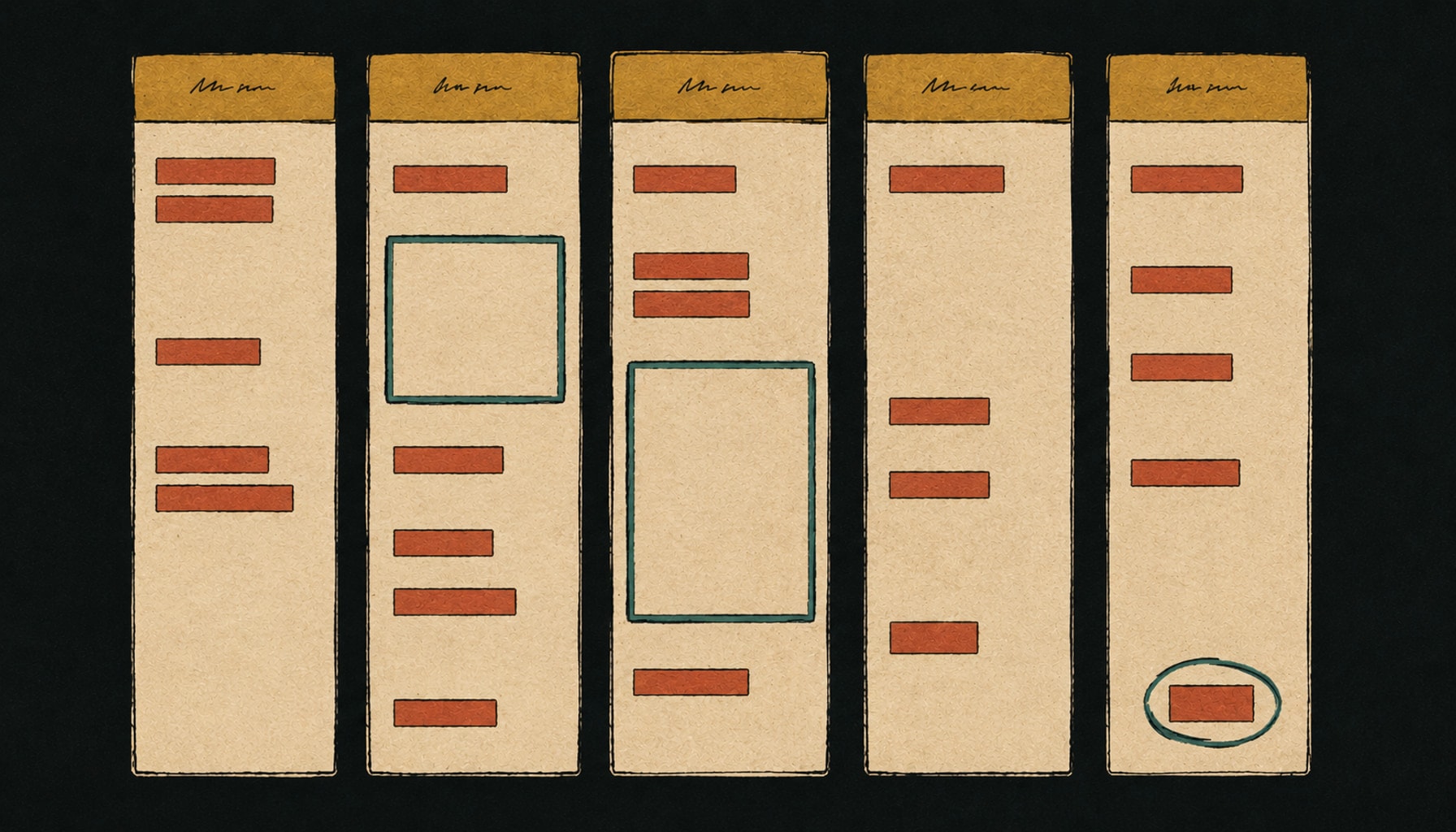
A calendar app is a display for time. It is not a treatment, and there are three failures it reliably does not touch, worth naming so you do not go shopping for a better calendar when the problem is somewhere else.
- It cannot start the task. A block arriving at two o’clock does not make two o’clock easier. If you are sitting in front of the work and not doing it, that is a starting problem, and a timer, a body doubling session or a smaller first step is the right tool.
- It cannot break a task down. “Sort out the insurance” fits on a calendar just as badly as it fits on a list, and it will be dragged forward all week. Something has to turn it into a startable first step before the block gets used.
- It cannot make you look at it. Every calendar depends on a checking habit, and checking is exactly the habit ADHD makes unreliable. Widgets, lock screen activities and leave-now alerts exist to reduce that dependence, but none of them remove it.
Those three jobs, and the apps that do them, are covered in apps to help ADHD adults, which sorts eleven tools by the job rather than by popularity.
Where Taskly fits
Taskly is not a calendar app, and it would be a bad one. It is a task manager, and it sits behind whichever calendar you pick rather than replacing it. Five parts of it were built around the failures above.
- Do dates are separate from deadlines. A slipped intention does not get rendered as a missed commitment, which is the mechanism that turns a calendar into a wall of red.
- A brain dump comes back as separate, dated items. Paste or dictate the pile and ask Otto to split it, break the ones that are really projects into steps, and propose dates you can then put on the calendar.
- Recovery is one move. “Push everything I didn’t finish to Thursday” is one request and one approval, not twenty edits. Re-entry cost is the thing that kills systems, so it is designed for rather than ignored.
- Nothing changes without your approval. Otto shows every proposed change as a before and after you accept or discard. This is the direct answer to the Reclaim problem above: a plan that rearranges itself silently is a plan you stop trusting.
- No streaks and no productivity score. Nothing that makes a gap expensive.
What Taskly does not do: it does not draw your day as a timeline, it does not replace Google Calendar or Apple Calendar, and it will not defend your focus time from a meeting invite. If the assistant part is the interesting bit, the AI to-do list page covers what it does and what to check before trusting any tool with your list.
The short version
Keep Google Calendar or Apple Calendar underneath as the container. Add one thing on top for whichever property is missing: Tiimo or Structured if you cannot feel time, Fantastical if things never get entered, Reclaim if the week is owned by other people, Sunsama if you will genuinely do a morning ritual. Two or three colour coded calendars, a day view rather than a month view, two protected blocks a week, and one recurring ten minutes to clear the wreckage. Judge whatever you pick on how it feels to open after nine days of ignoring it, because that, and not setup day, is what you will be doing with it in six months.
Frequently asked questions
What is the best calendar app for ADHD?+
Is there a free ADHD calendar app?+
Why do calendars work better than to-do lists for ADHD?+
What is time blindness and can an app help?+
Should an ADHD calendar app schedule my tasks for me?+
How many calendars should I have?+
What is the difference between a do date and a due date?+
What should I do when I have ignored my calendar for a week?+
This is practical productivity writing, not clinical guidance. Saba Majidi holds a master’s degree in counseling psychology, but nothing here is a substitute for advice from a clinician who knows your situation. If ADHD is significantly affecting your work or wellbeing, that’s who to talk to.